Thanks. I had not heard of this. I briefly did some searches. If I understood it correctly, the functionality would require the use of an existing underlying map. If this is the case, can you perceive of a way to make something like this work using another map such as mine? Also, I had read in some earlier searches about using SVG files such as are created in Illustrator.
Hi Twinstream. I guess I checked out for a while because of lack of sleep. Bootstrap Studio has been helpful. There have been a few minor things that created a roadblock at times. I have lots to learn regarding how Bootstrap Studio works and how to locate some things that are not intuitively accessible. To get past the hump, I worked out some issues then copied the html into a program where I could easily copy and paste or save as. I was pressured to update a small website that I have had. Next, I will be tackling the large one. That should take me about 2-3 years! If you can, take a look at what I just posted. I know that it is simple but it is functional for the short term. I am looking for input, suggestions, and guidance. Here is the URL: https://www.acadia.ws
@Greg I have been traveling so just had a look and it looks wonderful ! I cant really think of anything to add as your skills speak for themselves. You can always message me using the forum private message service if you need to chat about anything. Great stuff !
Good to hear from you. I spent most of today trying to come up with the basic design for a standard page that does not have a large full width image at the top. I think that this works:
I do have to figure out about creating actual contact forms which I have never done. I am on the lookout for a few other parts such as an activity calendar, a review or star rating function, and some design for listing vacation properties for rent. I will need to also get back to figuring what to do with maps. Quick question: Is a br type line break still used in Bootstrap?
Thanks again.
Bootstrap Studio Keyboard Shortcuts are here. Shortcuts
A line break <h1>Heading<br />New Line</h1> is Shift + Enter
I started to reply yesterday but got pulled away. I had changed all the br / to straight br versions on my websites after W3C warned against using the trailing slashes. On another matter, do you know what the type of option some web hosting companies provide for switching between jpeg vs webp images? Have you also heard of what percentage of the industry is able to view the webp files?
Hello again,
I meant to reply sooner but have had a bad cold.
Lately, I have been using Chrome’s Developer Tools (DT) to figure out what needs to be focused on for improvements. There are a few things that I have not been able to get past. One is that the Bootstrap 5.3.2 css (min) appears to be causing render blocking even though the script file is at the bottom of the page. I know that there are some online services that remove unused css but have heard that can be risky. Your thoughts?
A very frustrating area for me has been trying to determine the “sweet” spot for an image’s dimension size, file size, and optimal compression that does not noticeably adversely impact the visual quality. I seem to get conflicting feedback from DT especially with the very top image.
I tried the picture element sizing method for the top image but could not get that to work as hoped. I did use it on the Cards but will try using the srcset method in both areas later today.
I like the idea of having a large image at the top of the home page at least but seem to run into more problems with how it impacts SEO and loading times. Trying to use a landscape photo versus a muted color or solid color image is a big difference. Because of this, I am rethinking whether I should just have a max with of 1400px.
Once I nail these issues down, I will begin the Bootstrap Studio work on my main website. As always, I am looking forward to your advice.
Greg
It would help to be able to see the website in question, as well as your PageSpeed Insights scores. When it comes to website loading speed, there are basic questions to ask before you start going down the rabbit hole of speed optimization.
Where is your audience, and what technologies are they using? Are you building a website for local or global traffic? Will your visitors have access to broadband ISPs, 4G or 5G mobile internet, or are they stuck in a rural area with DSL or 3G mobile? Are you focusing on mobile, desktop or both? How important is page rank? Do you need (expect) your website to show up ahead of competitors locally? Nationally? Globally?
The answers can make a BIG difference in how much you need to worry about optimizing for speed.
Just a “for instance”, many WordPress websites I visit have very poor Performance scores (well under 50) simply because WordPress is an ancient, bloated mess. It takes a lot of work to get a Wordpress website to score well on Performance.
But even on my (fairly slow) 300 mbps broadband service, a WordPress website that scores in 20’s or 30’s will still load almost instantly. Same on my 4G low-end Motorola smartphone. The site will be up within 2-3 seconds.
The reality is, if you live in an area with good access to broadband, and good 4G (or 5G) mobile coverage, website speed is almost a non-issue. But if you’re stuck in some rural area with DSL service, or (worse) 3G mobile, than a slow website is torture.
In terms of page rank, Google generally favors faster loading sites over slower loading sites, but that’s only one factor. I’ve seen sites with awful Performance scores (in the 20’s) rank #1, while sites that rank in the 90’s, show up a lot lower.
So there are a lot of factors to consider when it comes to how much effort you want to expend optimizing your website’s speed. It’s never a bad thing to make your website faster, but in the real world, sometimes the difference between a 300kb jpg hero image and a 150kb webp hero image is unnoticeable - unless you’re stuck on a 3G connection at which point it’s VERY noticeable. The change might make your Performance score go from 92 to 97, but then have no effect on page rank.
@Greg, I would suggest taking a closer look at the <picture> element, as it supports both new and older browsers and gives you complete control over which image the browser uses. Of course, srcset offers similar options, but the browser will choose the best image instead. I think the mark is sometimes missed by developers who concentrate solely on page load speed, SEO, etc., especially on a website like yours that is focused on tourism and photography. Search by image descriptions are just as important, and personally, I would use a JPG or PNG for the <img> tag over WebP, as they far outnumber WebP images by 4 to 1 in image search results. A nice image size for image search ranges from 640 to 1200 px. It’s likely that the ranking in image index is also affected by downloads, which most people will edit. I believe that setting a foundation of using the <picture> element could better showcase your photography skills, as your website seems a bit too focused on landscape mode rather than catering to the mobile portrait audience.
It involves much more work, but it’s really worth it in the end.
<picture>
  <!-- XL and larger screens, landscape -->
  <source
    media="(min-width: 1200px)"
    srcset="image-landscape-xl.webp"
    type="image/webp">
  <source
    media="(min-width: 1200px)"
    srcset="image-landscape-xl.jpg"
    type="image/jpeg">

  <!-- MD to XL screens, landscape -->
  <source
    media="(min-width: 768px) and (max-width: 1199px)"
    srcset="image-landscape-md.webp"
    type="image/webp">
  <source
    media="(min-width: 768px) and (max-width: 1199px)"
    srcset="image-landscape-md.jpg"
    type="image/jpeg">

  <!-- MD and smaller screens, portrait -->
  <source
    media="(max-width: 767px)"
    srcset="image-portrait-md.webp"
    type="image/webp">
  <source
    media="(max-width: 767px)"
    srcset="image-portrait-md.jpg"
    type="image/jpeg">

  <!-- Fallback image -->
  <img src="image-landscape-md.jpg" alt="Descriptive text about the image">
</picture>
Most people do not realize that the <img> tag “src”, whether used by itself, with the srcset attribute, or within the <picture> element, is the only image that gets indexed (saved for image searches) when searching for images in browsers.
Thank you Twinstream & Printninja,
I have been stepping into the waters of unfamiliarity and both of you are helping me swim, at least, not drown.
I had been focusing on the Home page concept but the large image at the top was creating too much of a challenge so I redirected my efforts on a page where the top image is restricted by the container. This is the page:
My two areas of focus and new learning was with using the “picture” element (great example, Twinstream) and most recently, trying to figure out how to eliminate render blocking caused by my own CSS file. I am not sure if I got the codes right but the page and images are still loading. You will easily see in the pages html.
I have been using Chrome’s Developer Tools for direction. It may be old news, but I realized for the first time that the results of Lightroom’s Report is impacted by the size of our browser window at the moment when we initiate analysis.
I do often notice a perplexing thing relative to the report’s results concerning image quality. It happens often where it notes an image is low-resolution when it is not. Two identical images in size and quality in the Cards are not flagged while one of the three will be. I am sure you know. My guess is that it is the way that the Bootstrap architecture works along with the fluid dynamic, perhaps? One of the 3 screenshots I am including shows what I am talking about. When it does happen, the score drops. Refer to: DevTool_CadillacMountain_Mobile-2.jpg
After this page, my next goal will be trying to figure the best way to present vertical images for cellphones version horizontal ones for desktop.
Thanks gain. You have been a big help.
Greg
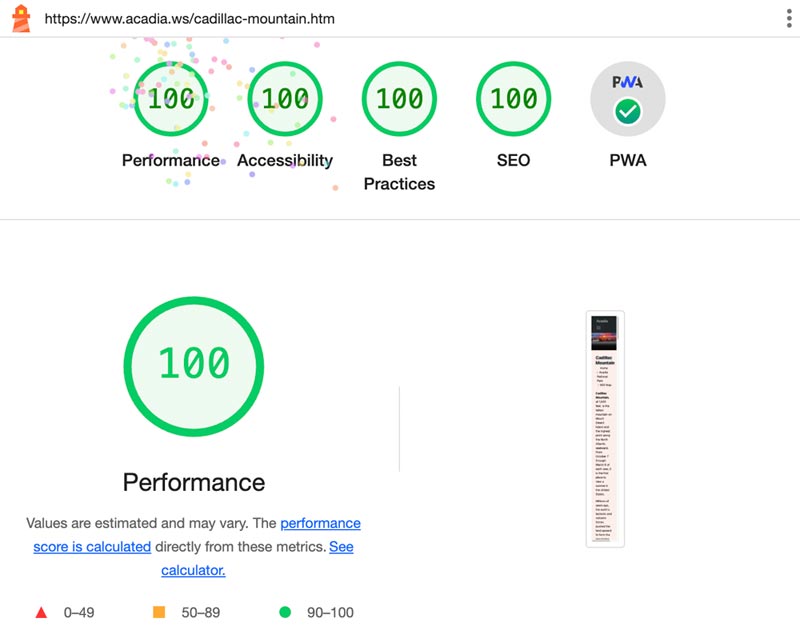
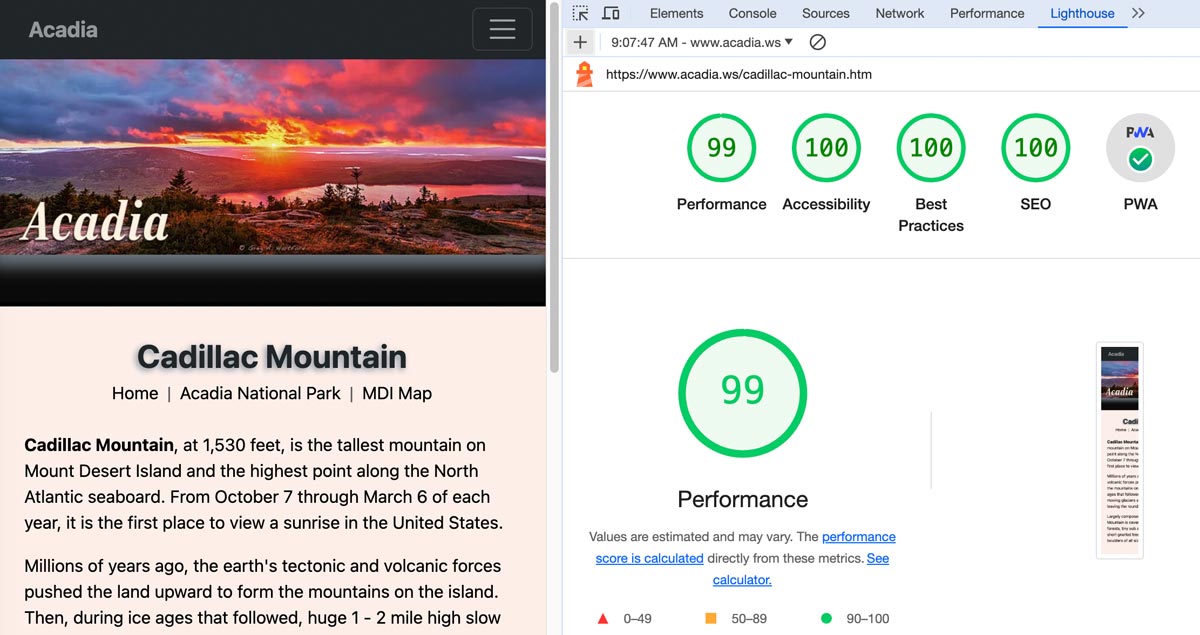

Lighthouse is not the final word in website optimization. It’s just one tool. It’s good tool, especially when it comes to letting you know about major, glaring issues that will hurt your UX, page rank, etc… but it also can be quirky at times, and report issues that I think make no sense (ex. text contrast). It also sometimes reports issues with image resolutions, missing link descriptions, etc, that I don’t think are correct.
Lighthouse’s big strength is that it’s a Google tool, so basically it’s like the “secret sauce” when it comes to ranking well on Google. And since Google is #1, they kind of get to make the rules (even if some of the rules are dumb.) Case-in-point, Google strongly emphasizes speed, but their own Google analytics code is often one of the biggest speed bumps on a website. And don’t get me started on their reCAPTCHA. The stupid thing isn’t even responsive.
Personally, I wouldn’t go too far down the rabbit hole when it comes to speed. To a person with 4G/5G or broadband service, they will not notice any real-world difference between a website that scores 90 on performance, and one that scores 100.
Faster is always better, but the internet landscape is constantly evolving. In the last three years, global average internet download speeds have almost doubled, from 24.8 mbps to 46.8 mbps. In less than three years, speeds will likely double again.
What this means, essentially, is that soon most concerns about image sizes on websites will be virtually irrelevant. In many places/cases, they already are. Ten years from now, nobody will care how big websites are, because the speed of the internet will be twenty times faster than it is today. All websites will load instantly.
Printninja,
I follow. I have been jumping through Google hoops and obstacles for over 20 years. They are the thousand-pound gorilla that keeps changing the rules that people were just struggling to abide by.
Since Google always knows in advance what those changes will be, they are always ahead. They also have had a huge advantage in the global marketplace. As a result of the search data gathered, they know all the trends before anyone else does. They can make their decisions and acquisitions before some even get out of bed. I found that out years ago when I created a website that was doing extremely well relative to Acadia National Park. I had a broader regional approach to content and had well over 100 keywords and phrases in number 1 & 2 position. My interactive map was capturing 70-87% of referrals for advertisers. This was done by following all the rules. Then, Google called me on the phone to ask a lot of questions about why I did certain things. I did not know they were putting together their own map.
I had noticed in searches that sites that placed above mine were not following the rules. More than this, they were obviously spamming overtly and covertly. The only difference I found was that they were usually paying. But in my humble opinion, one of the most clever things they did was take control of the web stats market by offering “free” analytics. This wiped out most all the smaller companies that offered web stats. Everybody loves the word “free.” But most have no idea what else is likely happening. Essentially, we just allowed a Google employee (via data tracking and algorithms) into our businesses. Everything that happens now gets to be part of the big “G’s” book of knowledge and ultimate algorithm. This also solidifies their market advantage and control.
What I am doing at acadia.ws is a redesign but also a concept test prior to applying it to my main site called Acadia Magic. That has been my primary focus for about 25 years. Since I am a one-person show, it has been very time consuming, especially since I have known very little about doing it. My focus was on creating ambiance, content, and functionality. Photography was the key to ambiance. Research, familiarity, and organization was essential to content. Functionality and delivery have been the most challenging for me without the technical knowledge. After the adverse impact of Covid, I am trying to resurrect and modernize the design at a time when I must also decrease the content to fit the cellphone which also includes conceptualizing the new portrait cellular as opposed to the previously dominant desktop landscape world.
Sorry for the length.
Greg
From what I understand this is the root level that the OP is asking for. From a server standpoint, the root level of the website is the httpdocs folder where index.html resides. HTTP requests do not go lower than the level where index.html is located.
Hello,
Is this in reference to another conversation? I do not know what this is in reference to. In case it is about the acadia.ws site, there are a few things that may be relevant.
One is that all the pages are currently htm vs html. Unfortunately years ago someone convinced me to do it that way. I would actually like to have an htaccess that would redirect all of them to html pages.
Next, is how the website is hosted at G*Daddy. There are 3 websites sharing one hosting package. Each is supposed to have its own IP (acadiamagic.com and determine.info are placed within the primary acadia.ws hosting package). I am not sure if I have been using the correct descriptions here.
The third has to do with the location of the Bootstrap folder. Originally, I placed it inside of the assets folder but then wondered if that might create a problem. To test it, I placed a duplicate (Bootstrap folder) in the root folder and changed the link in the index.htm page to point to it. I did not notice any issues. Where it should be, or can be, is something I hope the Forum can clarify. I have “dragged and dropped” images while my browser window was at different widths and the correct sized images were being used.
Thank you,
Greg