# Text rotate in table header
**URL:** https://forum.bootstrapstudio.io/t/text-rotate-in-table-header/7231
**Category:** Webdesign Help
**Created:** [April 17, 2021, 8:23am UTC](https://forum.bootstrapstudio.io/t/text-rotate-in-table-header/7231 "2021-04-17T08:23:09Z")
**Posts on this page:** 2
**Page:** 1
### Author:  [@rumede](https://forum.bootstrapstudio.io/u/rumede)
#### Post date: [April 17, 2021, 8:23am UTC](https://forum.bootstrapstudio.io/t/text-rotate-in-table-header/7231/1 "2021-04-17T08:23:09Z")
I have a problem with CSS. I would like to have the following:
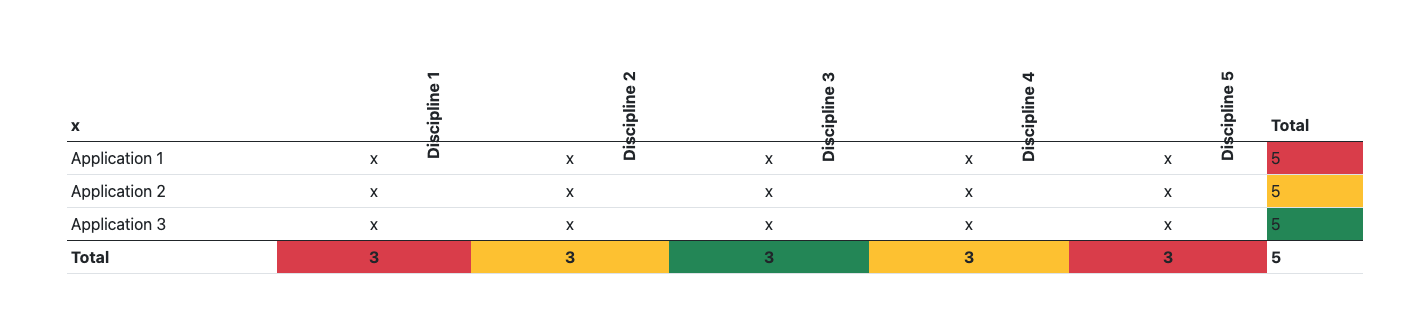
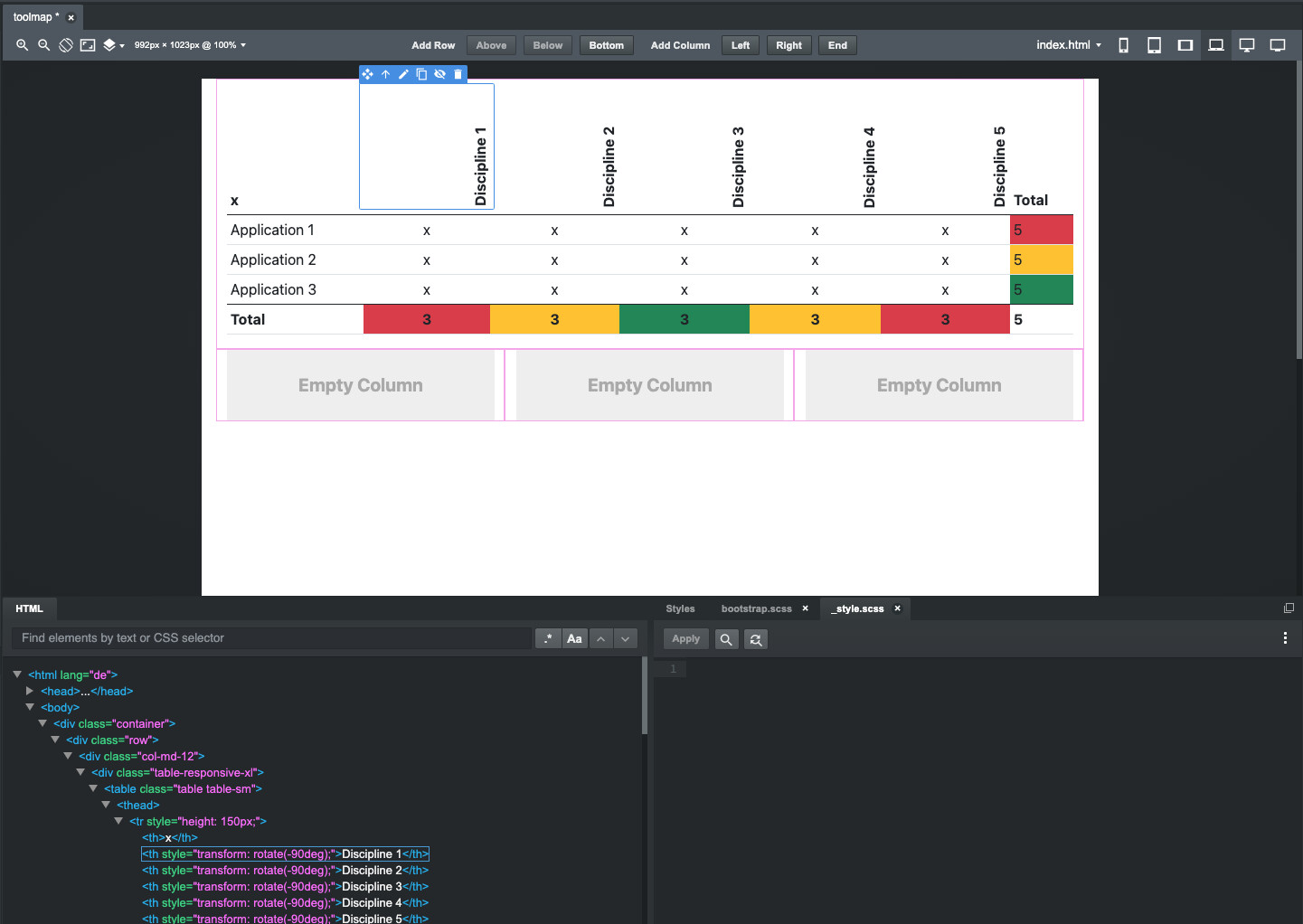
I would like to have the cells “Discipline 1” to “Discipline 5” rotated by -90 degrees as in the cell inside. I have managed that so far.
But what I would like to correct now:
The “D” of Discipline should be aligned at the bottom in the cell.
> Currently it in the HTML much too deep.
The content of the cell should be horizontally centered, where as the “x” in the body cells.
> Currently it is somewhere
The width of the columns I would like to have much less wide, because I probably need to insert a maximum of 10 more columns “Discipline”.
How can I solve this problem? I can also send you the BSS file.
Attached you can see two screenshots, once what I have in BSS backend and once what is played out on HTML.
Thanks for your help.
Greetings from Switzerland
Rumede
---
### Author:  [@jo-r](https://forum.bootstrapstudio.io/u/jo-r)
#### Post date: [April 17, 2021, 10:20pm UTC](https://forum.bootstrapstudio.io/t/text-rotate-in-table-header/7231/2 "2021-04-17T22:20:08Z")
A simple Google search for “make text read up or down” brought the first post which answers your question …
[https://developer.mozilla.org/en-US/docs/Web/CSS/text-orientation](https://developer.mozilla.org/en-US/docs/Web/CSS/text-orientation)
And a little further down the page was this one which is basically the same info:
[https://www.w3schools.com/cssref/css3\_pr\_writing-mode.asp](https://www.w3schools.com/cssref/css3_pr_writing-mode.asp)
… but …
I don’t know how that works with Bootstrap. You may want to look at Bootstrap’s site and see if there’s provisions for it there:
> **[Bootstrap](https://getbootstrap.com/)**
>
> The most popular HTML, CSS, and JS library in the world.
Hope that helps, and please do, do Google searches prior to posting as the answer is probably there pretty quickly. Might be faster than watching the forums here some days. 🙂