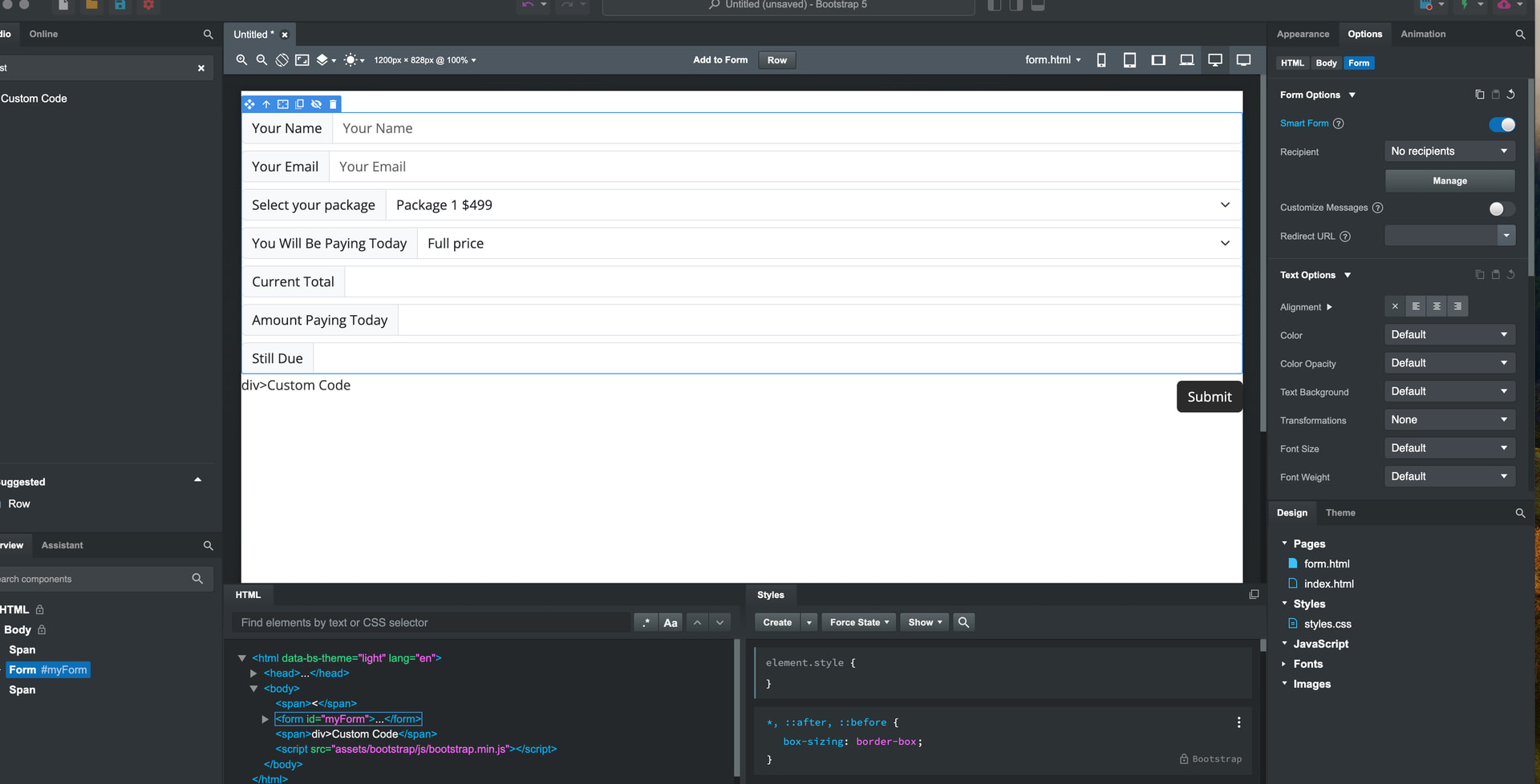
I currently use a plugin called calculated fields in WordPress. I wanted to see if I would be able to create this in bootstrap studio. https://cff.dwbooster.com
Would I be able to have an area where people sign a like contract as part of the contact form?
And would I be able to create a form that calculates different money amounts? So a customer creates a custom package and the prices update as they pick things. And then they can pay either in full or pay, say, a $200 deposit. And then it calculates and shows what the balance would be that they still owe and so on. And then on to checkout to be able to checkout and pay.
Would there be a way to have Custom areas of the contact order form set up to send me to my email a CVS file that I can then drop in a program like numbers on my Mac. That’s what we currently do to track all of our jobs.
Yes, technically. You’d use a canvas, create JS to allow users to draw in this input. Take an image of this, and then insert this in a hidden file upload field. I haven’t built something like this, but I am aware that this might, theoretically, be possible.
The first part, would again be technically possible with JS and the smart forums. The second part, paying a deposit, no
So if this is not possible in the forums, would there be some kind of way to make this by using a third party product? Or is this just something that wouldn’t be able to work like this?
They would need to calculate the amount of items that they pick showing the current total and then allow them to pick either that full payment or a deposit down.
Here’s one of our sites that we have set up doing this for a portrait business. The people pick different type of packages. Prices change based on what they’re picking. This does not have the signature area. We had that working for some wedding packages that were larger.
This lets them take a percent to pay down or the full amount.
And then I just get that CVS code set with our email that shows everything they’ve ordered and we drop it into numbers to track all the orders for our bookings.
Do you know if the add-on Shopping Cart features I see they offer would be able to do this type of thing?
I also have a product that we will be selling soon that I would need to download a digital file. I want to see if I can set that up to work with this reflow on a new custom site I would build using Bootstrap Studio. https://reflowhq.com.
Interesting, but this only creates a text field that puts text in a CSV format into it. Rather than producing a file.
However, it’s occurred to me that JS can build CSV files, and with the use of a hidden input you can append a real CSV file to be sent with the email via smart forms.
JavaScript running in the browser has no access to the filesystem, so it cannot create files. JavaScript running in Node.js, however, can access the filesystem and read or write files.
JavaScript has access to the File API in browsers. This is different to the filesystem.
JavaScript can create files, and I’m very confused since you yourself, in your previous post proved this after I mentioned it’s possible to create a CSV file that can be sent as a file attachment.
I have a few questions on how to use this code. I grab the first part and put it in and I see what it did in the layout. Where do I put the second part of the code?
Do I put it in another custom code block?
Also I see a bunch of updates to the code. I’m not sure what to do with that. Is there one block of code that has all the updates in it to put in one place? I’m still very new to doing all this. Just got Bootstrap Studio a few days ago. I’m still watching a lot of the how-to videos.
But I plan on using this a lot.
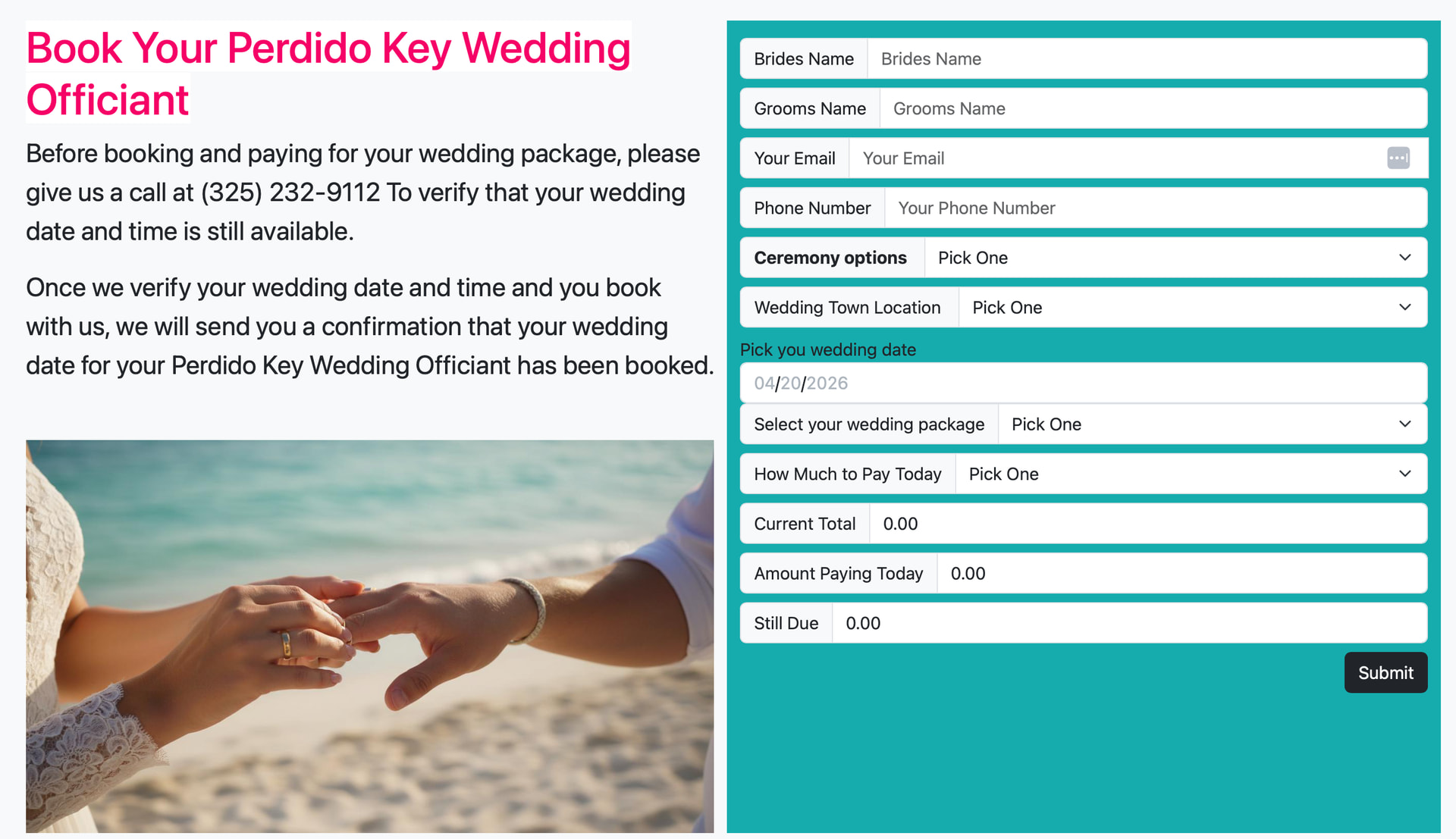
Okay, thank you. I’ve added quite a few more fields to it and dropped it in a website I’m working on. This is not live yet, this is just local.
In the form I added in a calendar for date picking. It threw the formatting off. I can’t figure out how to fix that.I was trying to put the “Pick Your Wedding Date” in front of the calendar area, but I couldn’t get it to insert in like the rest of the columns.
Here’s a screenshot of what I have so far.
Plus I’m not sure how to make the link work to send the email to someone And the wedding officiant And does this create a CVS file in there somewhere? I couldn’t tell. If not, that’s okay.
And not sure how to have the button when it’s pressed send both emails but then also take it to PayPal for the person to make the payment that it transfers to PayPal For the current amount that they’re paying…
Here I added it to a live site.
The base design was done with AI and then I added everything else into it. I’m going to replace the images with real ones. https://www.perdidokeyofficiant.com
I’m joining the discussion late, but I wanted to say that usually I use cognito forms (the free version is enough for my needs), and they seem to have a signature feature in their pro plan, along with multiple email notifications.
Looking at the two of them, I think I like easy forms. With the buy at once, no more payments plan.
But can’t Bootstrap Studio do a basic form, just a fill-in form for people to contact you? How does that work? I haven’t dug deep into that yet.
How would I get the submit button to work on the form that I have on the site now? To send to both me and the customer, and then can it just be directed then to PayPal for them to make that payment Of the amount paying today?