Under the CMS Articles settings add a URL to custom fields.
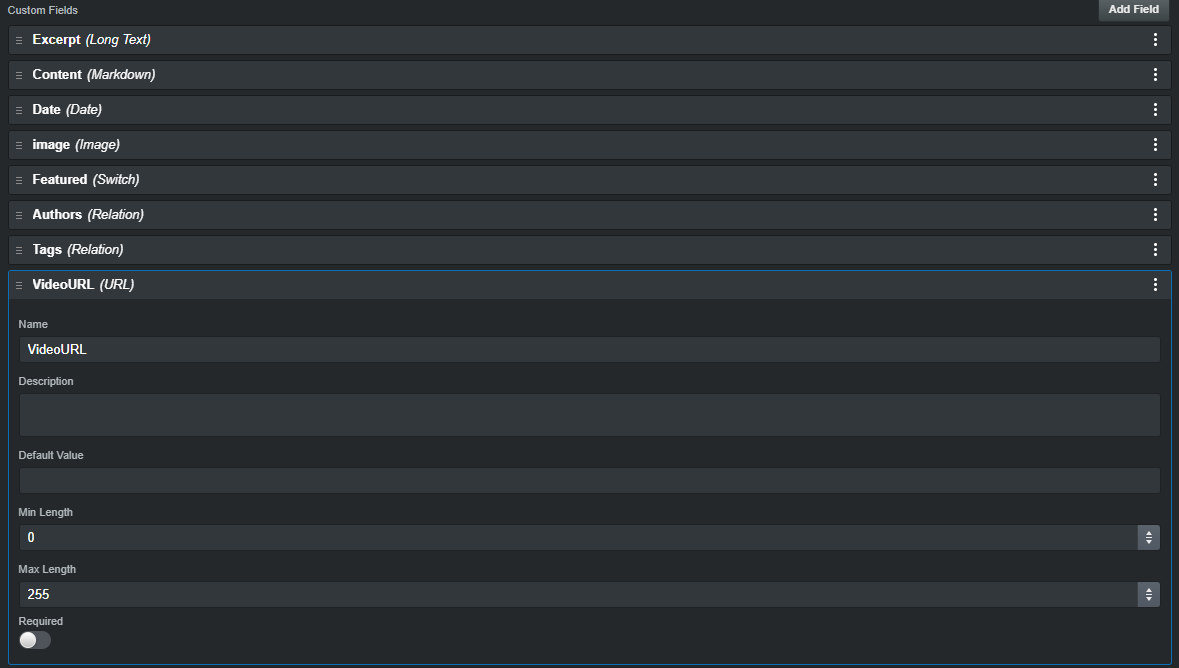
On top of your article.html page hide the image header, then add a Paragraph with ID of cms-video-vault and class visually-hidden under the CMS Loop,
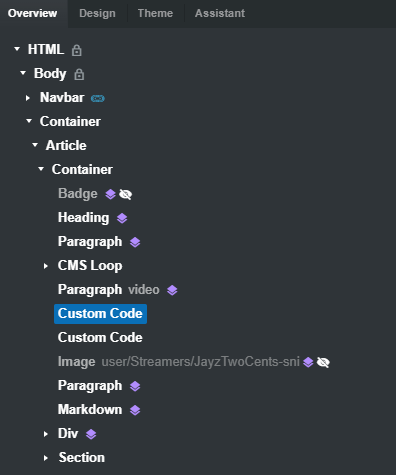
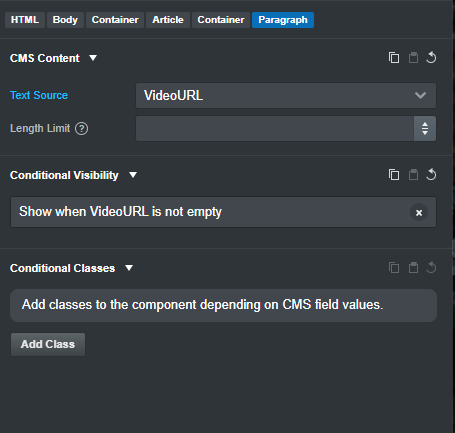
then link to the CMS URL you created,
then add A Custom Code below the Paragraph with its ID like so.
<!-- The outer container defaults to display: none; and uses id="cms-video-container" so the script can control it -->
<div class="vsd">
<div id="cms-video-container" style="width: 100%; max-width: 92%; margin: 0 auto; display: none; border-radius: 12px; overflow: hidden; filter: drop-shadow(3px 1px 2px #3b3b3b);">
  <div class="ratio ratio-16x9" style="--bs-aspect-ratio: 100%; min-height: 350px; max-height: 985px; overflow: hidden;">
    <iframe id="cms-dynamic-player" src="" frameborder="0"
            style="width: 100%; height: 100%;"
            allow="accelerometer; autoplay; clipboard-write; encrypted-media; gyroscope; picture-in-picture; web-share"
            referrerpolicy="strict-origin-when-cross-origin" allowfullscreen></iframe>
  </div>
</div>
</div>
for clean look add style to brake the video from below content.
.vsd {
  margin-bottom: 30px;
}
then create .js file with code like so
// Insert the video in the header header
  (function() {
    var checkLimit = 0;

    function injectCmsAssets() {
      // 1. HANDLE THE YOUTUBE PLAYER AND VISIBILITY
      var vault = document.getElementById("cms-video-vault");
      var player = document.getElementById("cms-dynamic-player");
      var container = document.getElementById("cms-video-container");

      if (vault && player && container) {
        var rawUrl = (vault.textContent || vault.innerText || "").trim();

        if (rawUrl) {
          var targetEmbed = rawUrl;
          if (rawUrl.includes("watch?v=")) {
            var videoId = rawUrl.split("v=").split("&");
            targetEmbed = "https://youtube.com" + videoId;
          }

          if (player.src !== targetEmbed) {
            player.src = targetEmbed;
          }

          // REVEAL SWITCH: Reads the vault text, and updates the container layout display to block
          if (container.style.display !== "block") {
            container.style.display = "block";
          }

          clearInterval(assetEngineClock);
        }
      }

      // 2. DESTRUCTIVE RAW TEXT OVERRIDE FOR IMAGE D-BLOCK
      var articleWrapper = document.querySelector(".cms-article-wrapper");
      if (articleWrapper) {
        var figures = articleWrapper.querySelectorAll("figure");
        figures.forEach(function(fig) {
          if (fig.className.indexOf("d-block") !== -1) {
            fig.className = "figure d-flex justify-content-center align-items-center w-100";
            fig.style.setProperty("display", "flex", "important");
            fig.style.margin = "1.5rem 0";
          }
        });

        var images = articleWrapper.querySelectorAll("figure img");
        images.forEach(function(img) {
          img.style.setProperty("width", "100%", "important");
          img.style.setProperty("max-width", "650px", "important");
          img.style.setProperty("height", "auto", "important");
          img.style.borderRadius = "12px";
        });
      }

      if (checkLimit > 100) {
        clearInterval(assetEngineClock);
      }
      checkLimit++;
    }

    var assetEngineClock = setInterval(injectCmsAssets, 40);
  })();
on each article you want video header just put the embed YouTube’s URL in your created URL section.

Results will be.
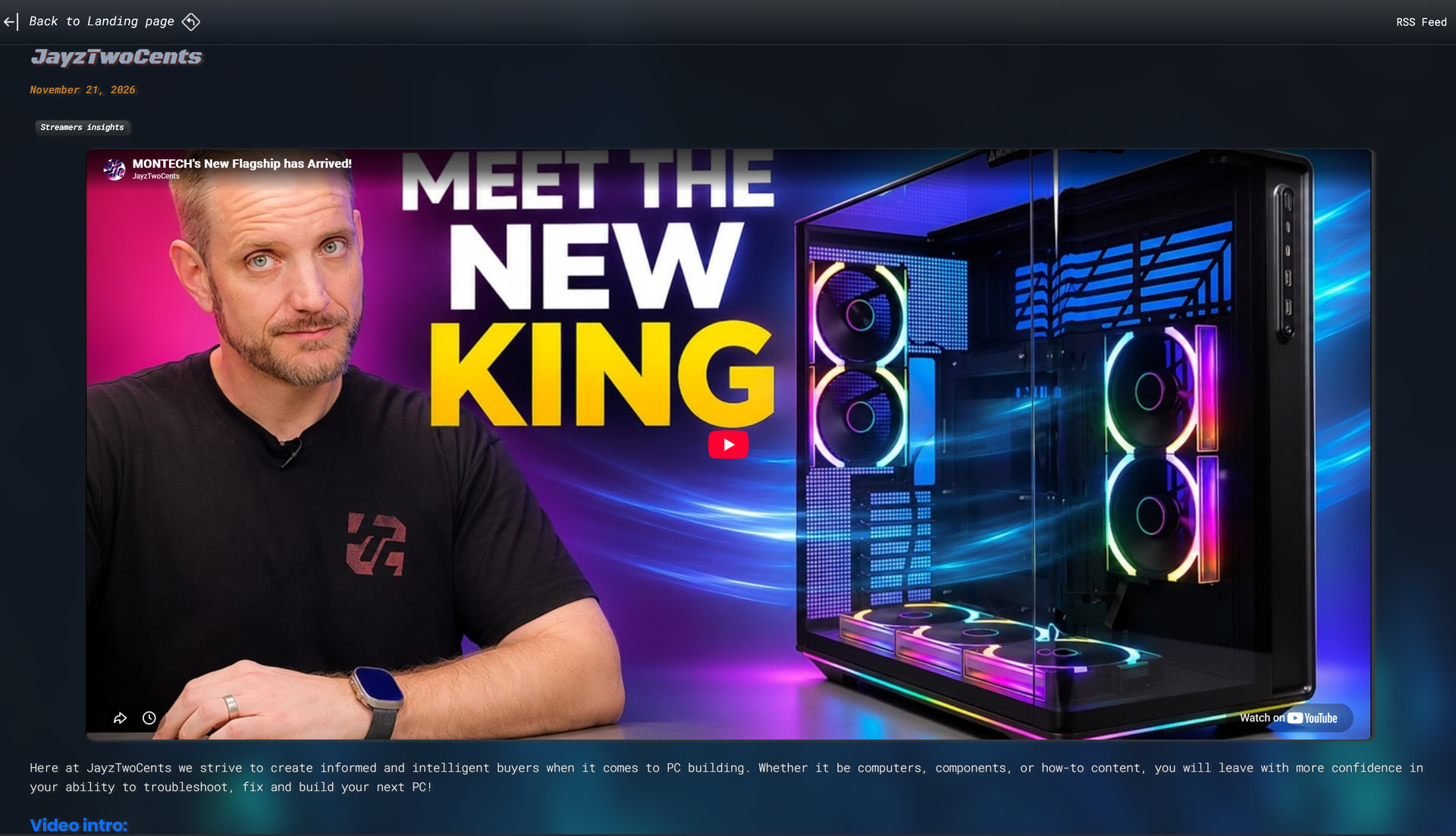
if you need a header image for your articles after making the video header replacement,then in article’s content section at top be for you write article just add this snippet exactly so: [img:/assets/img/yourimg.png] ,

this is were the next .js code will inject the image in to the article.Next on the article.html page add another Custom Code below the first one with this,note the ID as the js code need this.
<img id="img-head" src="your-image.jpg" style="display: block; margin: 0 auto;width: 90%;max-height: 860px; border-radius: 12px; margin-bottom:18px; box-shadow: 3px 1px 2px #3b3b3b;">
then add the the this code to the .js file.
// 2. replace top image for articles
document.addEventListener('DOMContentLoaded', function() {
    console.log('Root directory image path correction active');

    var tagStart = '[img:';
    var walker = document.createTreeWalker(document.body, NodeFilter.SHOW_TEXT, null, false);
    var targetNode = null;
    var targetImage = document.getElementById('img-head');

    // 1. Locate the exact text node containing your [img:...] tag
    while (walker.nextNode()) {
        if (walker.currentNode.nodeValue.indexOf(tagStart) !== -1) {
            targetNode = walker.currentNode;
            break;
        }
    }

    var imageInjected = false;

    if (targetNode) {
        var textValue = targetNode.nodeValue;
        var startIndex = textValue.indexOf(tagStart);
        var endIndex = textValue.indexOf(']', startIndex);

        if (startIndex !== -1 && endIndex !== -1) {
            // 2. Isolate your exact path: 'game-bg/RSI/IAE.webp'
            var cleanImagePath = textValue.substring(startIndex + tagStart.length, endIndex).trim();

            if (cleanImagePath && targetImage) {
                // Force root-relative path if missing leading '/' or 'http'
                if (cleanImagePath.indexOf('/') !== 0 && cleanImagePath.indexOf('http') !== 0) {
                    cleanImagePath = '/' + cleanImagePath;
                }

                // Append the timestamp query parameter for local caching protection
                var freshUrl = cleanImagePath + '?t=' + new Date().getTime();

                // Hide the image automatically if the file fails to load (404/broken path)
                targetImage.onerror = function() {
                    targetImage.style.display = 'none';
                    console.log('Error: Image failed to load, hiding #img-head:', freshUrl);
                };

                targetImage.src = freshUrl;
                targetImage.setAttribute('src', freshUrl);
                targetImage.style.display = 'block';
                imageInjected = true;
                console.log('Successfully injected root path address:', freshUrl);
            } else if (!targetImage) {
                console.log('Error: Element with id="img-head" was not found on the page.');
            }

            // 4. HIDE TAG COMPLETELY: Wipe the raw text out of the screen view safely
            var fullTagText = textValue.substring(startIndex, endIndex + 1);
            targetNode.nodeValue = textValue.replace(fullTagText, '');
        }
    }

    // 5. HIDE IMAGE ELEMENT: If no valid [img:...] tag was found, hide #img-head
    if (!imageInjected && targetImage) {
        targetImage.style.display = 'none';
        console.log('No [img:...] tag found, hiding #img-head.');
    }
});