I made a website for myself, it’s my portfolio and i have also an agency and i would like to have similar design, so i thought to clone the first website then the second one i change few things and adapted to an agency portfolio/website like. So far so good, the issue is when i try to publish the new one I add the domain of the agency but this domain is changing also in the first website, how can i solve this issue?
And when click publish - are you pressing the button in the top right of the application, or are you opening the publishing modal, choosing the site in the drop down, clicking save then publishing it?
Bootstrap Studio shall have saved the URL you wanted to publish to in the design file. So that could be the issue
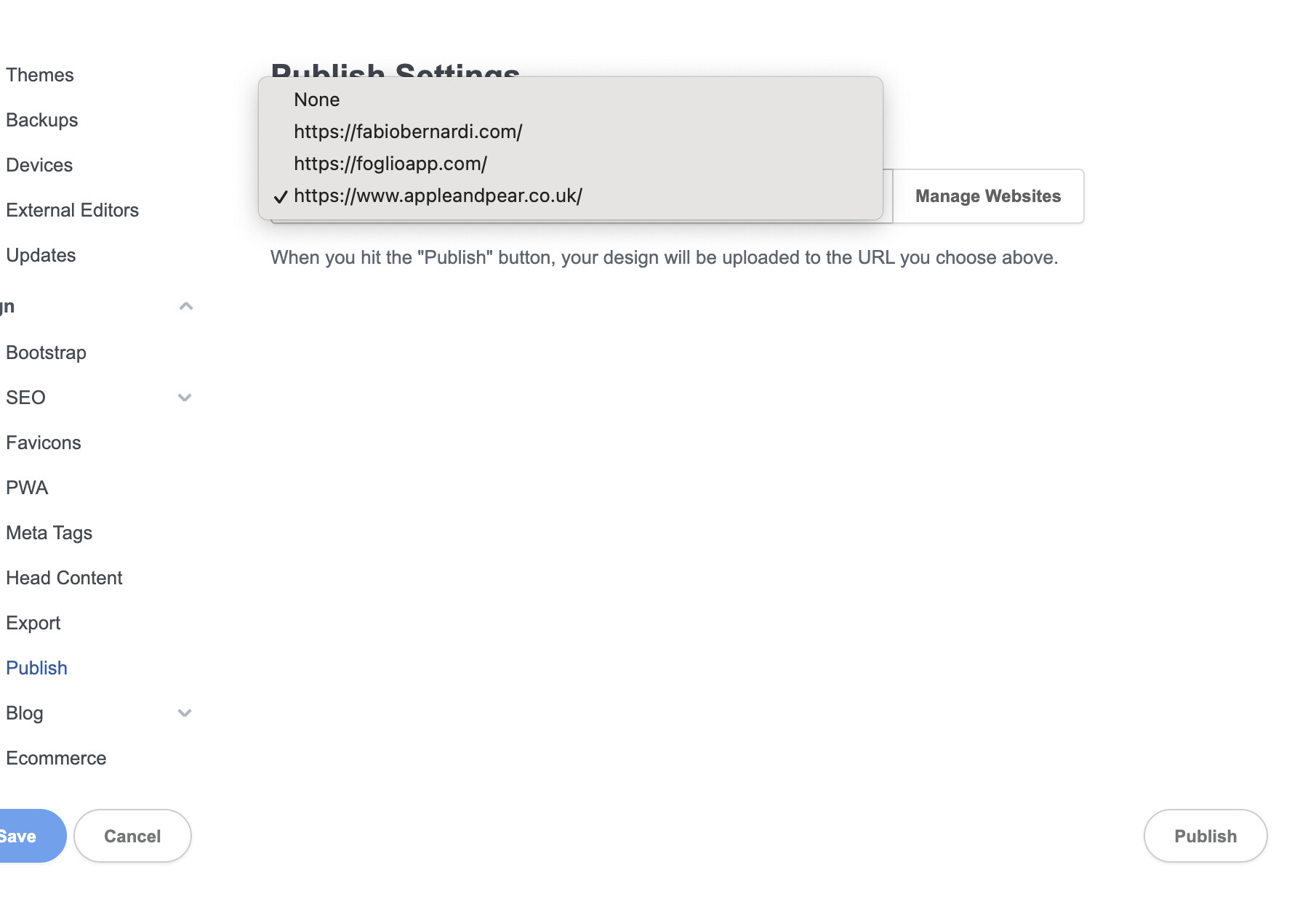
The first and original website is fabiobernardi and the second is appleandpear so when i save and publish the second one it’s also save the same domain to the first one - see the screenshot attached, I’m inside fabiobernardi but the domain is not fabiobernardi.com
Can you explain the core issue you are experiencing one more time?
Also, I see you have added www to the appleandpear.co.uk domain, this is an issue as the domain doesn’t point to this address.
www is a sub-domain, meaning it had its own DNS records. www.appleandpear.co.uk does not point to the BSS hosting platform, instead you are pointing appleandpear.co.uk to the BSS hosting platform.
The issue is, if i add the new url where to publish the apple and pear website which is appleandpear.co.uk this it will be also the domain on fabio bernardi BSS even thought was already saved to be published to fabiobernardi.com (which is already live).
So it seems i cannot save the right domain for each individual BSS designs (Fabio bernardi > fabiobernardi.com and Apple&Pear > appleandpear.co.uk )
p.s. I have copied fabiobernardi design to apple&pear and renamed it
The reported issue is a quirk in how Bootstrap Studio stores design settings. If you copy a bsdesign file in your file manager it will have the same id as the original and both will share some settings. The solution is to use Save As. You can learn more here.