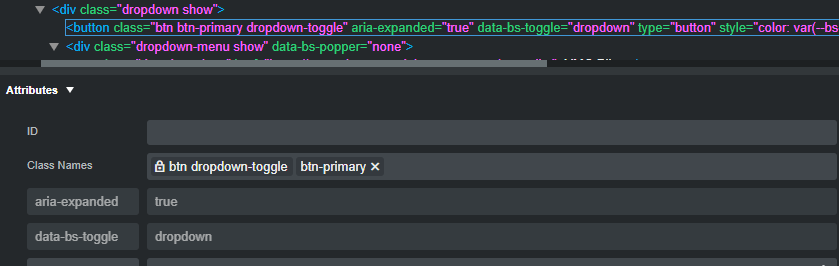
I want them to be closed until the user selects them. So, I want ‘aria-expanded’=”false”, not true. Somehow this was changed by bootstrap studio and I cannot see how to change it back. Other buttons on the page have ‘aria-expanded’=”false”….but I do not know why!
Hello Martin. Im pretty sure what you need can be managed with the options that show above the view port when having the drop-down menu selected (as you can see in the picture) Maybe I understand you wrong. Cheers!
Close the dropdown before export, when you export dropdown already opened or extended will be exported as extended or open … try to select the drop down then close it from the options on the top, then export. Will remain closed until users call it to open .
Thank you very much, that does work. I was trying to alter the setting in the bottom left Attributes window and failing. I could see it should be changed but could not work out how!