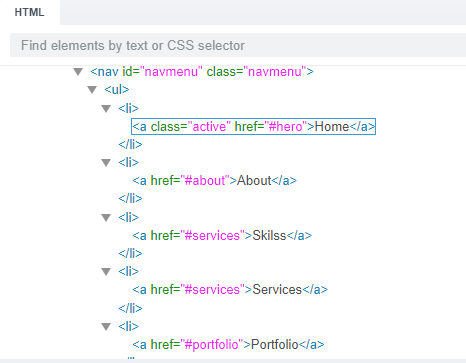
Hello, I’m new to BSS and I have imported a template. On the index-page is a NAV HTML set with a list and several list items. The first list item has a link with a claasname “Active” and href “#hero”. The other list items have no links, but they do have href.
My question is: where can I change the href of for example About and Services? I have duplicated the list item Services and renamed it Skills. But I can not find where to change it to Skills
I’m not entirely sure, but I think you’re looking for the place where you can link the item to the corresponding page. When the link is selected, switch to the Options tab. There you can set the desired URL and target – see screenshot.
Ahhh, it seems some kind of bugs occurring with the program.
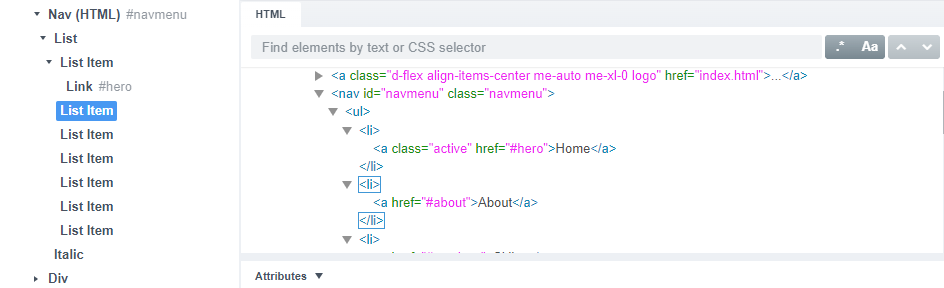
Under each List Item should be a Link. This obviously appears to exist in the HTML, but in the overview tab on the left only the first List Item has a link inside it.
If you would like, you can send me a direct message and I can fix the file for you.
Otherwise, you’ll need to simply drag in a Link item into each of those List Items in the overview panel. This should solve the problem, hopefully.