Hello,
I have created all images in one project as picture elements with different resolutions. Until now, everything worked without any issues.
After updating Bootstrap Studio to version 8.0.1, I had to make some changes to the page. However, during export, not all paths are exported correctly anymore.
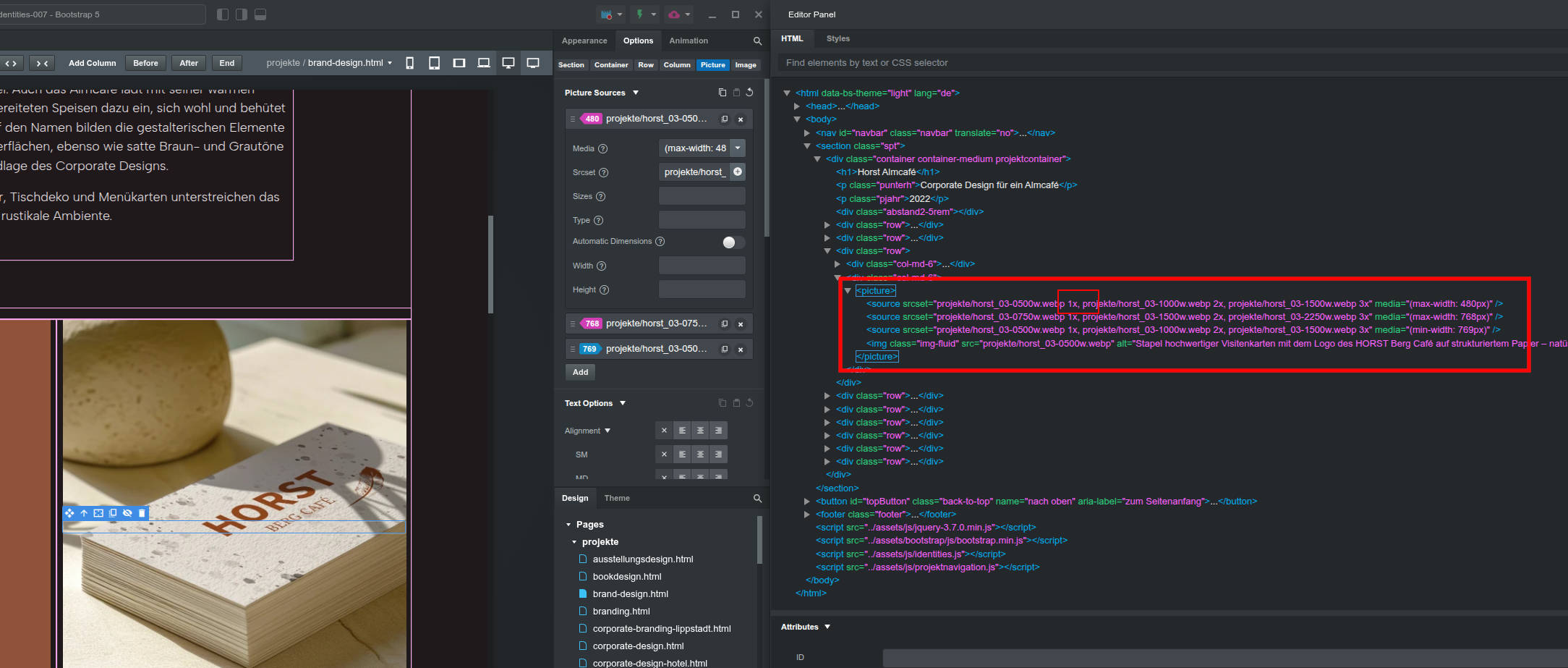
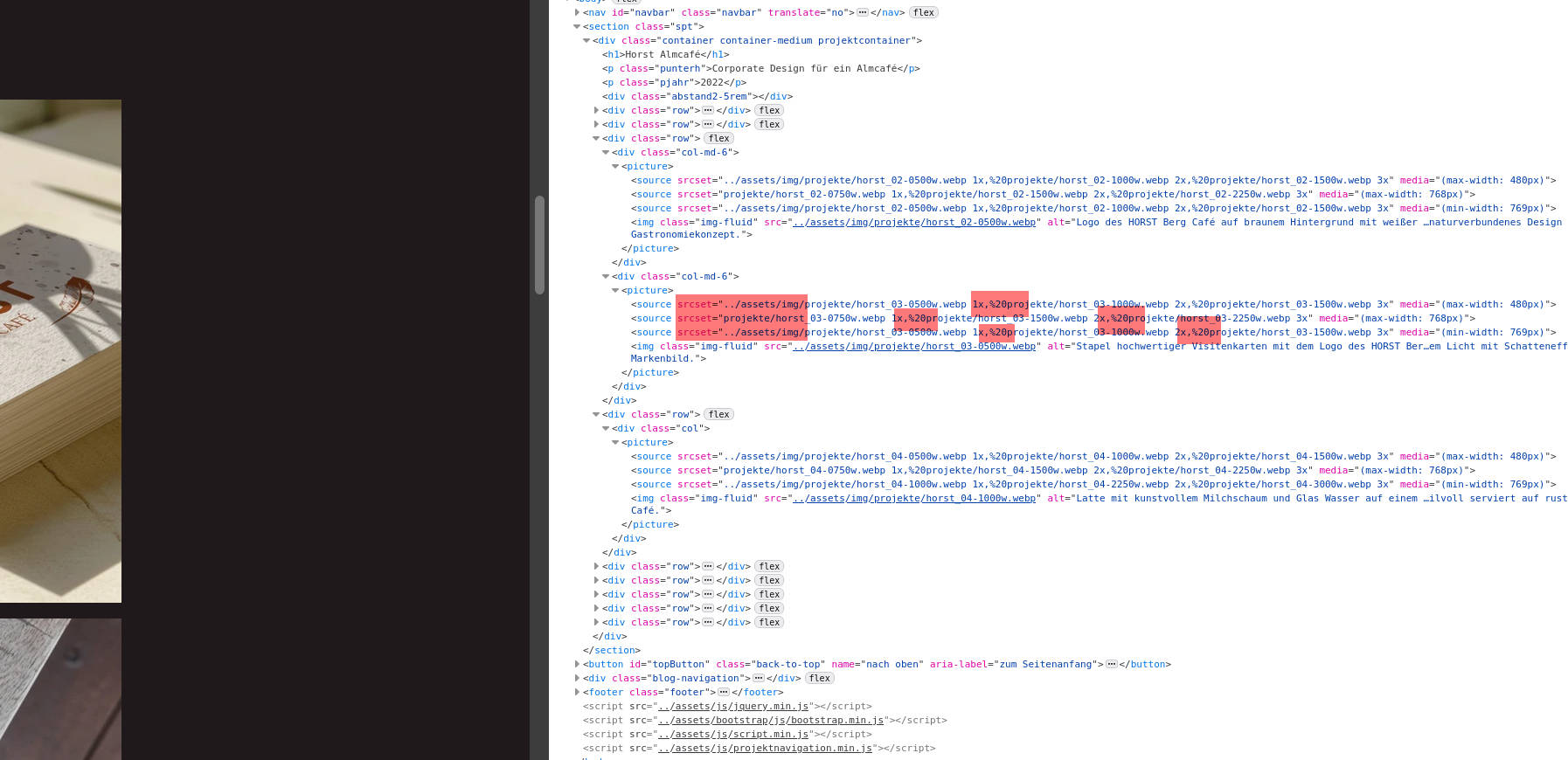
In the Bootstrap Studio editor, everything is still displayed correctly, see screenshot 1. But in the preview and also after exporting, some of the paths are not converted correctly. In addition, some spaces are replaced with %20, see screenshot 2.
All other elements still work correctly. The issue seems to affect only the picture elements.
Could you please check whether something has changed with the latest update and how I can fix this issue?
Thanks and best regards
We made some changes to how srcset urls with spaces are encoded in one of our last updates. It actually was broken before that. What you see is how the URLs are supposed to look. To confirm, do images show up correctly in the browser preview and when publishing or uploading online?
Hallo Martin,
everything looks correct in Bootstrap Studio itself, and the HTML code in the editor is also correct. However, after exporting (and also in the browser preview,) the code is no longer output correctly and then looks like this, for example:
<picture>
<source srcset="../assets/img/projekte/horst_03-0500w.webp 1x,%20projekte/horst_03-1000w.webp 2x,%20projekte/horst_03-1500w.webp 3x" media="(max-width: 480px)">
<source srcset="projekte/horst_03-0750w.webp 1x,%20projekte/horst_03-1500w.webp 2x,%20projekte/horst_03-2250w.webp 3x" media="(max-width: 768px)">
<source srcset="../assets/img/projekte/horst_03-0500w.webp 1x,%20projekte/horst_03-1000w.webp 2x,%20projekte/horst_03-1500w.webp 3x" media="(min-width: 769px)">
<img class="img-fluid" src="../assets/img/projekte/horst_03-0500w.webp" alt="Stapel hochwertiger Visitenkarten mit dem Logo des HORST Berg Café auf strukturiertem Papier">
</picture>
My image files do not contain any spaces. The %20 is inserted after the comma. In addition, the second source srcset=“projekte/…” is not converted to the correct export path. This happens with the same pattern in all files and for all images.
As a result, no image is displayed when switching to the mobile view.
If it is helpful for you, I can send you the links to the old working version and the new faulty version. Or just let me know what else would be helpful.
Best regards
Torsten
If possible can you send us the bsdesign file to our email so we can take a look?
Hello Martin, I have just sent you the email.
Thank you very much and best regards,
Torsten