Media Query Bug

Is it just me or is there something wrong with the media queries. MD works fine, going to LG seems to not work and the LG media query kicks in at XL.

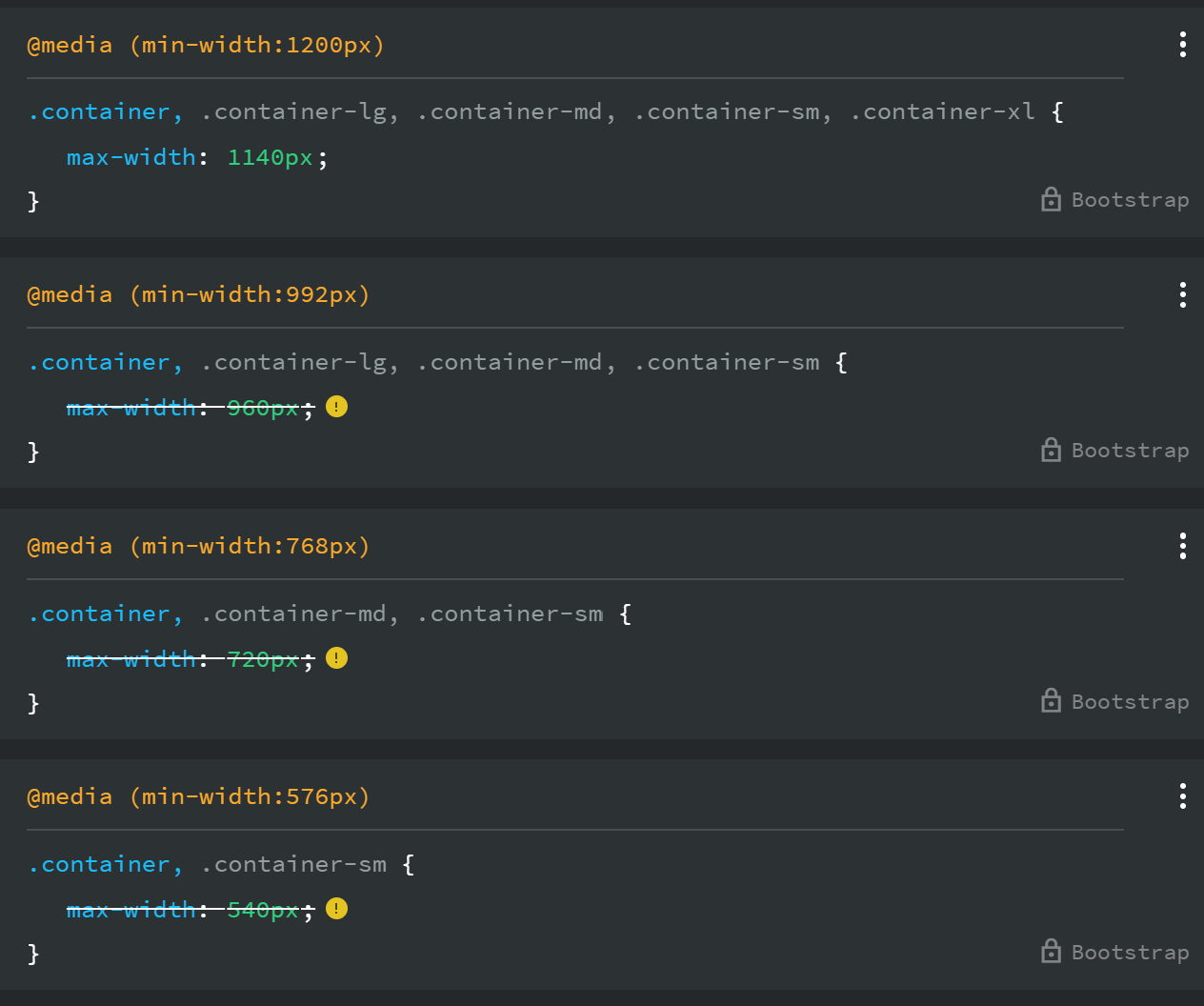
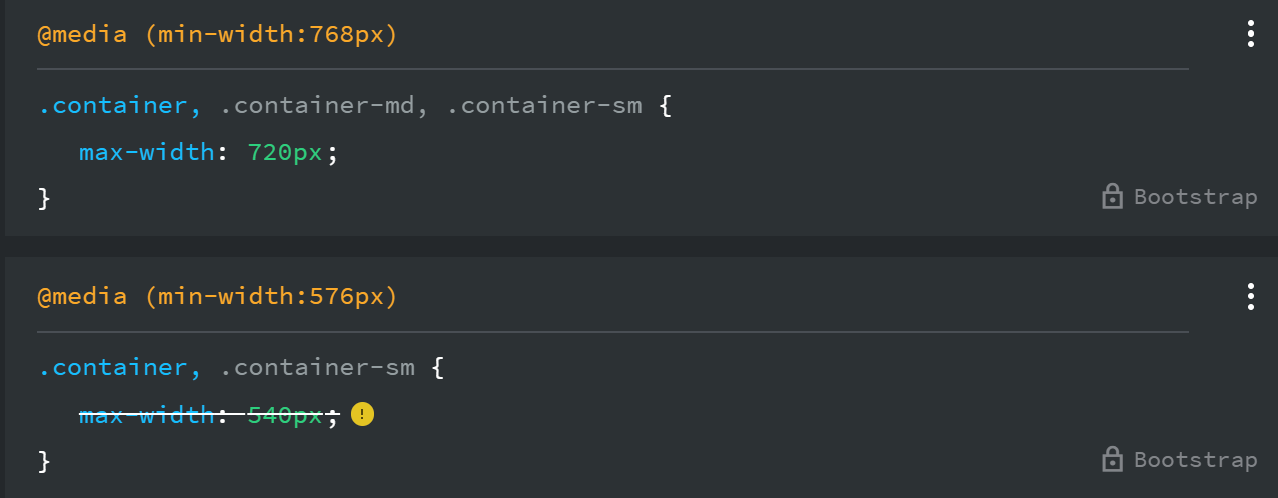
In the CSS for MD and LG it shows this:

At LG this should be showing

But it’s not.

When you go up to XL it shows:

In summary a container stays at MD 720px width and doesn’t expand until XL where it’s 1140px. It’s not resizing to 900px for LG screen

There seems to be a problem with margins and paddings at LG as well.

I don’t think I see any issues here, In Bootstrap 5, the default container widths are:

SM >= 576px - 540px
MD >= 768px - 720px
LG >= 992px - 960px
XL >= 1200px - 1140px
XXL >= 1400px - 1320px

So for a normal .container, the 992px media query is the LG breakpoint, and 960px is the correct max-width there. Then at 1200px, the 1140px rule overrides it for XL. That part is standard Bootstrap.

Hi @catkin.

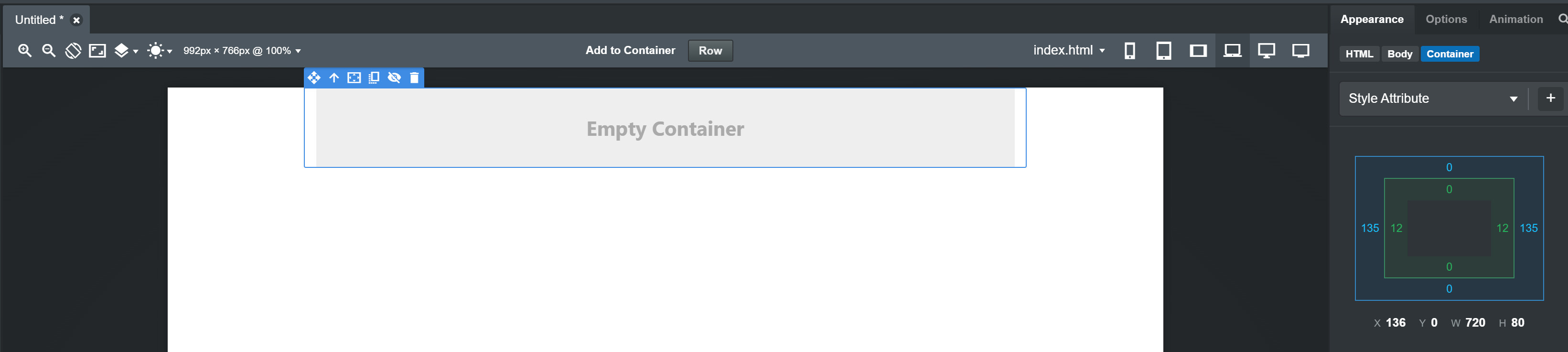
Your correct with the above so I’ve dropped a container into a blank page and set the view to LG as shown in the screenshot. If you select the container and look at the appearence tab the width is only 720px. It should be 960px.

Your preview window in Bootstrap Studio is probably too narrow. Try clicking the “Fit to Canvas” button in the toolbar, select LG, and the width should be 960. If it still doesn’t fit, just shrink the left sidebar.

@kuligaposten Tried that and it still doesn’t work. Also tried a reinstall and still the same. It’s not my css file either as all I’ve done to test it is drop a container on a blank page.
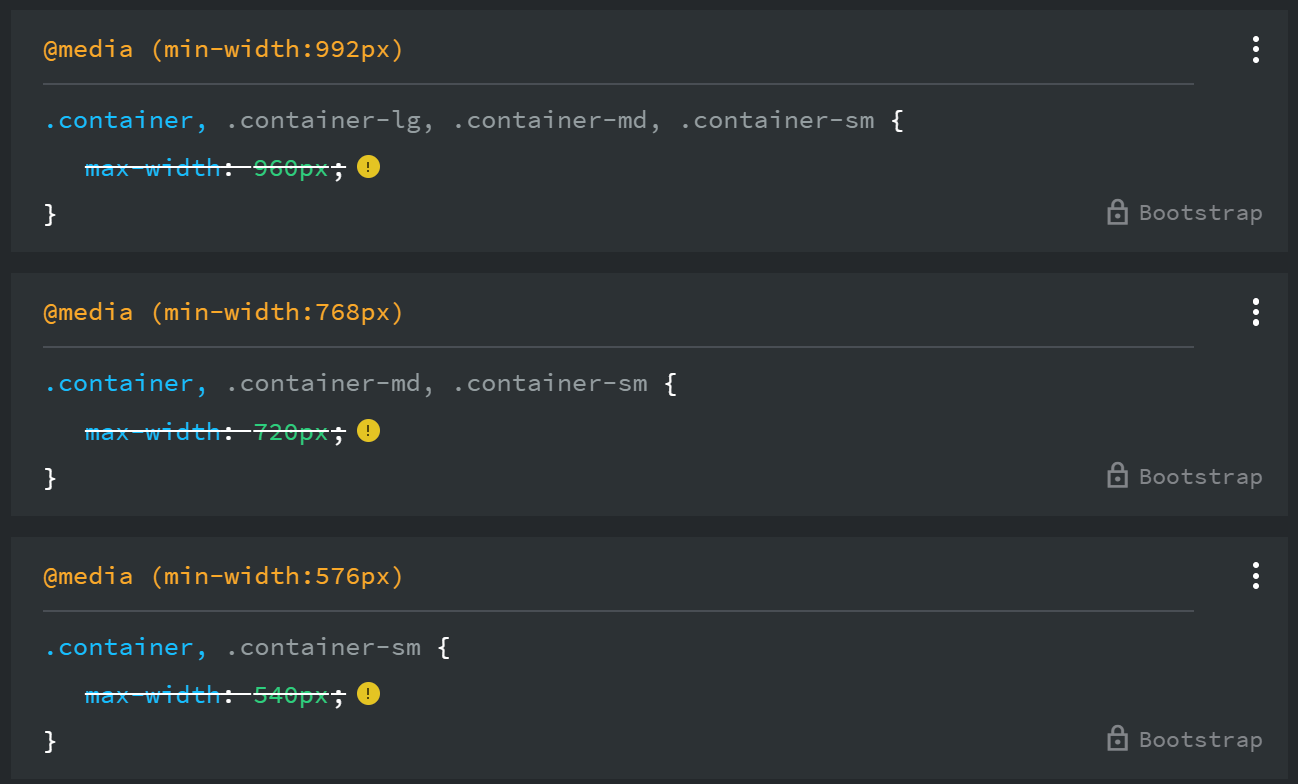
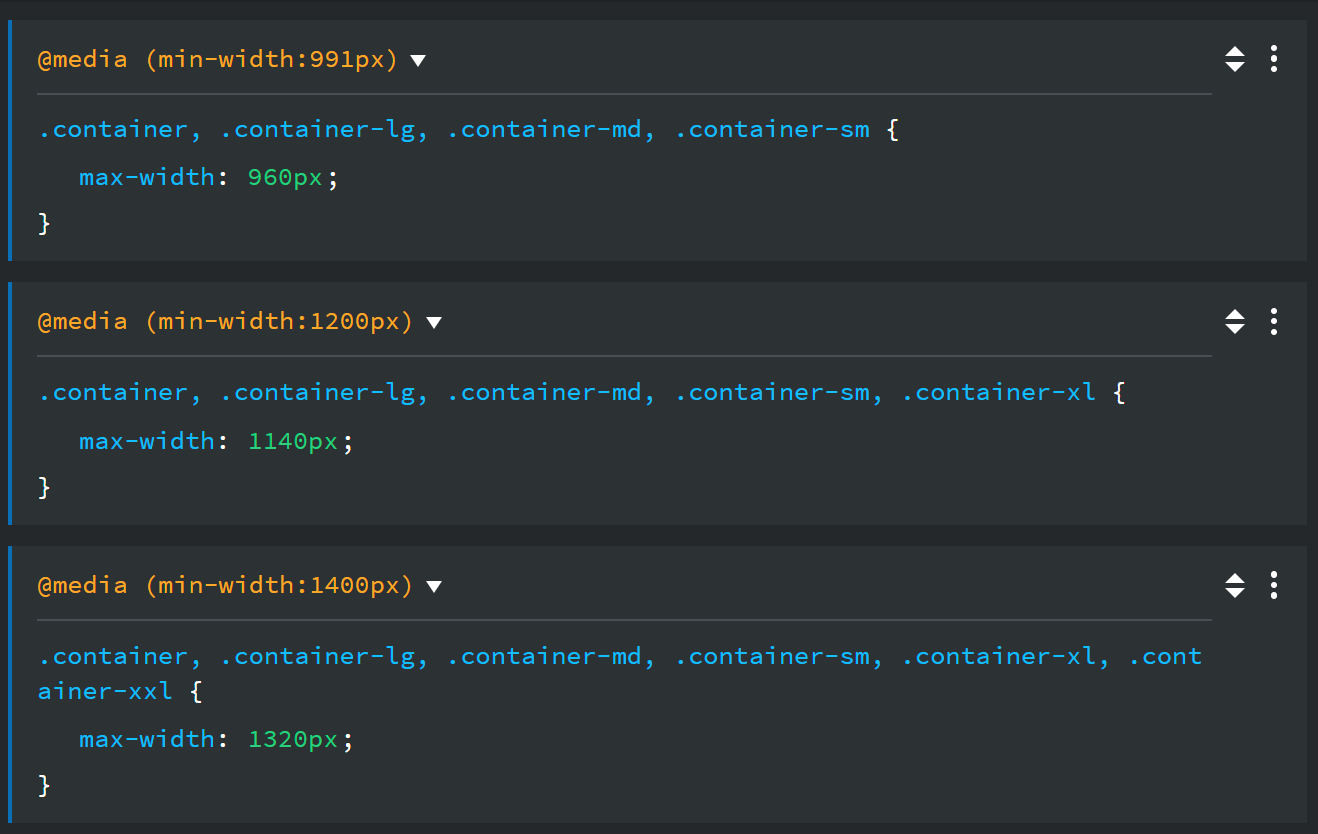
If I change the 992px media query to @media(min-width:991px) and add the media queries {as shown below) to a stylesheet they work as normal.