Hello Bootstrap Studio team,
I’ve found a small issue with the Blog Loop component.
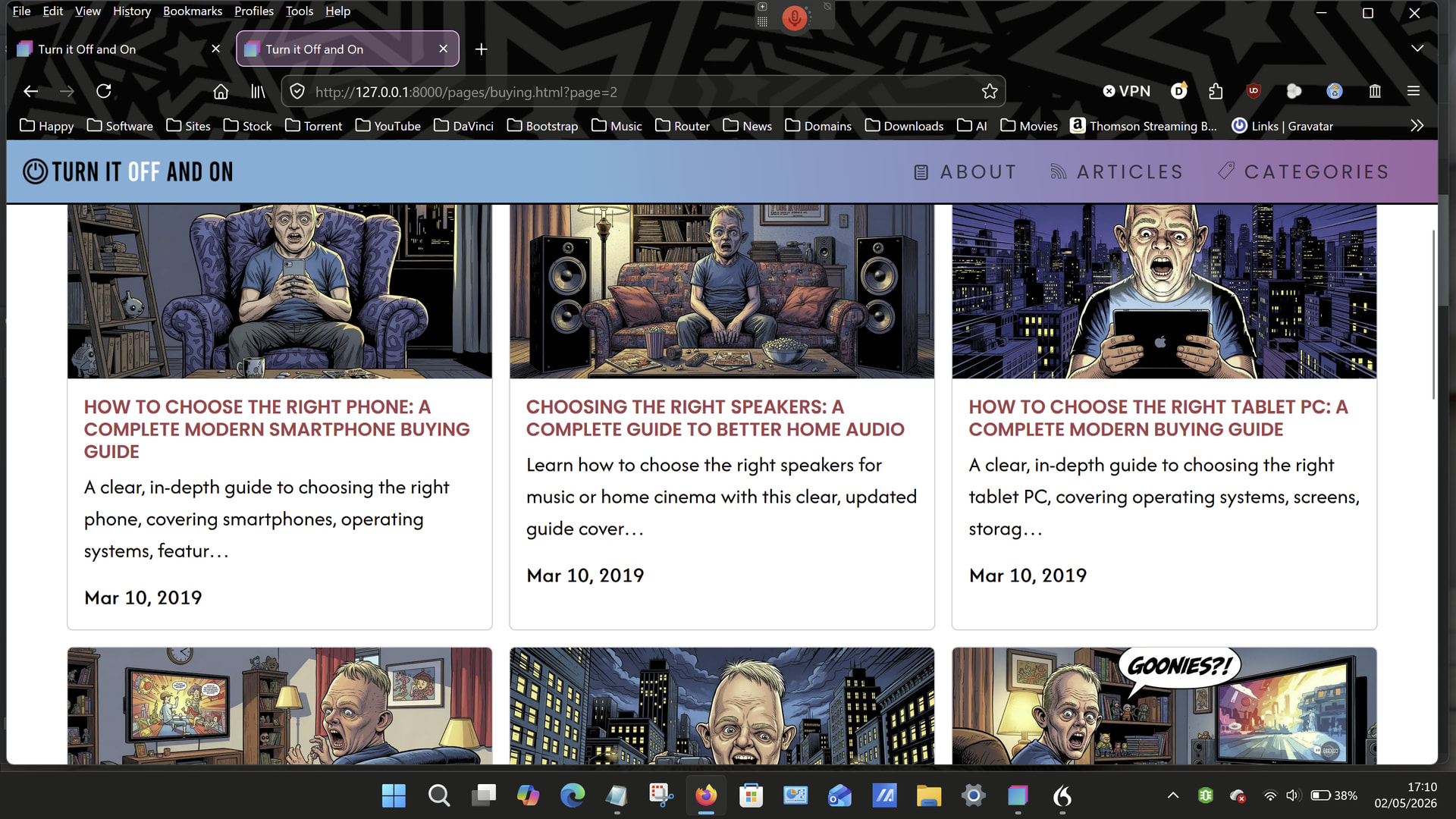
When the Navbar is set to “Fixed to the top”, and the Blog Loop component is configured with a page limit (for example, 20 posts) and “Show pagination” enabled, along with “Scroll after change”, the page scrolls back to the top as expected — but because the Navbar is fixed, the top posts become partially hidden.
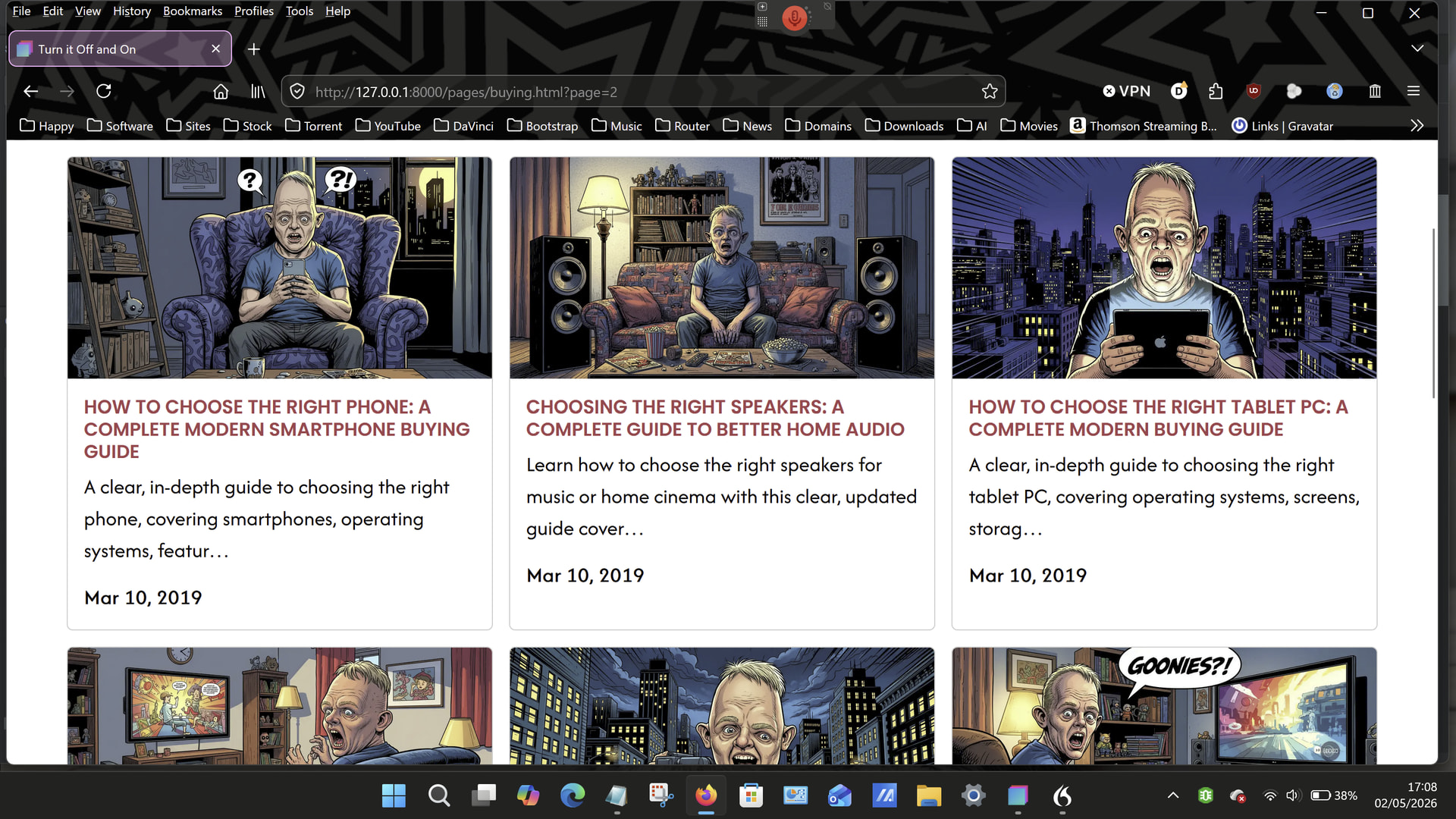
Please see the two images below:
-
The first shows the Navbar in its default (non‑fixed) state.
-
The second shows the Navbar fixed to the top, where the problem occurs.
I’ve tried adding both padding and margin, but neither seems to resolve the issue.
When you’re using a fixed-top navbar, your page content still starts at the very top. So when you jump to an anchor link or scroll to a section, the content can end up hidden behind the navbar.
That’s where scroll-padding-top comes in—it adds a bit of space at the top when scrolling, so things don’t get covered up.
If you set it to the same height as your navbar, you won’t have that annoying “content hiding under the nav” issue anymore. Just update the 56px value to match your navbar height.
Example:
body {
  padding-top: 56px; /* Push content below the navbar */
  scroll-padding-top: 56px; /* Prevent scroll from hiding content under the navbar */
}
What this does:
- Keeps your content visible below the navbar
- Makes anchor links scroll to the right spot (not hidden under the nav)
1 Like
Thank you.
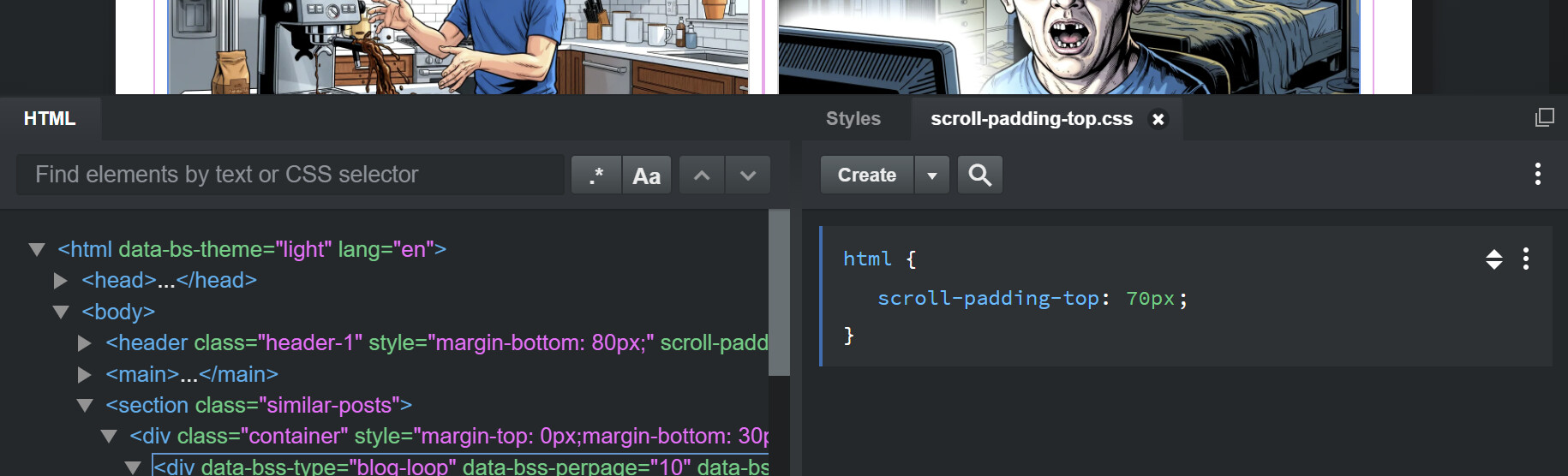
I had to apply it to the HTML rather than the body, but it works a treat now.