Hi friends!
I’m new to BSS (coming over from Blocs). So far I like the editor and am finding things pretty intuitive.
I have, however, run into something that has me completely bewildered. I tested the AI Assistant and tried some things out - mostly making tweaks to existing elements on the page. Really awesome feature!
Yesterday I thought I would see how the AI Assistant does at building a complete landing page. I wrote a long prompt, and let it do its thing. A few seconds later I had a beautiful page! https://gmv.bss.design/
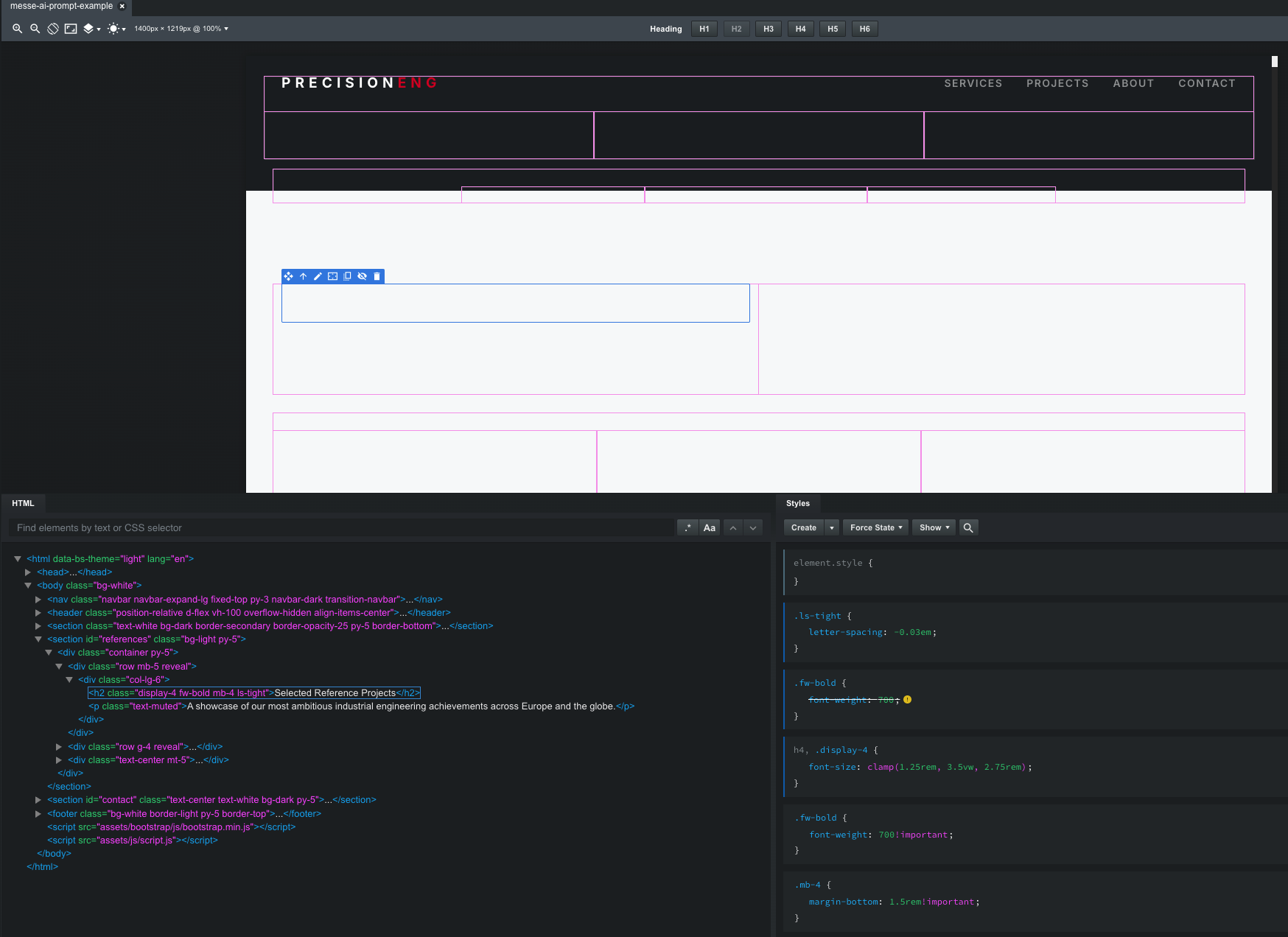
Now to my problem: the page looks great in the browser, but in the editor all the elements on the page are not visible. You can just see the bounding boxes in the editor.
Here is the page and how it looks: https://gmv.bss.design/
Attached is a screenshot of the page and how it looks in the editor.
Move your .reveal classes into the <head> inside a <style> tag. After that, you’ll be able to see the page correctly in Bootstrap Studio.
<style>
.reveal {
    opacity: 0;
    transform: translateY(30px);
    transition: .8s ease-out
}

.reveal.active {
    opacity: 1;
    transform: translateY(0)
}

.reveal-up {
    animation: 1s ease-out forwards fadeInUp
}

@keyframes fadeInUp {
    from {
        opacity: 0;
        transform: translateY(20px)
    }

    to {
        opacity: 1;
        transform: translateY(0)
    }
}
</style>
1 Like
Dude! You get the “ you da man  ” award for today, thanks! I never would have thought about that. WTF …
Also took me a little while to figure out that I can’t just edit inside the HTML code sshown in the bottom left panel, although you can do that in the CSS panel on the right … anyway, I found where i could add stuff to the head … beginning to see that BSS is a “little special” … but so far, 
Thanks again for your help!
1 Like