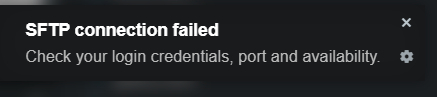
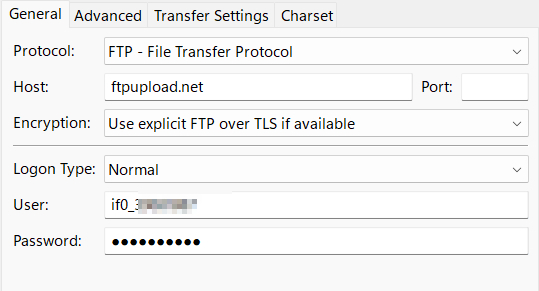
I have a site using a simple smartform. For some reason I cannot use the builtin ftp client to upload/update the site. It must be done manually using ftp client. At any rate when changing something on the smart form and exporting the site, which files are required to update the form. I know the page the form is on needs to be changed. But are there any other files?
Also, is there any way to send the form to more than one recipient at a time?
What happens when you try to update the site with the built-in SFTP publishing? Do you see an error?
If the page already had a working smart form and you made changes to the form, you only need to upload the page itself. On the other hand if you add a smart form to a page which didn’t have one until this moment, you will need to upload both the page and the smart forms.min.js file to make sure it is included.
Not at the moment. You will need to set up automatic forwarding in your email account to forward to the other address.
Status: Resolving address of ftpupload.net
Status: Connecting to 185.27.134.11:21…
Status: Connection established, waiting for welcome message…
Status: Initializing TLS…
Status: TLS connection established.
Status: Logged in
Status: Retrieving directory listing…
Status: Directory listing of “/” successful
Any idea
It’s not a huge deal. It would be nice to simply upload from within bss. I setup a test site and it’s very nice to simply click the publish button. That way even small changes are simpler to make.
I had to enable ssh access on the host site, and allow my IP. But if you needed to do those things, I doubt that you could have got Filezilla’s sftp to work.