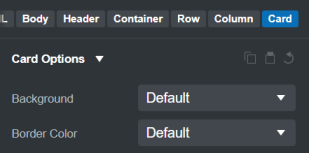
Hello, when using a grid with cards, the height of each card depends on its content.
To standardize the height, simply add the h-100 class to the div that already contains the card class.
In the “Option / card” options panel, a switcher named “Align height” would be a plus.
In the current version of bootstrap.css, in the card class, they are using a CSS custom property to set the height of the card, but the custom property --bs-card-height isn’t define.
If you want all cards to have the same height, you can add your own class like this:
.card {
  --bs-card-height: 100%;
}
This CSS snippet will ensure that all cards have a height of 100%.