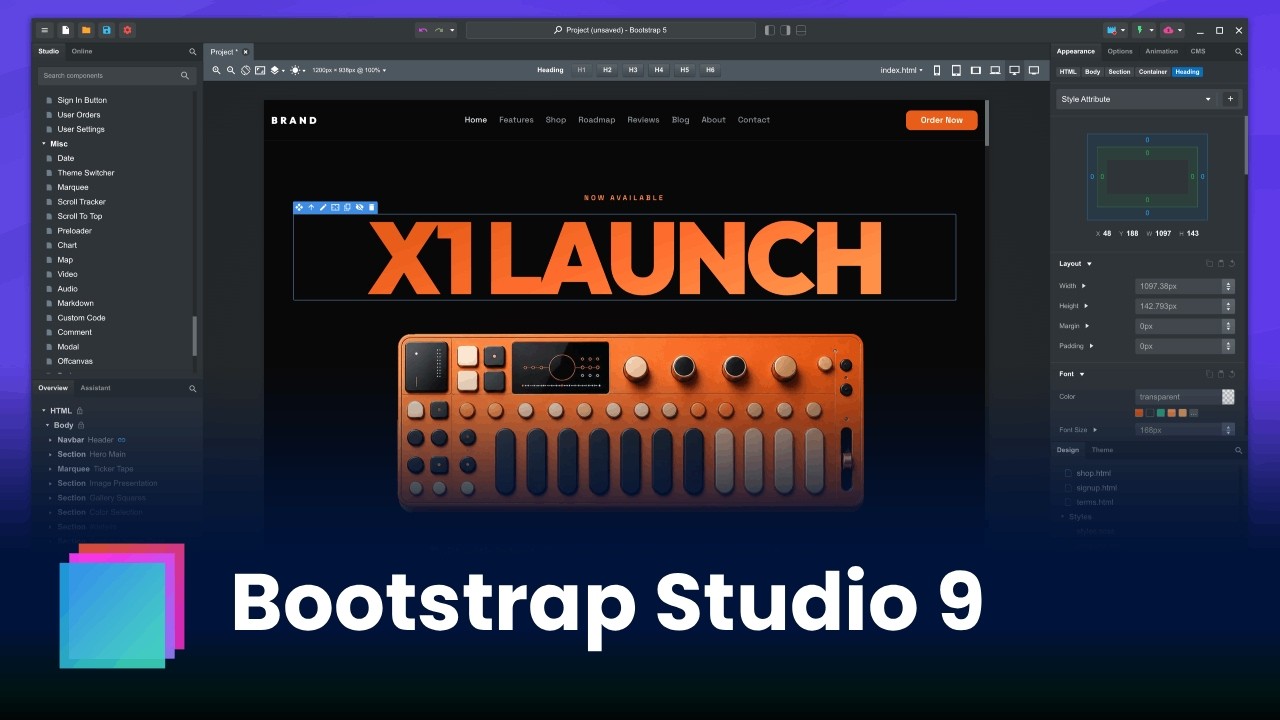
Hey guys! We’re happy to share that Bootstrap Studio 9 is out! This is one of our best releases yet. We’re introducing a built-in CMS, three new templates, a set of new components, and big upgrades to the code editors.
New
Bootstrap Studio CMS is here! This is a major new feature that brings an entire locally managed CMS within the app. Create collections with custom fields, import/export data and bind element content. Everything is rendered as static HTML during export/publish and can be hosted anywhere. We also added a CMS lesson to the academy.
New components were added. With the new Markdown component, you can write content as markdown, and it’s turned into HTML automatically by the app. The new Marquee, Scroll Tracker, Scroll To Top and Preloader help you build more engaging websites without having to write JS and CSS yourself.
Three new premium templates were added. The X1 Launch, Specialty Coffee and Wellness. All three make use of the new CMS and components. Stay tuned for a special bundle promo later this week when we send out our newsletter.
Improved
The JS editors in the app were significantly improved. You now get VS Code-like editing, better auto complete, search and replace, color previews and more.
The CSS editor now has a tool for easing/bezier curves, letting you tweak how your animations behave. It also shows docs tooltips when hovering over CSS properties with links to MDN.
The APP UI was improved. You can now switch the app’s dialogs to dark mode from Settings > Interface. The Undo/Redo buttons are now merged into a single control with a more intuitive history list. The New Design dialog can now filter and sort templates. The Open Recent menu now shows the full design names.
Navbars now have a Sticky Scroll Transition option which lets you specify a threshold after which the “scrolled” class is added. This lets you style your navbars on scroll without resorting to extra JS.
The Find and Replace dialog was improved and can now search in code files and CMS data.
JS files now get a Properties dialog for activating Defer and Async.
Images, JS and CSS in the design panel now get an Export context menu entry.
The AI Assistant supports more local providers and was updated with the newest models.
More styles of hover animations were added. From the Animations panel pick the Hover trigger to see them.
Google fonts were updated with the latest families.
Fixed
Many bugfixes and minor improvements.
We hope you like the new release! As always, feedback and bug reports are welcome
I’ve only spent a few hours playing around with it so far, so I’m still learning. The new article/blog feature seems promising, although it’s a little fiddly to set up.
However, I can’t seem to link a video component to a template. Is this not available, or am I doing something wrong?
Also, in the future, will we be able to edit CMS blog posts using the normal page layout, or will it always be done from the bottom toolbar?
Finally, the “Detach Editors to New Window” feature isn’t working for me either.
The app can’t currently bind videos to CMS fields but it sounds like a good addition. Maybe we can make the video component and/or responsive embed bindable to CMS fields, so you can paste the URL to a video when creating a CMS item.
The blog posts can only be edited in the bottom panel for now. What do you find lacking in the current way?
I was expecting, or hoping, that the CMS feature would allow you to create articles and edit them in the same way as pages, i.e. drag and drop your components onto the main page, along with any custom designs you apply, and see everything in real time.
Again, I haven’t really used the new features that much, so I’m still in the process of discovering new things, but I’m guessing the new CMS feature is intended for lightweight article/blog-type posts that predominantly rely on the markdown tool, rather than having full access to all components.
I’m sure many people will find this useful, especially if they intend to create hundreds or thousands of lightweight posts, but unfortunately, it’s not something I’ll be using that much, as I rely on lots of components.
I do like that the CMS option gives you the ability to name your articles/posts (rather than relying on the URL) to find them within your design, and it organises them in a separate window. Perhaps this is something that can be introduced in a future update for normal pages.
I could not figure out if it’s preferable to attempt to do it as a separate field, or if there’s a way to include the embed in the body of the post. It appears that there is no way to include custom code.
At the moment videos are not supported, but we’ll enhance the CMS over time with your feedback. Would you find embedding videos in markdown useful or would you prefer some other way to specify videos maybe a CMS field with a youtube URL, which you then bind to a video component?
I bought Bootstrap Studio just a few weeks ago and already thought it was great! The addition of the new CMS feature is a total game-changer. Having managed client websites on WordPress for many years, I’ve been longing for a static solution—especially given all the plugin-, security, and maintenance issues (the recent php2shell incident being a prime example). This is a truly welcome update!
You’ve also done a fantastic job with the new templates and code editor improvements.
Thank you so much for your great work—I can’t wait to dive in and I’m really excited to see where the journey goes from here.
Greetings from a fellow frontend developer from Bavaria
Regarding the CMS, I’m not sure whether this is a bug or whether it is intended behaviour, but when you create an item and assign it a date that is not the current date, for example 24 September 2020, the CMS menu still shows the item as having been created on the current date (for example, today).
Having embeds in the posts/markdown would be fantastic.
Currently found a solution in having a URL field with the embed url, and using js to replace the featured image with an embed, and disappearing the URL at the same time.
hi, i think this is an awesome update, but there’s definitely one thing that i miss a little - if we could use some external sheets app (or maybe json?) and load the content dynamically. this would let us do much more with the new cms feature.
Thank you for the feedback! We will investigate adding some type of short tag support or at least embedding videos within the markdown for our next update.
Theoretically it can be done, but maybe not in the “dynamic” way you mean. For example the app could load the JSON and build the pages during export/publish. But if you change the JSON you would need to export again from Bootstrap Studio, the changes won’t be reflected in the website otherwise. So it won’t be a “live cms backend”.
So, such a “live back-end” is not planned to come to bss?
This is exactly the thing I meant, because with this, the impact of the actual “blogs” would be much greater, and since we can dynamically load data from Reflow, loading it from any other source should be possible.
By this, we could also embed other e-commerce platforms, not only reflow .