Hi Bootstrap Studio team,
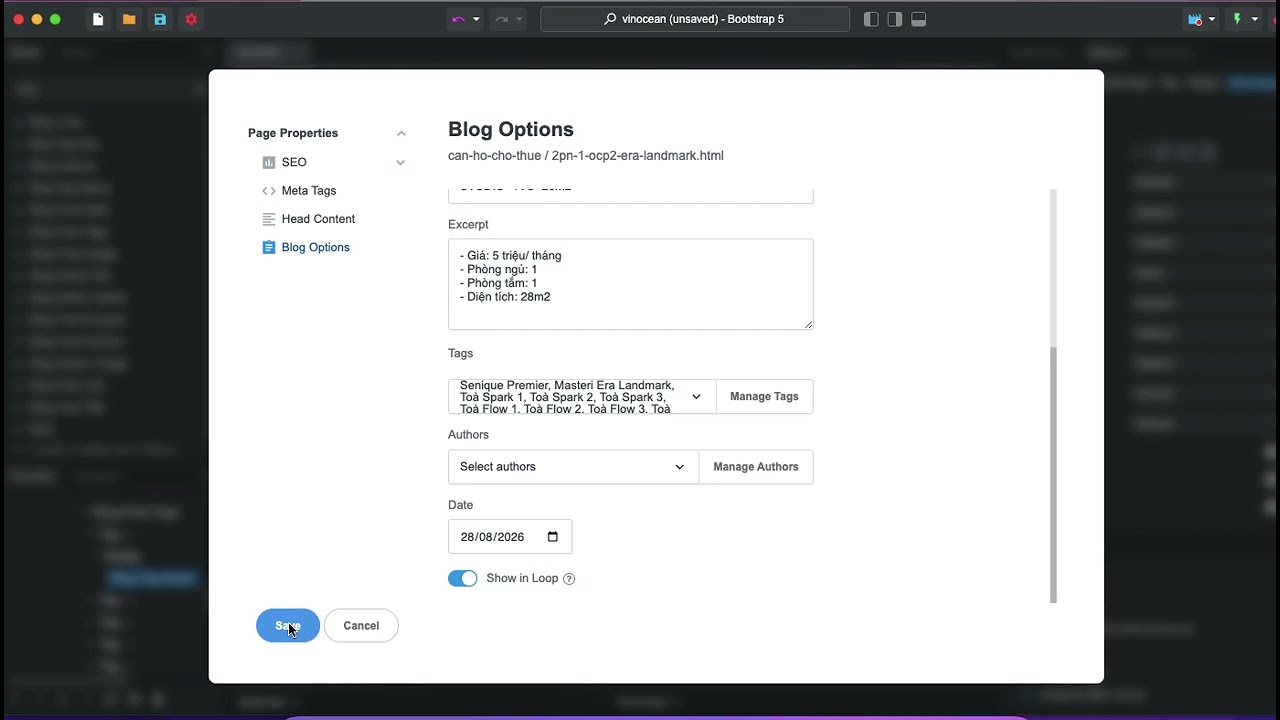
I am experiencing a problem with the Blog Tags selector in Blog Options.
When I select only a few tags for a blog post, many other tags automatically turn on. When I turn the unwanted tags off, they sometimes turn on again or the selection changes unexpectedly.
After saving, the tags generated in the Blog Loop do not match the tags I selected. Some posts display missing tags, while others display incorrect tags.
This issue appears when the project contains a long list of blog tags.
Steps to reproduce:
-
Create a large number of tags in Settings → Blog → Tags.
-
Open a blog post and go to Blog Options.
-
Open the Tags selector.
-
Select or deselect several tags.
-
Scroll through the tag list.
-
Some tags automatically turn on again or the selection changes.
-
Save the post and check the tags displayed in the Blog Loop.
Expected behavior:
Only the tags I manually enable should be saved and displayed.
Actual behavior:
Some tags turn on automatically, and the saved tags do not match my selection.
Screen recording showing the issue:
I am using Bootstrap Studio on macOS. Could this be a bug related to a long or virtualized tag list?