Often, when I edit a a page (such as deleting an element), the page scrolls back to the top in BSS. This is a nuisance because I then have to scroll down to where I was. Is this normal behaviour in BSS, or have I done something dumb?
It could be normal depending on what you’re deleting. You’d have to try to find a reproducible pattern, or determine the exact component and conditions, so others can test it. Is it happening in more than one website? As your question stands now, it’s too broad to really be able to investigate.
Another option is to post your .bsdesign file somewhere (like Google Drive or Dropbox) so people can download it and see if they can reproduce what you’re experiencing.
This happens to me as well.
It’s very random, but it usually occurs when using the paragraph component and copying and pasting content from Notepad, etc. In some cases, it even scrolls straight back to the top when I click on a component.
It’s not a new issue either. I’ve been using Bootstrap Studio for at least two years, and it has been present the entire time. It’s really, really annoying.
It doesn’t seem to happen when there’s only a small amount of text or a few components on the page; it becomes more noticeable when creating a large page with lots of components.
I’ll try recording my screen to see if I can reproduce the fault, and then send it to the developers.
This is one of those issues that are very hard to reproduce. If we can get a screen recording it will help us a lot.
Thanks for confirming this! I agree that it only seems to happen on complicated pages.
Thanks Martin.
Video: https://drive.google.com/file/d/1y-c4L1N_ZBM8DdyytyiJdWeVpsEmgd4G/view?usp=sharing
Project .bsdesign: https://drive.google.com/file/d/1VesarroW9A-Jb-TH4kuBTIdcgsygDUeI/view?usp=sharing
Don’t be surprised if the links above don’t work; I don’t use file sharing much.
The video shows dragging a new para component below a div. The operation worked, although scrolling was reset. The page is ‘problem-factors/action-scope.html’, although the issue occurs on other pages too.
The page contains separate independently-scrolling columns (even though only one is visible at the narrow breakpoint in the video). The problem happens regardless of how many columns are visible, but I wonder if the novel element is scrolling in columns based on overflow, rather than simple/normal whole-page scrolling.
Thank you for the video and design! I can confirm the issue. We are just finishing our upcoming release and it’s too late to include this fix, but we’ll do it in one of the next updates.
2 Likes
Thank you! That would do a lot for my sanity. (Kidding: I adore working with BSS; it feels so comfortable.)
I didn’t think it would be an easy fix, if it’s something to do with h-100 and/or overflow-auto.
A little more info (which may be incorrect): this MAY be the same behaviour that prevents the ‘find’ box from scrolling to the relevant element when the magnifying glass is clicked. When using ‘find’, the correct page opens and the element is selected, but the relevant container isn’t scrolled such that the element is visible within the viewport. I have to scroll down to find the selected element.
As previously, this may only occur on pages with separately-scrollable elements (controlled using overflow).
It wouldn’t surprise me if this is tricky to fix!
Hello @martin. I’m not sure whether this issue was fixed in the last update, but it’s still happening on my end.
It’s very random, though it usually occurs when clicking on a paragraph component. The page still occasionally jumps straight back to the top.
Unfortunately, I’m unable to record it because it’s so inconsistent. It even happens on brand‑new designs, so I don’t think it’s related to my current website.
We added some fixes in version 8.0.1 so it’s not clear why it would keep happening on your design. Are you placing all your text in a single tall paragraph component, or separate ones?
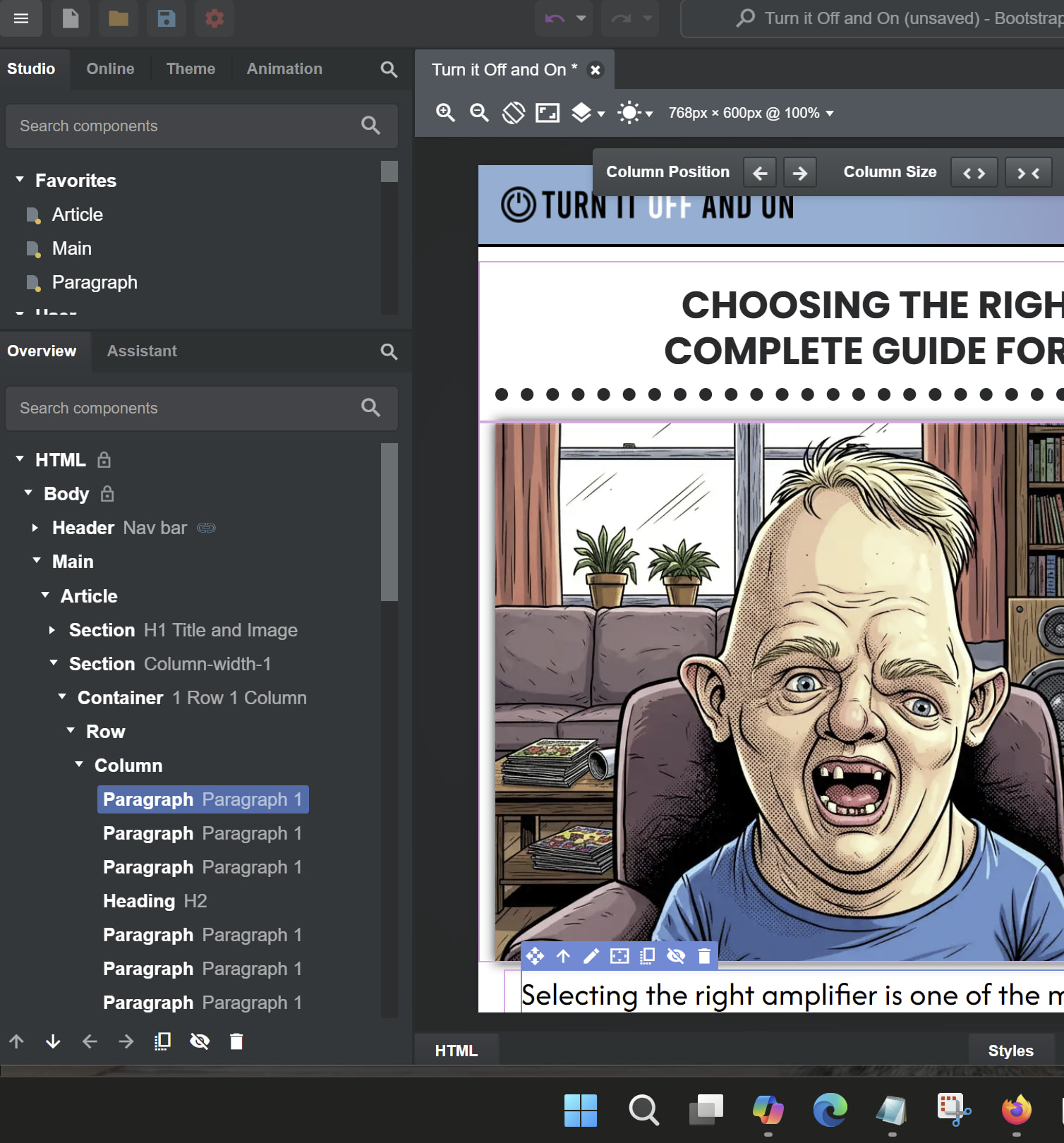
I use the following structure: Main > Article > Section > 1 Row, 1 Column.
I then add my paragraphs, headers, images and so on within that single column.
I’ve applied some custom styles — for example, a maximum column width of 1000px, along with adjusted paragraph and heading sizes that respond properly across different screen sizes.
See screenshot below.
@ManBearPig I suspect your issue may be different to mine. As @martin said, the issue that I raised was fixed in the most recent update.
I didn’t notice straight away because I was using some temporary CSS classes to override .h-100 and overflow-y-auto so that the problem wouldn’t happen in BSS. I disabled those about a week ago and haven’t had any inappropriate scroll-top-top-on-edit behaviour.
BSS devs: thanks for fixing this so quickly! I thought it would be really difficult.