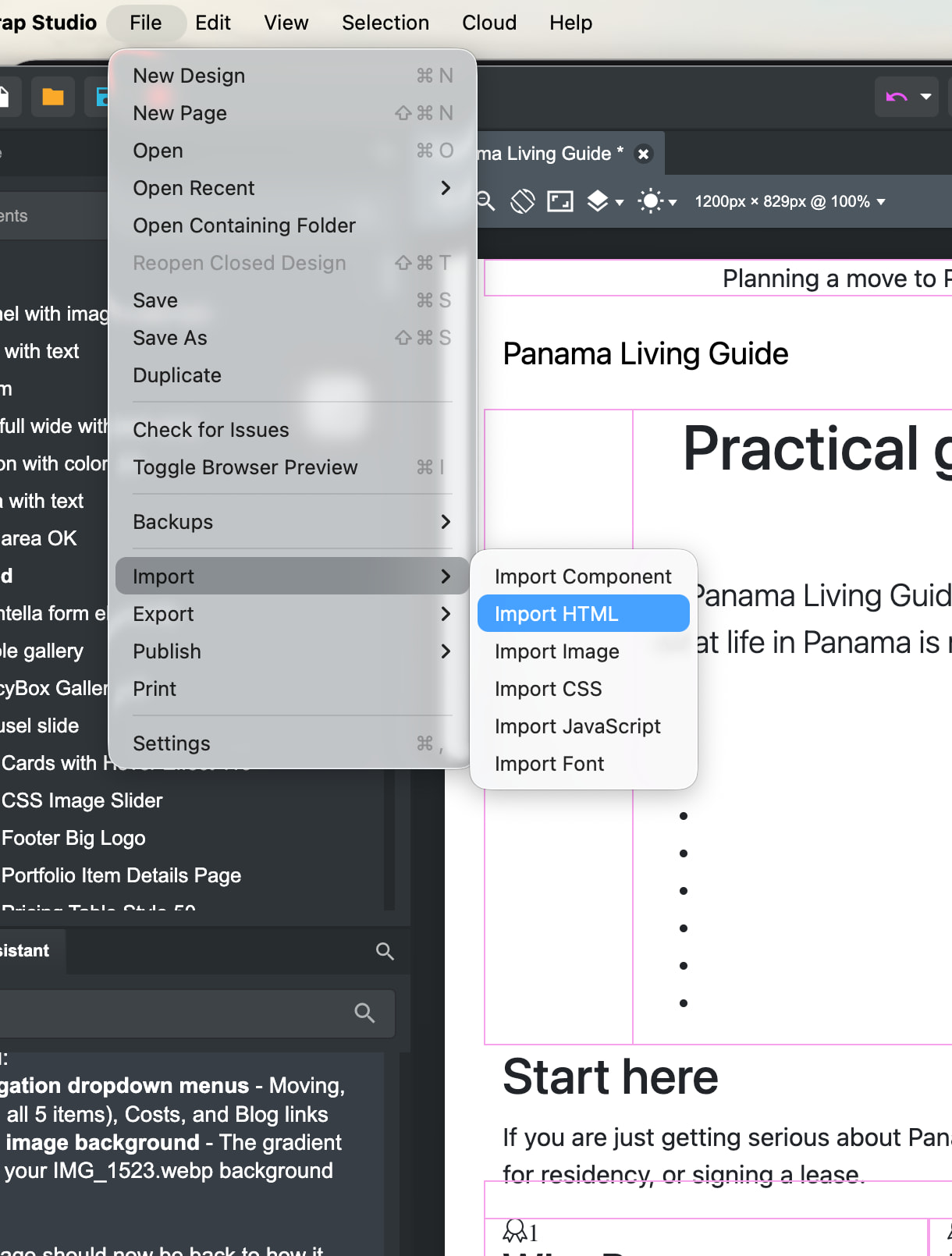
Why does the HTML break when I bring it into Bootstrap Studio?

I’ve been trying to use ChatGPT and even Kimi K 2.6. For helping make some HTML pages.

But when I drag them in or load them in to Bootstrap Studio, they’re broke every time. The color top formatting style disappears.
I had Chat GPT remake a page five different times and we still weren’t able to get it to work. So I tried Kimi K 2.6 And same problem. It makes a nice page with some color areas in the top, but as soon as I bring it into Bootstrap Studio, all that gets stripped out.

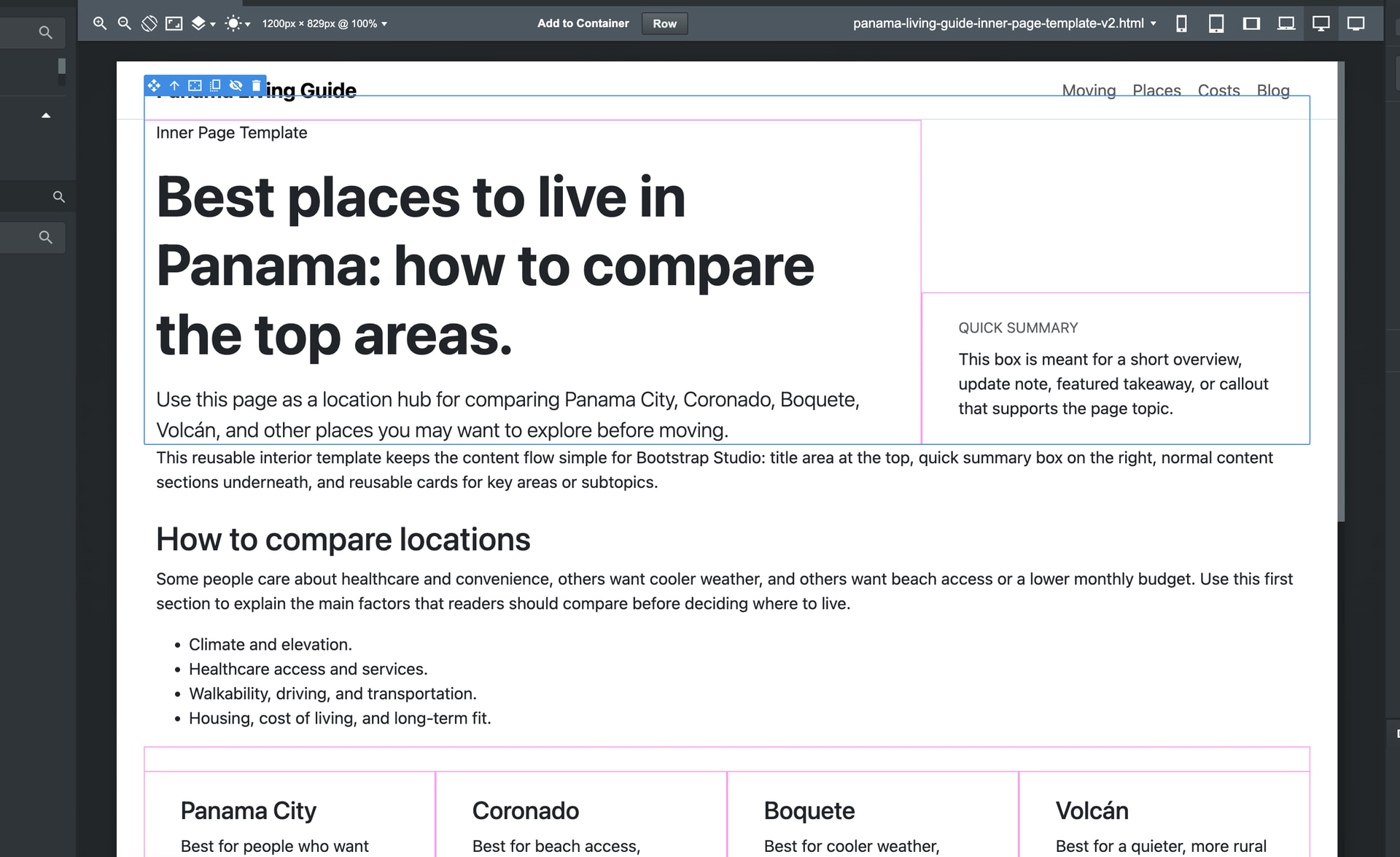
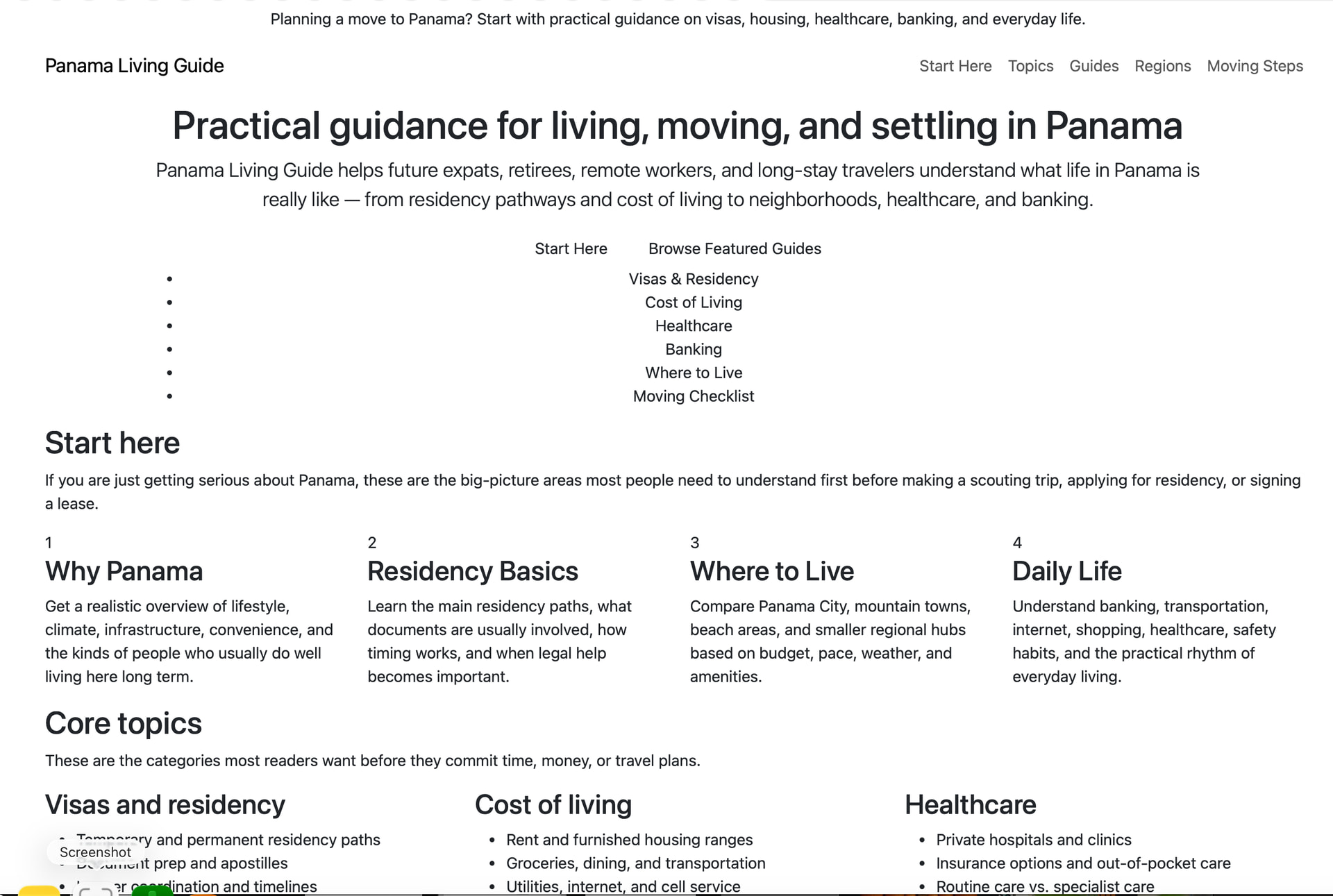
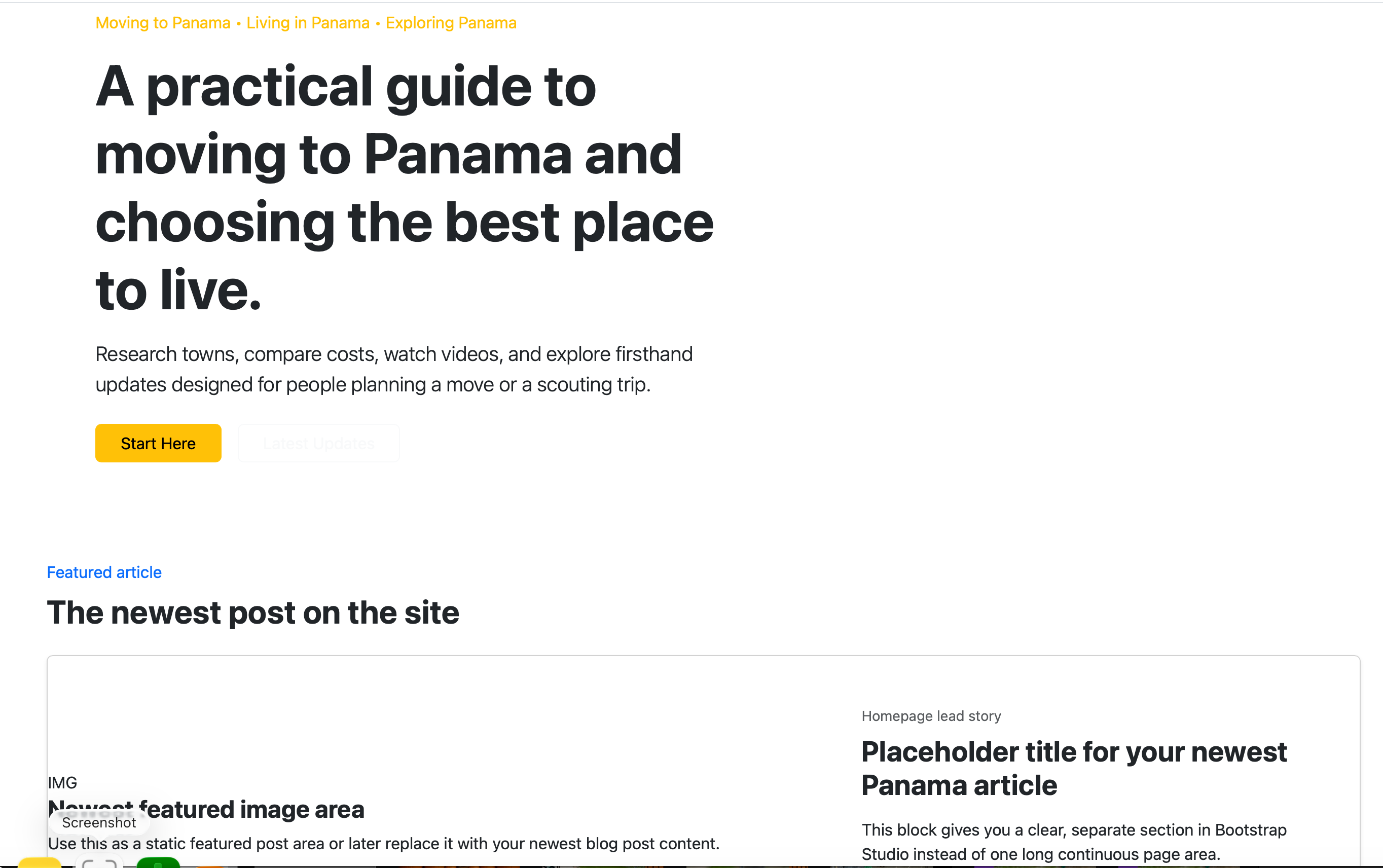
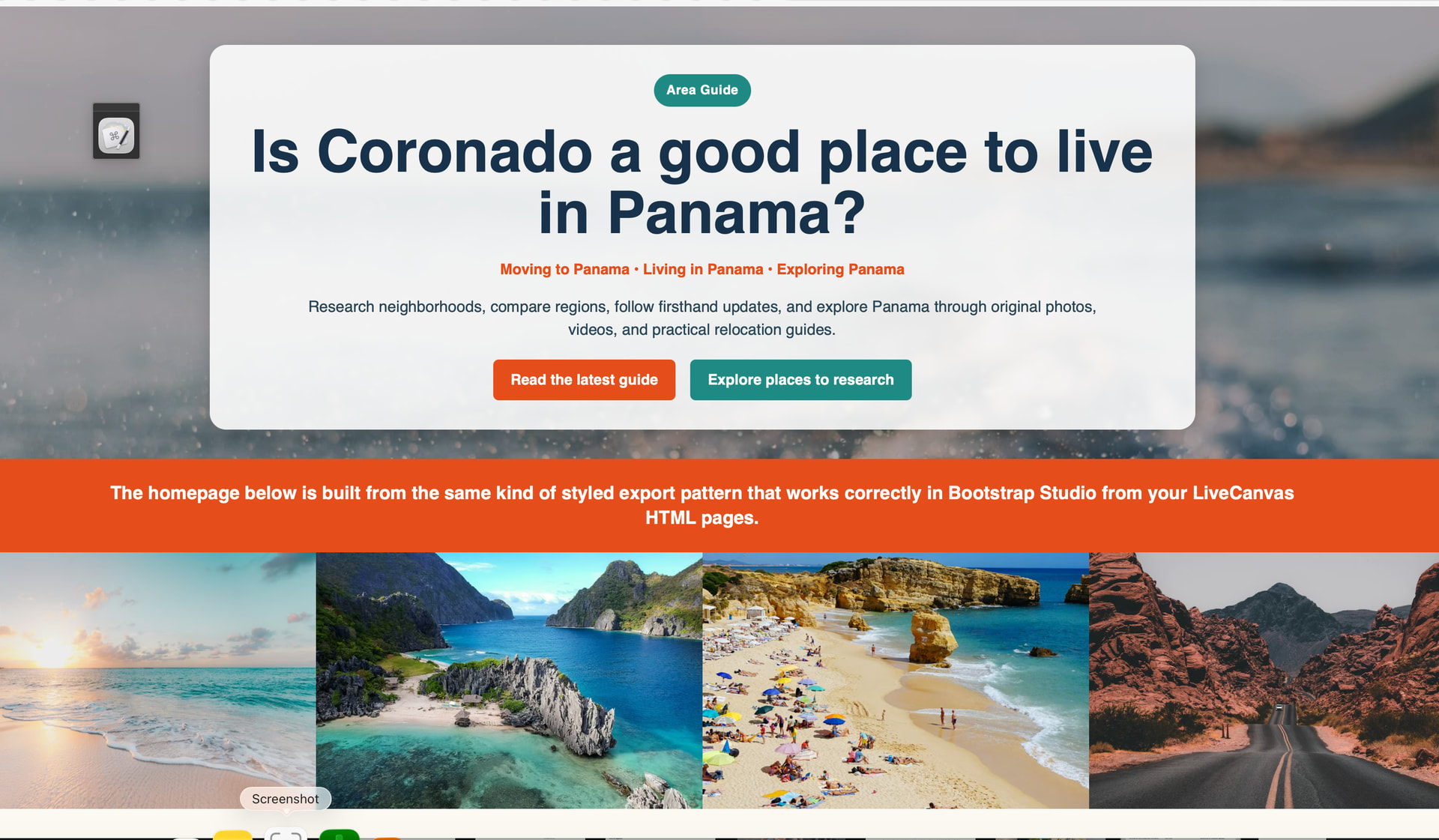
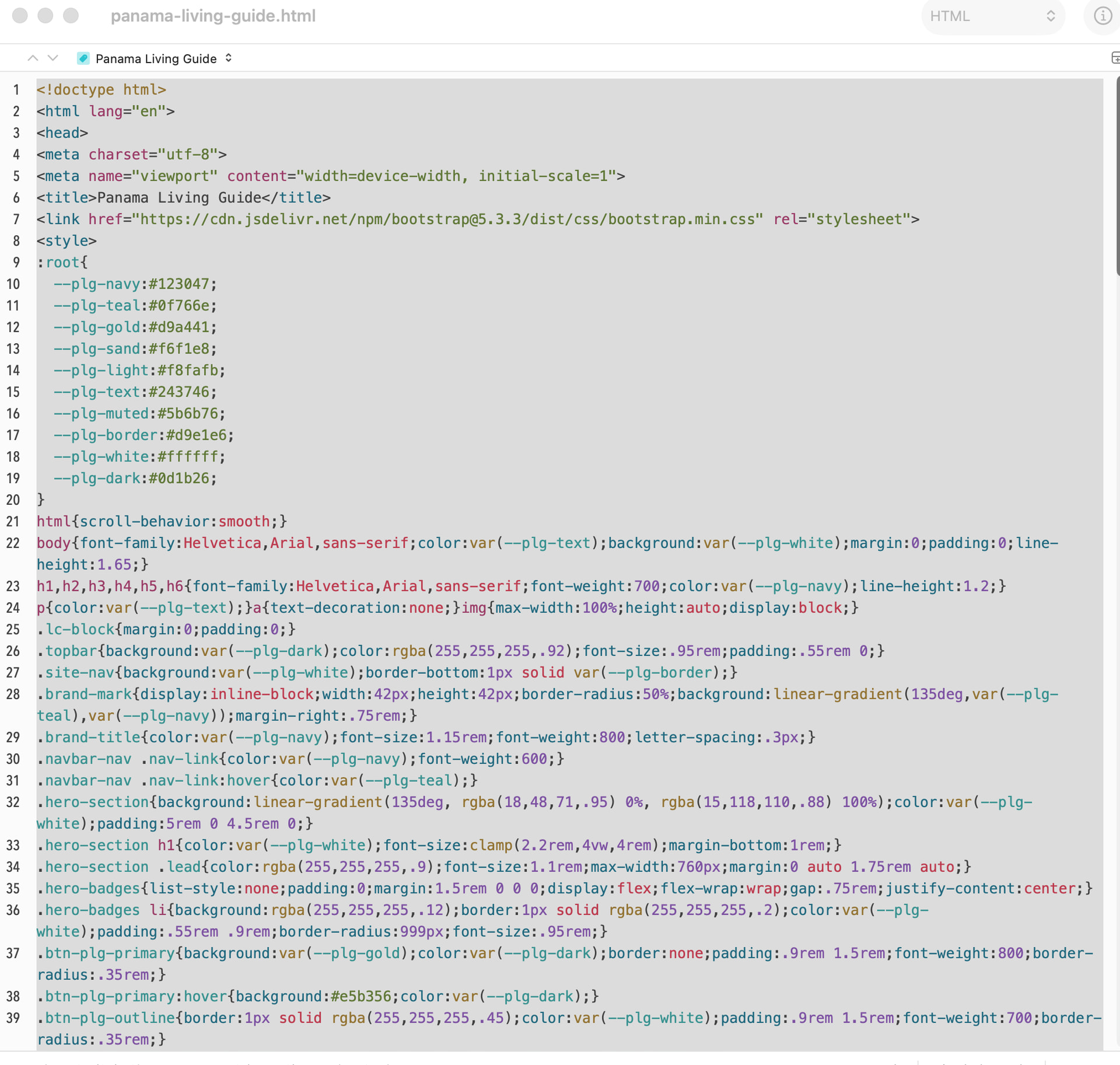
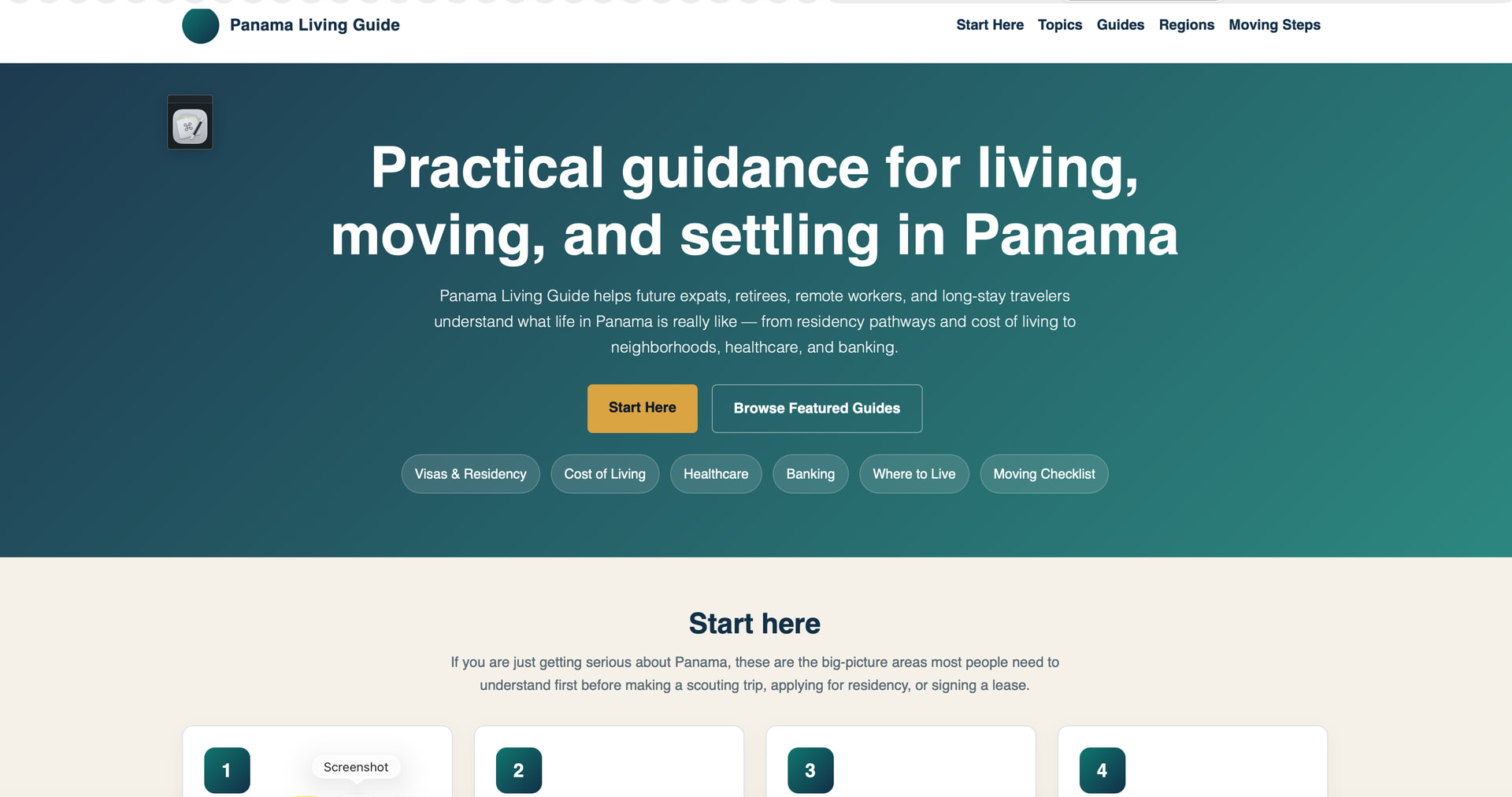
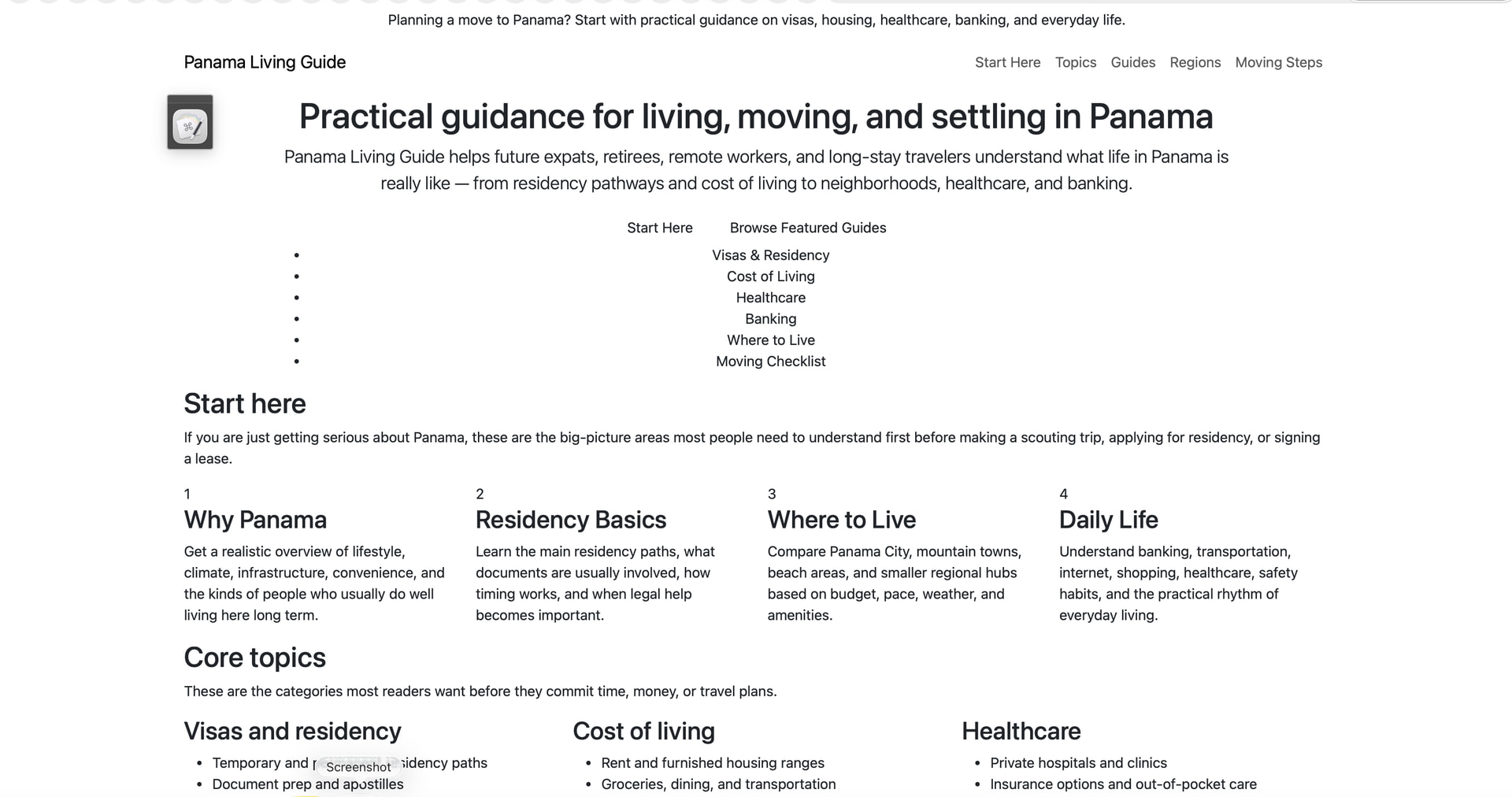
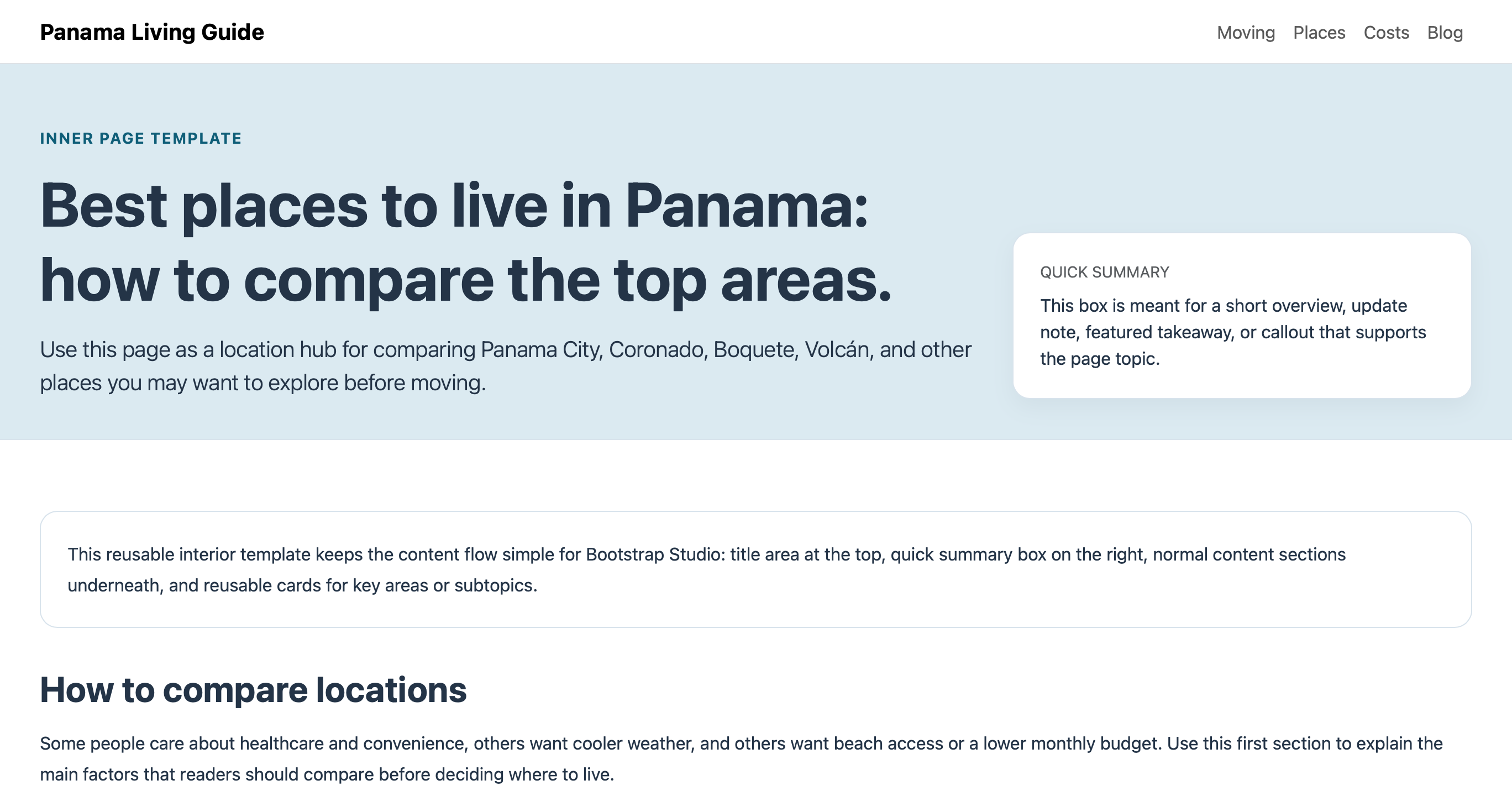
Both AIs say it seems to be a problem with Bootstrap Studio that is stripping this out because if I click on just the HTML by itself not in Bootstrap Studio all the right formatting is there. Here’s two examples Just from the HTML file they created before going into Bootstrap Studio.

The first one is Chat GPT’s version. The second one is a Kimi K 2.6 version.

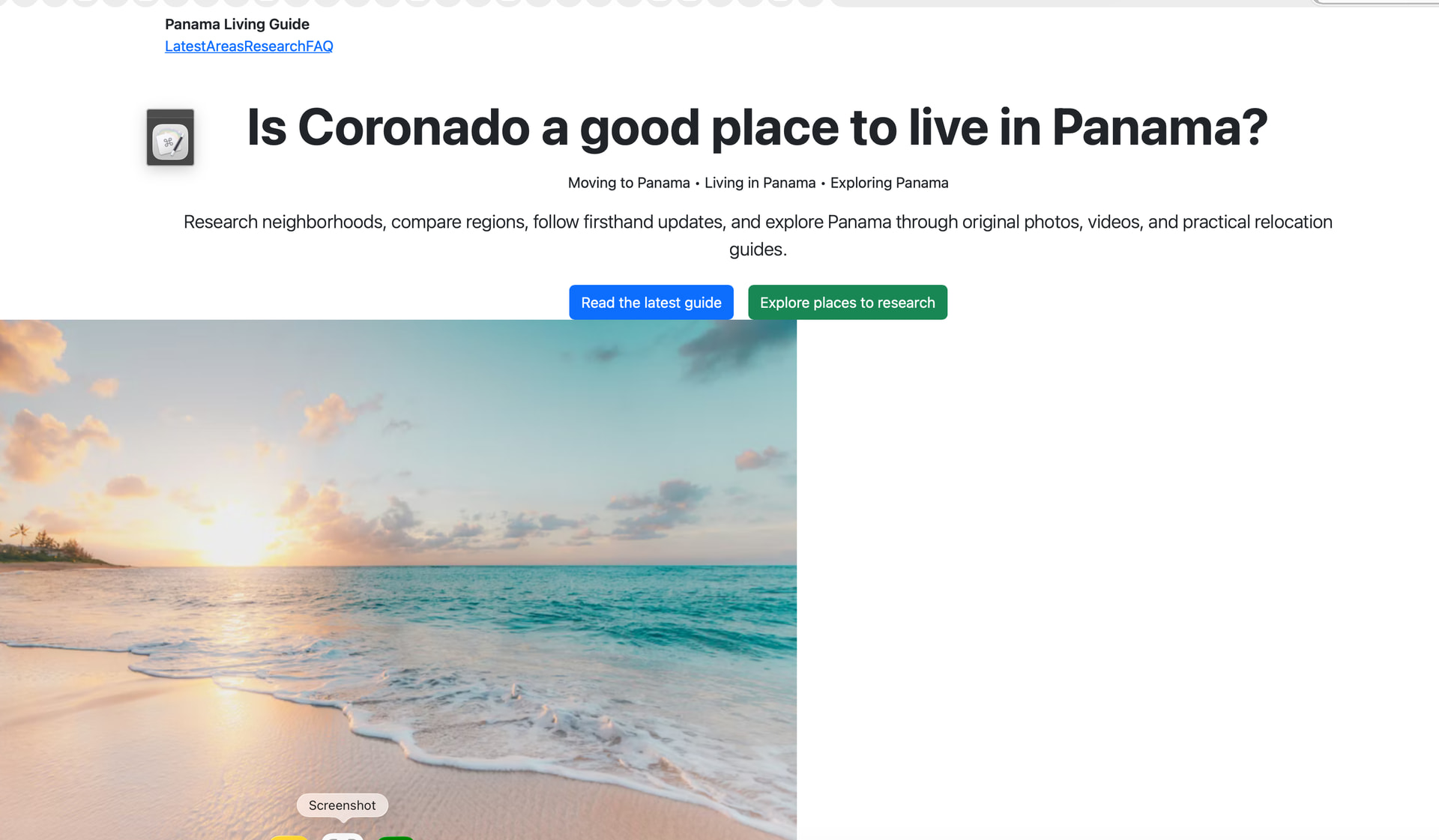
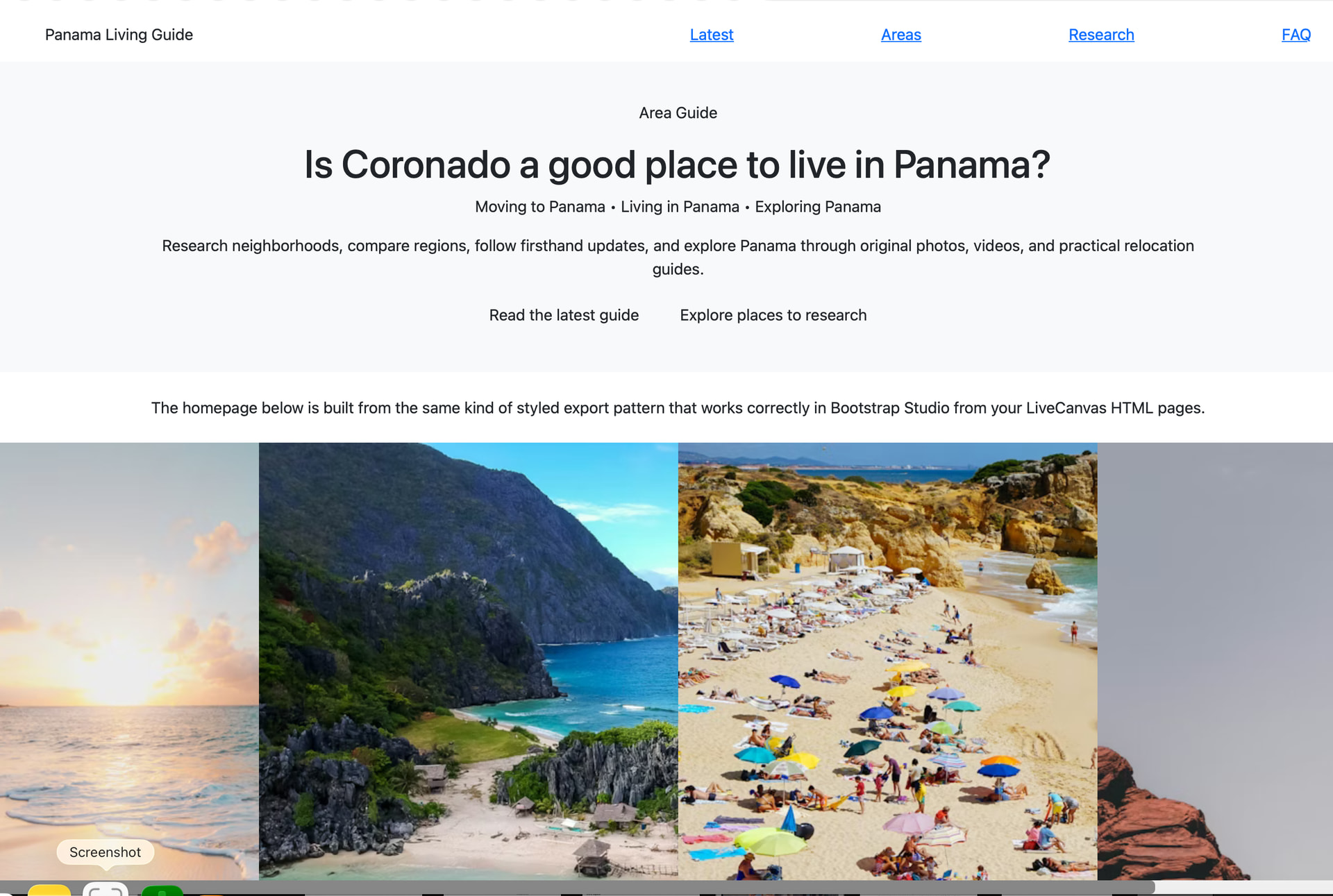
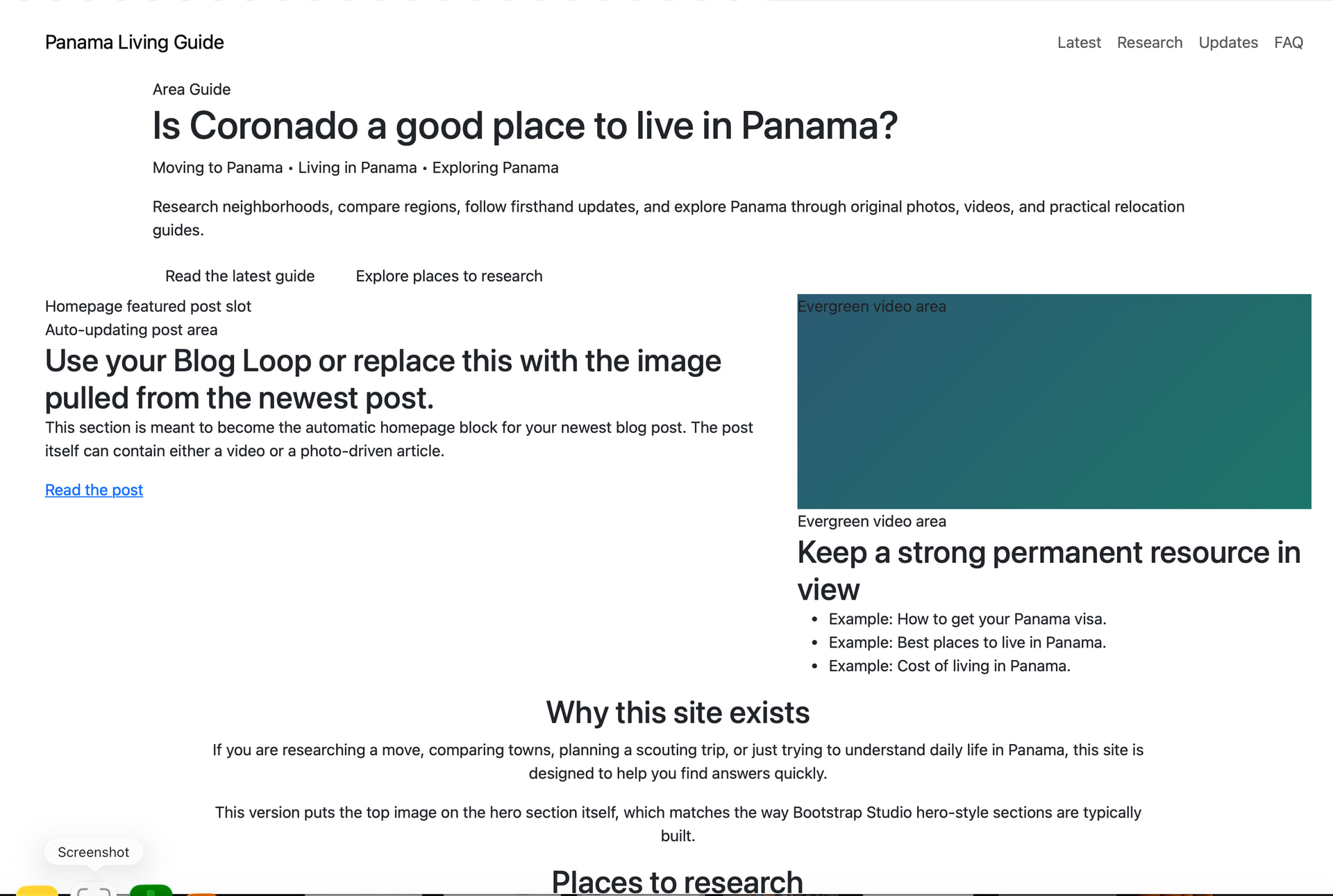
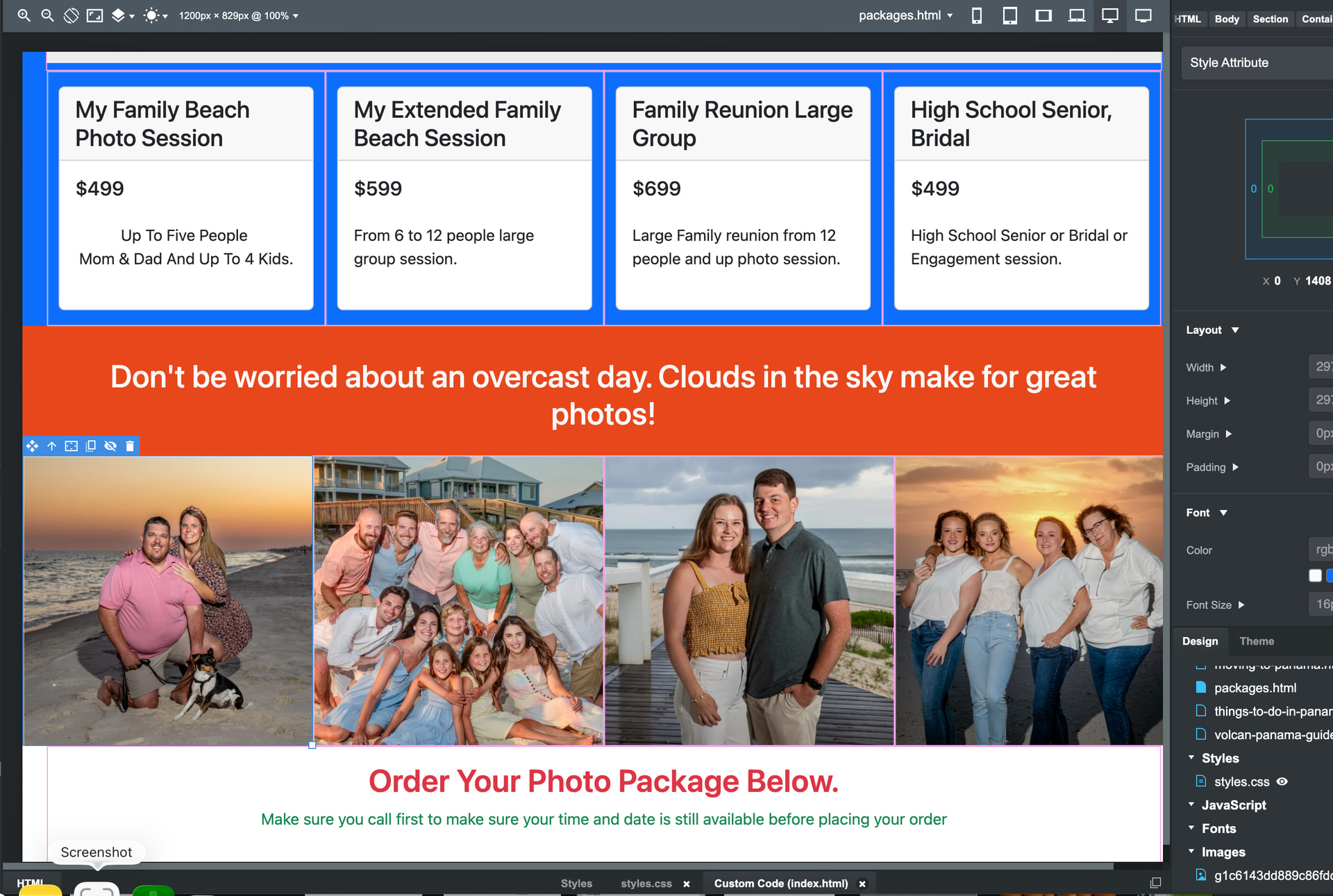
Then the third is what happens after it gets imported in. All the top area formatting of the color area is gone.
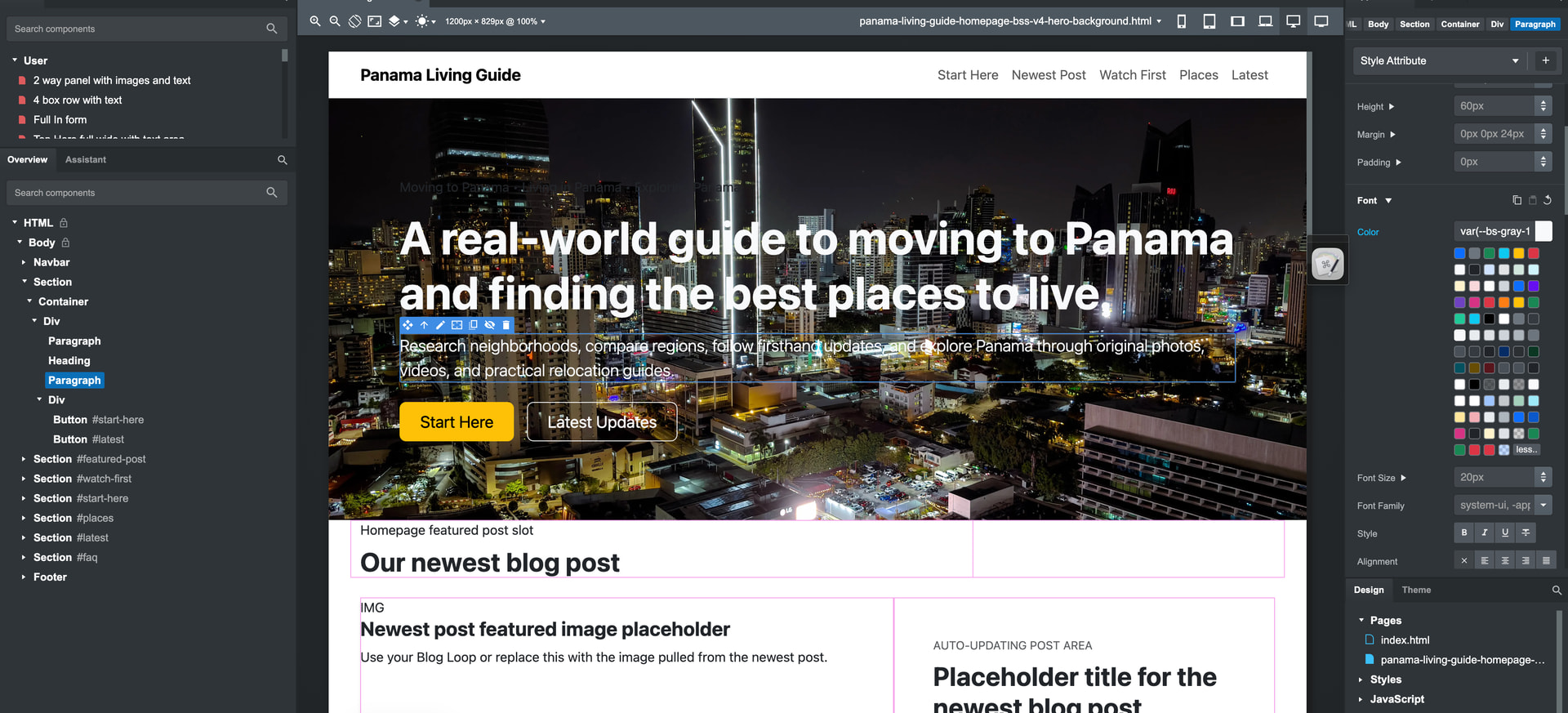
Even on the homepage, Chat GPT created, I have an image in the background that I had shot. And it took six versions before it could finally make one where I could place the image in here correctly I think it said it had to make it a background image, not a regular image for it to work.. That would be the last image showing.

Is there something special I need to tell these AIs so they can get this right? Or will this just not work to have an HTML page loaded in to Bootstrap Studio and have it work right?
ChatGPT spent a bunch of time even researching the Bootstrap Studio website trying to figure out why this was not working.

Here’s The code from one of the HTML pages that it created.

Panama Living Guide | Inner Page Template v2 :root { --plg-primary:#0f5e78; --plg-accent:#f4b400; --plg-dark:#0d1b2a; --plg-soft:#f6f9fc; --plg-text:#243447; --plg-banner:#dbeaf1; --plg-border:#d8e3ec; } body { color:var(--plg-text); font-family:system-ui,-apple-system,Segoe UI,Roboto,Arial,sans-serif; } .navbar-brand { letter-spacing:.02em; } .section-pad { padding:4rem 0; } .eyebrow { text-transform:uppercase; letter-spacing:.08em; font-size:.8rem; font-weight:700; color:var(--plg-primary); } .page-banner { background-color:var(--plg-banner); border-bottom:1px solid var(--plg-border); padding:3.5rem 0 2.25rem; } .summary-box { background:#ffffff; border:1px solid var(--plg-border); border-radius:1rem; box-shadow:0 .5rem 1.25rem rgba(13,27,42,.05); height:100%; } .content-intro { border:1px solid var(--plg-border); border-radius:1rem; background:#fff; padding:1.5rem; } .mini-card { height:100%; border:1px solid var(--plg-border); border-radius:1rem; background:#fff; box-shadow:0 .4rem 1rem rgba(13,27,42,.04); } .content h2 { margin-top:2.25rem; margin-bottom:1rem; font-weight:700; } .content h3 { margin-top:1.5rem; margin-bottom:.75rem; font-weight:700; } .content p, .content li { line-height:1.75; } .content ul { padding-left:1.2rem; } .soft-block { background:var(--plg-soft); border:1px solid var(--plg-border); border-radius:1rem; padding:1.5rem; } .cta-band { background:var(--plg-dark); color:#fff; border-radius:1rem; padding:2rem; } .cta-band .btn-outline-light:hover { color:var(--plg-dark); }
Panama Living Guide

Inner Page Template

Best places to live in Panama: how to compare the top areas.

Use this page as a location hub for comparing Panama City, Coronado, Boquete, Volcán, and other places you may want to explore before moving.

Quick summary

This box is meant for a short overview, update note, featured takeaway, or callout that supports the page topic.

This reusable interior template keeps the content flow simple for Bootstrap Studio: title area at the top, quick summary box on the right, normal content sections underneath, and reusable cards for key areas or subtopics.

  <h2>How to compare locations</h2>
  <p>Some people care about healthcare and convenience, others want cooler weather, and others want beach access or a lower monthly budget. Use this first section to explain the main factors that readers should compare before deciding where to live.</p>
  <ul>
    <li>Climate and elevation.</li>
    <li>Healthcare access and services.</li>
    <li>Walkability, driving, and transportation.</li>
    <li>Housing, cost of living, and long-term fit.</li>
  </ul>

  <div class="row g-4 mt-1 mb-4">
    <div class="col-md-6 col-xl-3"><div class="mini-card p-4"><h3 class="h4">Panama City</h3><p>Best for people who want major services, shopping, urban convenience, and strong healthcare access.</p><a href="panama-city-guide.html">Read Panama City guide</a></div></div>
    <div class="col-md-6 col-xl-3"><div class="mini-card p-4"><h3 class="h4">Coronado</h3><p>Best for beach access, community convenience, and easier access to the Pacific corridor.</p><a href="coronado-panama-guide.html">Read Coronado guide</a></div></div>
    <div class="col-md-6 col-xl-3"><div class="mini-card p-4"><h3 class="h4">Boquete</h3><p>Best for cooler weather, mountain scenery, and a popular expat-oriented highland setting.</p><a href="boquete-panama-guide.html">Read Boquete guide</a></div></div>
    <div class="col-md-6 col-xl-3"><div class="mini-card p-4"><h3 class="h4">Volcán</h3><p>Best for a quieter, more rural feel and a different price-to-lifestyle balance in the highlands.</p><a href="volcan-panama-guide.html">Read Volcán guide</a></div></div>
  </div>

  <div class="row g-4 mt-1">
    <div class="col-lg-7">
      <h2>How to compare locations</h2>
      <p>Use this section for interpretation. Explain who should focus on each area and what tradeoffs matter most. This is where the page becomes useful instead of just descriptive.</p>
      <p>If someone wants excellent healthcare and does not mind city traffic, Panama City may rise to the top. If someone wants cooler temperatures and a more relaxed pace, Boquete or Volcán may make more sense.</p>
    </div>
    <div class="col-lg-5">
      <div class="soft-block">
        <h2 class="h4 mt-0">Supporting pages to build next</h2>
        <ul class="mb-0">
          <li><a href="boquete-vs-volcan.html">Boquete vs Volcán</a></li>
          <li><a href="is-coronado-right-for-you.html">Is Coronado right for you?</a></li>
          <li><a href="panama-city-neighborhoods.html">Panama City neighborhoods</a></li>
          <li><a href="moving-to-panama.html">Moving to Panama</a></li>
        </ul>
      </div>
    </div>
  </div>

  <div class="cta-band mt-5">
    <div class="row g-3 align-items-center">
      <div class="col-lg-8">
        <h2 class="h3 fw-bold mb-2">Duplicate this page and reuse it for the next guide.</h2>
        <p class="mb-0">Change the headline, intro, cards, content sections, and links while keeping the overall structure intact.</p>
      </div>
      <div class="col-lg-4 text-lg-end">
        <a href="index.html" class="btn btn-warning me-2">Homepage</a>
        <a href="blog/index.html" class="btn btn-outline-light">Blog</a>
      </div>
    </div>
  </div>
</div>

Panama Living Guide

Moving to Panama, living in Panama, and exploring the country through firsthand guides, photos, videos, and real-world updates.

Template note

This version uses a solid tinted header banner instead of a faint gradient so it should show up more clearly after import.


Please post the original HTML and CSS files.
In full.

How do I upload the original HTML file? It won’t allow me.

I went back and forth with Chat GPT for about five hours last night with it trying to figure out why none of the HTML that it creates will work in Bootstrap Studio. It tried multiple ways even stripping things down smaller. It was never able to accomplish it.
Here’s some versions it tried that did not work.


What kind of worked is if I export some HTML out of live canvas that I’ve been using, an app for making WordPress designs in HTML, and then bringing them in, then most of the design stays intact.
I was giving chat GPT versions of that, and it was trying to see why that works when all the regular HTML pages it was creating do not work. Here’s what one of those load-ins look like.
It tried multiple times to code things differently and still was never able to make a page that could import in and work.

Then on this one, it took one of the exported HTML pages from LiveCanvas and just reworked that page using the same HTML, just changing some of the information around, and that worked.

But it was never successful at getting any HTML page that it created or that Kimi K created to be able to work importing in to Bootstrap Studio.

Also, I updated my AI to Qwen 3.5 35B. And it works pretty good inside Bootstrap Studio.
Up until the point where I asked it to just replace some text on th page that I had selected the area, and it messed up the whole entire homepage.
It added a text paragraph into one of the menu links at the top of the page and then when I asked it to fix it to go back it went back to the very start before I made all the changes that were working good and then I was never able to recover about two hours of work on it that it messed up.

You should use the correct markdown for the forums. You can either use Markdown, or the formatting options in the text field ribbon.

That will help you share the code clearly, since you can’t upload the files here.

All I see is that I can paste the code from the HTML in here and it doesn’t seem to work right.

Here I’m grabbing all the HTML from one of the HTML pages and pasting it in.
This is what I did up above, and then it split it all up. I’m not sure why.

Panama Living Guide :root{ --plg-navy:#123047; --plg-teal:#0f766e; --plg-gold:#d9a441; --plg-sand:#f6f1e8; --plg-light:#f8fafb; --plg-text:#243746; --plg-muted:#5b6b76; --plg-border:#d9e1e6; --plg-white:#ffffff; --plg-dark:#0d1b26; } html{scroll-behavior:smooth;} body{font-family:Helvetica,Arial,sans-serif;color:var(--plg-text);background:var(--plg-white);margin:0;padding:0;line-height:1.65;} h1,h2,h3,h4,h5,h6{font-family:Helvetica,Arial,sans-serif;font-weight:700;color:var(--plg-navy);line-height:1.2;} p{color:var(--plg-text);}a{text-decoration:none;}img{max-width:100%;height:auto;display:block;} .lc-block{margin:0;padding:0;} .topbar{background:var(--plg-dark);color:rgba(255,255,255,.92);font-size:.95rem;padding:.55rem 0;} .site-nav{background:var(--plg-white);border-bottom:1px solid var(--plg-border);} .brand-mark{display:inline-block;width:42px;height:42px;border-radius:50%;background:linear-gradient(135deg,var(--plg-teal),var(--plg-navy));margin-right:.75rem;} .brand-title{color:var(--plg-navy);font-size:1.15rem;font-weight:800;letter-spacing:.3px;} .navbar-nav .nav-link{color:var(--plg-navy);font-weight:600;} .navbar-nav .nav-link:hover{color:var(--plg-teal);} .hero-section{background:linear-gradient(135deg, rgba(18,48,71,.95) 0%, rgba(15,118,110,.88) 100%);color:var(--plg-white);padding:5rem 0 4.5rem 0;} .hero-section h1{color:var(--plg-white);font-size:clamp(2.2rem,4vw,4rem);margin-bottom:1rem;} .hero-section .lead{color:rgba(255,255,255,.9);font-size:1.1rem;max-width:760px;margin:0 auto 1.75rem auto;} .hero-badges{list-style:none;padding:0;margin:1.5rem 0 0 0;display:flex;flex-wrap:wrap;gap:.75rem;justify-content:center;} .hero-badges li{background:rgba(255,255,255,.12);border:1px solid rgba(255,255,255,.2);color:var(--plg-white);padding:.55rem .9rem;border-radius:999px;font-size:.95rem;} .btn-plg-primary{background:var(--plg-gold);color:var(--plg-dark);border:none;padding:.9rem 1.5rem;font-weight:800;border-radius:.35rem;} .btn-plg-primary:hover{background:#e5b356;color:var(--plg-dark);} .btn-plg-outline{border:1px solid rgba(255,255,255,.45);color:var(--plg-white);padding:.9rem 1.5rem;font-weight:700;border-radius:.35rem;} .btn-plg-outline:hover{background:rgba(255,255,255,.1);color:var(--plg-white);} .quick-start-section{background:var(--plg-sand);padding:3.5rem 0;} .section-intro{max-width:760px;margin:0 auto 2rem auto;text-align:center;} .section-intro h2{margin-bottom:.75rem;} .section-intro p{color:var(--plg-muted);} .info-card{background:var(--plg-white);border:1px solid var(--plg-border);border-radius:.75rem;padding:1.5rem;height:100%;box-shadow:0 6px 20px rgba(18,48,71,.05);} .info-card h3{font-size:1.2rem;margin-bottom:.75rem;} .info-card p{color:var(--plg-muted);margin-bottom:0;} .icon-badge{width:52px;height:52px;border-radius:12px;background:linear-gradient(135deg,var(--plg-teal),var(--plg-navy));color:var(--plg-white);display:flex;align-items:center;justify-content:center;font-size:1.35rem;font-weight:800;margin-bottom:1rem;} .topic-section{background:var(--plg-white);padding:4.5rem 0;} .topic-card{background:var(--plg-light);border:1px solid var(--plg-border);border-radius:.75rem;padding:1.5rem;height:100%;transition:transform .2s ease, box-shadow .2s ease;} .topic-card:hover{transform:translateY(-4px);box-shadow:0 10px 28px rgba(18,48,71,.08);} .topic-card h3{font-size:1.2rem;margin-bottom:.75rem;} .topic-card ul{padding-left:1.1rem;margin-bottom:0;} .topic-card li{margin-bottom:.45rem;color:var(--plg-muted);} .featured-section{background:var(--plg-light);padding:4.5rem 0;} .featured-guide{background:var(--plg-white);border:1px solid var(--plg-border);border-radius:.85rem;overflow:hidden;height:100%;box-shadow:0 6px 20px rgba(18,48,71,.05);} .featured-guide .guide-top{background:linear-gradient(135deg,var(--plg-navy),var(--plg-teal));color:var(--plg-white);padding:1.25rem 1.25rem 1rem 1.25rem;} .featured-guide .guide-top h3{color:var(--plg-white);font-size:1.2rem;margin-bottom:.35rem;} .featured-guide .guide-body{padding:1.25rem;} .featured-guide p{color:var(--plg-muted);} .guide-link{color:var(--plg-teal);font-weight:800;} .regions-section{background:var(--plg-white);padding:4.5rem 0;} .region-box{border:1px solid var(--plg-border);border-radius:.75rem;padding:1.4rem;height:100%;background:var(--plg-white);} .region-box h3{font-size:1.15rem;margin-bottom:.65rem;} .region-box p{color:var(--plg-muted);margin-bottom:0;} .process-section{background:var(--plg-sand);padding:4.5rem 0;} .step-box{text-align:center;padding:1rem;} .step-number{width:58px;height:58px;border-radius:50%;background:var(--plg-navy);color:var(--plg-white);display:flex;align-items:center;justify-content:center;font-weight:800;font-size:1.25rem;margin:0 auto 1rem auto;} .step-box h3{font-size:1.1rem;margin-bottom:.6rem;} .step-box p{color:var(--plg-muted);margin-bottom:0;} .cta-section{background:linear-gradient(135deg,var(--plg-teal),var(--plg-navy));color:var(--plg-white);padding:4rem 0;text-align:center;} .cta-section h2{color:var(--plg-white);margin-bottom:.75rem;} .cta-section p{color:rgba(255,255,255,.9);max-width:760px;margin:0 auto 1.5rem auto;} .footer-section{background:var(--plg-dark);color:rgba(255,255,255,.82);padding:2rem 0 1.5rem 0;} .footer-section h4{color:var(--plg-white);font-size:1rem;margin-bottom:.75rem;} .footer-section p,.footer-section li,.footer-section a{color:rgba(255,255,255,.82);font-size:.95rem;} .footer-section ul{list-style:none;padding:0;margin:0;} .footer-section li{margin-bottom:.5rem;} .subfooter{border-top:1px solid rgba(255,255,255,.12);margin-top:1.5rem;padding-top:1rem;font-size:.9rem;color:rgba(255,255,255,.7);} @media (max-width: 991.98px){.hero-section{padding:4rem 0 3.5rem 0;}} @media (max-width: 767.98px){.hero-badges{justify-content:flex-start;}.hero-section .text-center-mobile{text-align:left !important;}}
Planning a move to Panama? Start with practical guidance on visas, housing, healthcare, banking, and everyday life.
Panama Living Guide

Practical guidance for living, moving, and settling in Panama

Panama Living Guide helps future expats, retirees, remote workers, and long-stay travelers understand what life in Panama is really like — from residency pathways and cost of living to neighborhoods, healthcare, and banking.

  • Visas & Residency
  • Cost of Living
  • Healthcare
  • Banking
  • Where to Live
  • Moving Checklist

Start here

If you are just getting serious about Panama, these are the big-picture areas most people need to understand first before making a scouting trip, applying for residency, or signing a lease.

1

Why Panama

Get a realistic overview of lifestyle, climate, infrastructure, convenience, and the kinds of people who usually do well living here long term.

2

Residency Basics

Learn the main residency paths, what documents are usually involved, how timing works, and when legal help becomes important.

3

Where to Live

Compare Panama City, mountain towns, beach areas, and smaller regional hubs based on budget, pace, weather, and amenities.

4

Daily Life

Understand banking, transportation, internet, shopping, healthcare, safety habits, and the practical rhythm of everyday living.

Core topics

These are the categories most readers want before they commit time, money, or travel plans.

Visas and residency

  • Temporary and permanent residency paths
  • Document prep and apostilles
  • Lawyer coordination and timelines
  • What changes after approval

Cost of living

  • Rent and furnished housing ranges
  • Groceries, dining, and transportation
  • Utilities, internet, and cell service
  • How city and beach budgets differ

Healthcare

  • Private hospitals and clinics
  • Insurance options and out-of-pocket care
  • Routine care vs. specialist care
  • What many expats do in practice

Banking and money

  • Opening accounts and required paperwork
  • Transfers, debit cards, and local payments
  • Cash habits and fraud precautions
  • Common setup mistakes to avoid

Housing

  • Renting before buying
  • Neighborhood fit and building quality
  • Lease terms and deposits
  • Questions to ask before committing

Everyday logistics

  • Transportation and driving
  • Spanish needs in daily life
  • Shopping, deliveries, and services
  • Internet reliability for remote work

Featured guides

These are strong entry points for readers trying to move from general curiosity to real planning.

Moving to Panama checklist

Plan your move in the right order

Follow a practical sequence for research, paperwork, scouting trips, banking prep, housing decisions, and the first months after arrival.

Read the checklist

Best places to live in Panama

Compare city, mountain, and beach lifestyles

See which areas fit retirees, couples, solo movers, remote workers, and people who want convenience versus quiet.

Explore locations

Panama residency guide

Understand the paperwork before you begin

Get a cleaner picture of common residency pathways, required documents, timing expectations, and where professionals fit into the process.

View residency guide

Cost of living by lifestyle

Budget realistically instead of guessing

Estimate expenses for solo living, couples, seasonal stays, city apartments, mountain towns, and more service-heavy lifestyles.

See sample budgets

Renting in Panama

Reduce surprises before you sign

Learn what to inspect, how to compare furnished rentals, how deposits usually work, and why a test stay often saves money.

Read renting guide

Healthcare and insurance

Know what care access really looks like

Understand the difference between public and private care, when private insurance makes sense, and how many expats handle routine care.

Review healthcare guide

Popular regions

Panama is not one lifestyle. Different regions attract very different kinds of long-term residents.

Panama City

Best for convenience, major hospitals, strong internet, wider shopping options, and people who want urban infrastructure.

Boquete

Popular for cooler weather, mountain scenery, established expat communities, and a slower pace than the capital.

Coronado and beaches

Appeals to people who want coastal living with easier access to the city than more remote beach destinations.

Smaller regional towns

Can offer lower costs and a more local feel, but often require more flexibility with services, language, and transportation.

A simple moving path

Most successful moves happen when people slow down and handle the big decisions in the right order.

1

Research the fit

Compare Panama with your priorities for climate, budget, healthcare access, community, and convenience.

2

Take a scouting trip

Visit multiple areas, test neighborhoods, and avoid locking yourself into one location too early.

3

Prepare documents

Organize passports, background checks, financial records, and other paperwork before residency steps begin.

4

Settle in gradually

Rent first, establish banking and healthcare, and give yourself time to adjust before making bigger commitments.

Make smarter decisions before you move

Use Panama Living Guide to compare locations, understand the paperwork, estimate realistic costs, and avoid common mistakes that happen when people rush the process.

Begin with the essentials

Panama Living Guide

A practical resource for people researching life in Panama, planning a move, or comparing regions for long-term living.

© Panama Living Guide. All rights reserved.
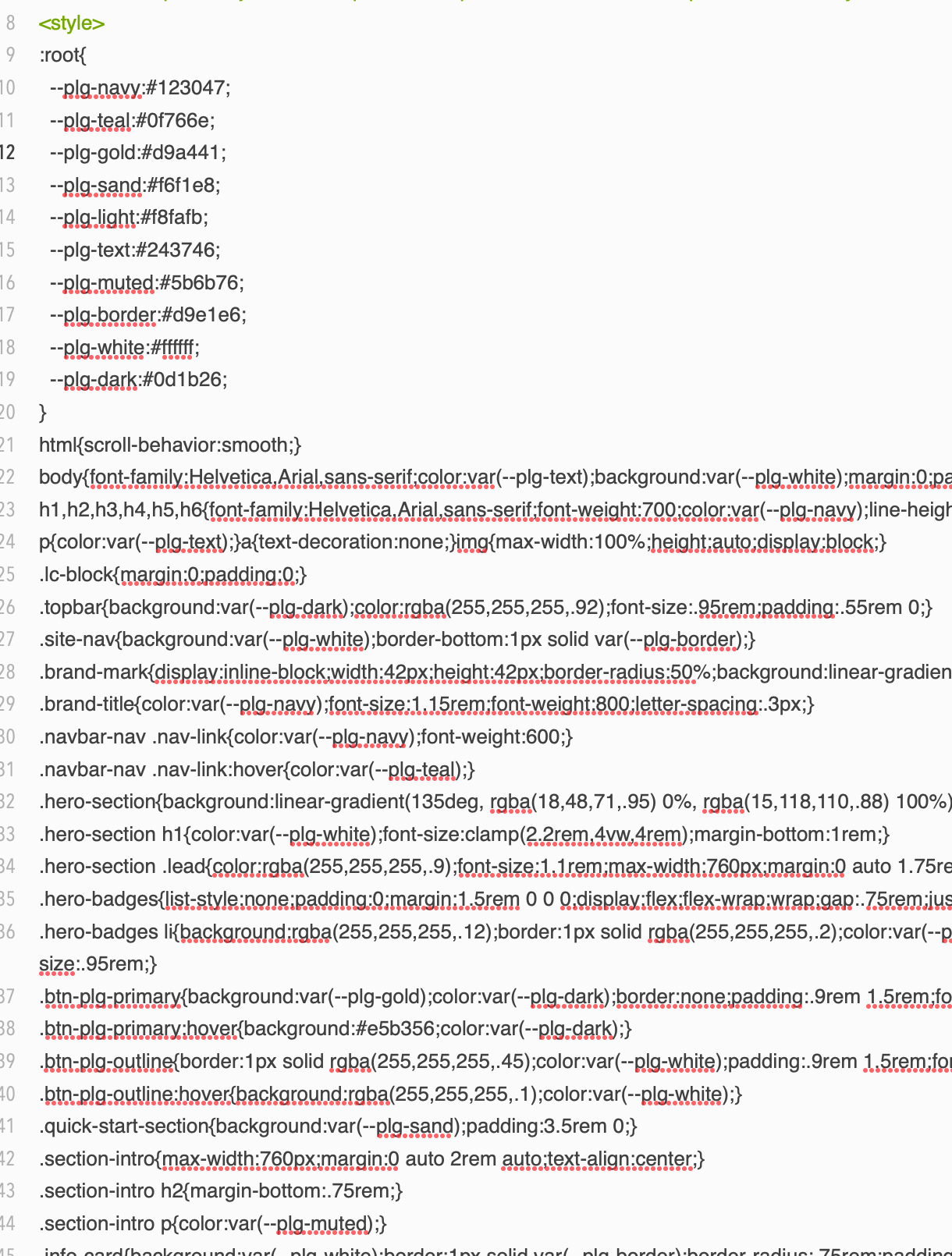
Here’s a screenshot showing where I grabbed the HTML code.Copied it and pasted it in and it looks like it split it all up again when I pasted it in. How else would I paste this in so it doesn’t change?

Here, I changed the format to Markdown. Let me see if this is going to work.

Panama Living Guide :root{ --plg-navy:#123047; --plg-teal:#0f766e; --plg-gold:#d9a441; --plg-sand:#f6f1e8; --plg-light:#f8fafb; --plg-text:#243746; --plg-muted:#5b6b76; --plg-border:#d9e1e6; --plg-white:#ffffff; --plg-dark:#0d1b26; } html{scroll-behavior:smooth;} body{font-family:Helvetica,Arial,sans-serif;color:var(--plg-text);background:var(--plg-white);margin:0;padding:0;line-height:1.65;} h1,h2,h3,h4,h5,h6{font-family:Helvetica,Arial,sans-serif;font-weight:700;color:var(--plg-navy);line-height:1.2;} p{color:var(--plg-text);}a{text-decoration:none;}img{max-width:100%;height:auto;display:block;} .lc-block{margin:0;padding:0;} .topbar{background:var(--plg-dark);color:rgba(255,255,255,.92);font-size:.95rem;padding:.55rem 0;} .site-nav{background:var(--plg-white);border-bottom:1px solid var(--plg-border);} .brand-mark{display:inline-block;width:42px;height:42px;border-radius:50%;background:linear-gradient(135deg,var(--plg-teal),var(--plg-navy));margin-right:.75rem;} .brand-title{color:var(--plg-navy);font-size:1.15rem;font-weight:800;letter-spacing:.3px;} .navbar-nav .nav-link{color:var(--plg-navy);font-weight:600;} .navbar-nav .nav-link:hover{color:var(--plg-teal);} .hero-section{background:linear-gradient(135deg, rgba(18,48,71,.95) 0%, rgba(15,118,110,.88) 100%);color:var(--plg-white);padding:5rem 0 4.5rem 0;} .hero-section h1{color:var(--plg-white);font-size:clamp(2.2rem,4vw,4rem);margin-bottom:1rem;} .hero-section .lead{color:rgba(255,255,255,.9);font-size:1.1rem;max-width:760px;margin:0 auto 1.75rem auto;} .hero-badges{list-style:none;padding:0;margin:1.5rem 0 0 0;display:flex;flex-wrap:wrap;gap:.75rem;justify-content:center;} .hero-badges li{background:rgba(255,255,255,.12);border:1px solid rgba(255,255,255,.2);color:var(--plg-white);padding:.55rem .9rem;border-radius:999px;font-size:.95rem;} .btn-plg-primary{background:var(--plg-gold);color:var(--plg-dark);border:none;padding:.9rem 1.5rem;font-weight:800;border-radius:.35rem;} .btn-plg-primary:hover{background:#e5b356;color:var(--plg-dark);} .btn-plg-outline{border:1px solid rgba(255,255,255,.45);color:var(--plg-white);padding:.9rem 1.5rem;font-weight:700;border-radius:.35rem;} .btn-plg-outline:hover{background:rgba(255,255,255,.1);color:var(--plg-white);} .quick-start-section{background:var(--plg-sand);padding:3.5rem 0;} .section-intro{max-width:760px;margin:0 auto 2rem auto;text-align:center;} .section-intro h2{margin-bottom:.75rem;} .section-intro p{color:var(--plg-muted);} .info-card{background:var(--plg-white);border:1px solid var(--plg-border);border-radius:.75rem;padding:1.5rem;height:100%;box-shadow:0 6px 20px rgba(18,48,71,.05);} .info-card h3{font-size:1.2rem;margin-bottom:.75rem;} .info-card p{color:var(--plg-muted);margin-bottom:0;} .icon-badge{width:52px;height:52px;border-radius:12px;background:linear-gradient(135deg,var(--plg-teal),var(--plg-navy));color:var(--plg-white);display:flex;align-items:center;justify-content:center;font-size:1.35rem;font-weight:800;margin-bottom:1rem;} .topic-section{background:var(--plg-white);padding:4.5rem 0;} .topic-card{background:var(--plg-light);border:1px solid var(--plg-border);border-radius:.75rem;padding:1.5rem;height:100%;transition:transform .2s ease, box-shadow .2s ease;} .topic-card:hover{transform:translateY(-4px);box-shadow:0 10px 28px rgba(18,48,71,.08);} .topic-card h3{font-size:1.2rem;margin-bottom:.75rem;} .topic-card ul{padding-left:1.1rem;margin-bottom:0;} .topic-card li{margin-bottom:.45rem;color:var(--plg-muted);} .featured-section{background:var(--plg-light);padding:4.5rem 0;} .featured-guide{background:var(--plg-white);border:1px solid var(--plg-border);border-radius:.85rem;overflow:hidden;height:100%;box-shadow:0 6px 20px rgba(18,48,71,.05);} .featured-guide .guide-top{background:linear-gradient(135deg,var(--plg-navy),var(--plg-teal));color:var(--plg-white);padding:1.25rem 1.25rem 1rem 1.25rem;} .featured-guide .guide-top h3{color:var(--plg-white);font-size:1.2rem;margin-bottom:.35rem;} .featured-guide .guide-body{padding:1.25rem;} .featured-guide p{color:var(--plg-muted);} .guide-link{color:var(--plg-teal);font-weight:800;} .regions-section{background:var(--plg-white);padding:4.5rem 0;} .region-box{border:1px solid var(--plg-border);border-radius:.75rem;padding:1.4rem;height:100%;background:var(--plg-white);} .region-box h3{font-size:1.15rem;margin-bottom:.65rem;} .region-box p{color:var(--plg-muted);margin-bottom:0;} .process-section{background:var(--plg-sand);padding:4.5rem 0;} .step-box{text-align:center;padding:1rem;} .step-number{width:58px;height:58px;border-radius:50%;background:var(--plg-navy);color:var(--plg-white);display:flex;align-items:center;justify-content:center;font-weight:800;font-size:1.25rem;margin:0 auto 1rem auto;} .step-box h3{font-size:1.1rem;margin-bottom:.6rem;} .step-box p{color:var(--plg-muted);margin-bottom:0;} .cta-section{background:linear-gradient(135deg,var(--plg-teal),var(--plg-navy));color:var(--plg-white);padding:4rem 0;text-align:center;} .cta-section h2{color:var(--plg-white);margin-bottom:.75rem;} .cta-section p{color:rgba(255,255,255,.9);max-width:760px;margin:0 auto 1.5rem auto;} .footer-section{background:var(--plg-dark);color:rgba(255,255,255,.82);padding:2rem 0 1.5rem 0;} .footer-section h4{color:var(--plg-white);font-size:1rem;margin-bottom:.75rem;} .footer-section p,.footer-section li,.footer-section a{color:rgba(255,255,255,.82);font-size:.95rem;} .footer-section ul{list-style:none;padding:0;margin:0;} .footer-section li{margin-bottom:.5rem;} .subfooter{border-top:1px solid rgba(255,255,255,.12);margin-top:1.5rem;padding-top:1rem;font-size:.9rem;color:rgba(255,255,255,.7);} @media (max-width: 991.98px){.hero-section{padding:4rem 0 3.5rem 0;}} @media (max-width: 767.98px){.hero-badges{justify-content:flex-start;}.hero-section .text-center-mobile{text-align:left !important;}}
Planning a move to Panama? Start with practical guidance on visas, housing, healthcare, banking, and everyday life.
Panama Living Guide

Practical guidance for living, moving, and settling in Panama

Panama Living Guide helps future expats, retirees, remote workers, and long-stay travelers understand what life in Panama is really like — from residency pathways and cost of living to neighborhoods, healthcare, and banking.

  • Visas & Residency
  • Cost of Living
  • Healthcare
  • Banking
  • Where to Live
  • Moving Checklist

Start here

If you are just getting serious about Panama, these are the big-picture areas most people need to understand first before making a scouting trip, applying for residency, or signing a lease.

1

Why Panama

Get a realistic overview of lifestyle, climate, infrastructure, convenience, and the kinds of people who usually do well living here long term.

2

Residency Basics

Learn the main residency paths, what documents are usually involved, how timing works, and when legal help becomes important.

3

Where to Live

Compare Panama City, mountain towns, beach areas, and smaller regional hubs based on budget, pace, weather, and amenities.

4

Daily Life

Understand banking, transportation, internet, shopping, healthcare, safety habits, and the practical rhythm of everyday living.

Core topics

These are the categories most readers want before they commit time, money, or travel plans.

Visas and residency

  • Temporary and permanent residency paths
  • Document prep and apostilles
  • Lawyer coordination and timelines
  • What changes after approval

Cost of living

  • Rent and furnished housing ranges
  • Groceries, dining, and transportation
  • Utilities, internet, and cell service
  • How city and beach budgets differ

Healthcare

  • Private hospitals and clinics
  • Insurance options and out-of-pocket care
  • Routine care vs. specialist care
  • What many expats do in practice

Banking and money

  • Opening accounts and required paperwork
  • Transfers, debit cards, and local payments
  • Cash habits and fraud precautions
  • Common setup mistakes to avoid

Housing

  • Renting before buying
  • Neighborhood fit and building quality
  • Lease terms and deposits
  • Questions to ask before committing

Everyday logistics

  • Transportation and driving
  • Spanish needs in daily life
  • Shopping, deliveries, and services
  • Internet reliability for remote work

Featured guides

These are strong entry points for readers trying to move from general curiosity to real planning.

Moving to Panama checklist

Plan your move in the right order

Follow a practical sequence for research, paperwork, scouting trips, banking prep, housing decisions, and the first months after arrival.

Read the checklist

Best places to live in Panama

Compare city, mountain, and beach lifestyles

See which areas fit retirees, couples, solo movers, remote workers, and people who want convenience versus quiet.

Explore locations

Panama residency guide

Understand the paperwork before you begin

Get a cleaner picture of common residency pathways, required documents, timing expectations, and where professionals fit into the process.

View residency guide

Cost of living by lifestyle

Budget realistically instead of guessing

Estimate expenses for solo living, couples, seasonal stays, city apartments, mountain towns, and more service-heavy lifestyles.

See sample budgets

Renting in Panama

Reduce surprises before you sign

Learn what to inspect, how to compare furnished rentals, how deposits usually work, and why a test stay often saves money.

Read renting guide

Healthcare and insurance

Know what care access really looks like

Understand the difference between public and private care, when private insurance makes sense, and how many expats handle routine care.

Review healthcare guide

Popular regions

Panama is not one lifestyle. Different regions attract very different kinds of long-term residents.

Panama City

Best for convenience, major hospitals, strong internet, wider shopping options, and people who want urban infrastructure.

Boquete

Popular for cooler weather, mountain scenery, established expat communities, and a slower pace than the capital.

Coronado and beaches

Appeals to people who want coastal living with easier access to the city than more remote beach destinations.

Smaller regional towns

Can offer lower costs and a more local feel, but often require more flexibility with services, language, and transportation.

A simple moving path

Most successful moves happen when people slow down and handle the big decisions in the right order.

1

Research the fit

Compare Panama with your priorities for climate, budget, healthcare access, community, and convenience.

2

Take a scouting trip

Visit multiple areas, test neighborhoods, and avoid locking yourself into one location too early.

3

Prepare documents

Organize passports, background checks, financial records, and other paperwork before residency steps begin.

4

Settle in gradually

Rent first, establish banking and healthcare, and give yourself time to adjust before making bigger commitments.

Make smarter decisions before you move

Use Panama Living Guide to compare locations, understand the paperwork, estimate realistic costs, and avoid common mistakes that happen when people rush the process.

Begin with the essentials

Panama Living Guide

A practical resource for people researching life in Panama, planning a move, or comparing regions for long-term living.

© Panama Living Guide. All rights reserved.
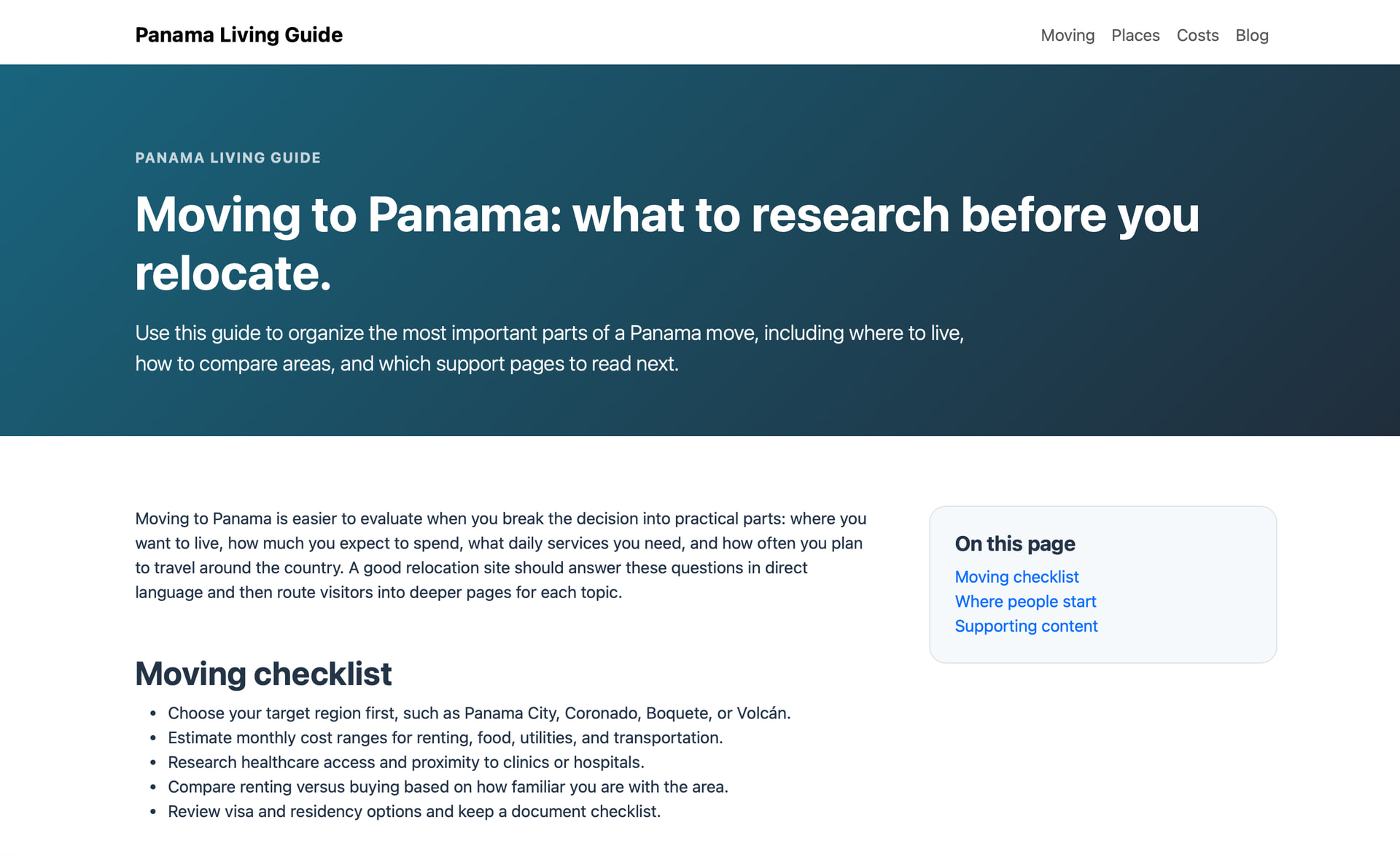
Here’s what that’s supposed to look like from the original HTML when I open it., Then here’s what it looks like after it’s loaded into Bootstrap Studio.

“copied and pasted it in”… How?

Custom Code block?

Are you not importing the HTML into the application with the wizard?

Those are also inline styles… Those should be in a separate CSS file.

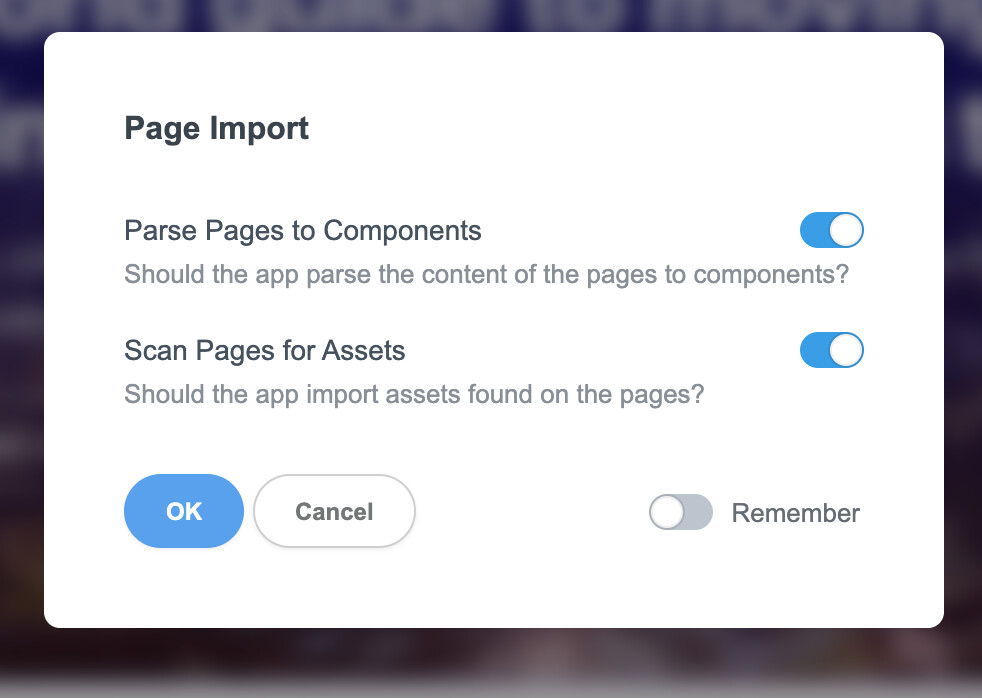
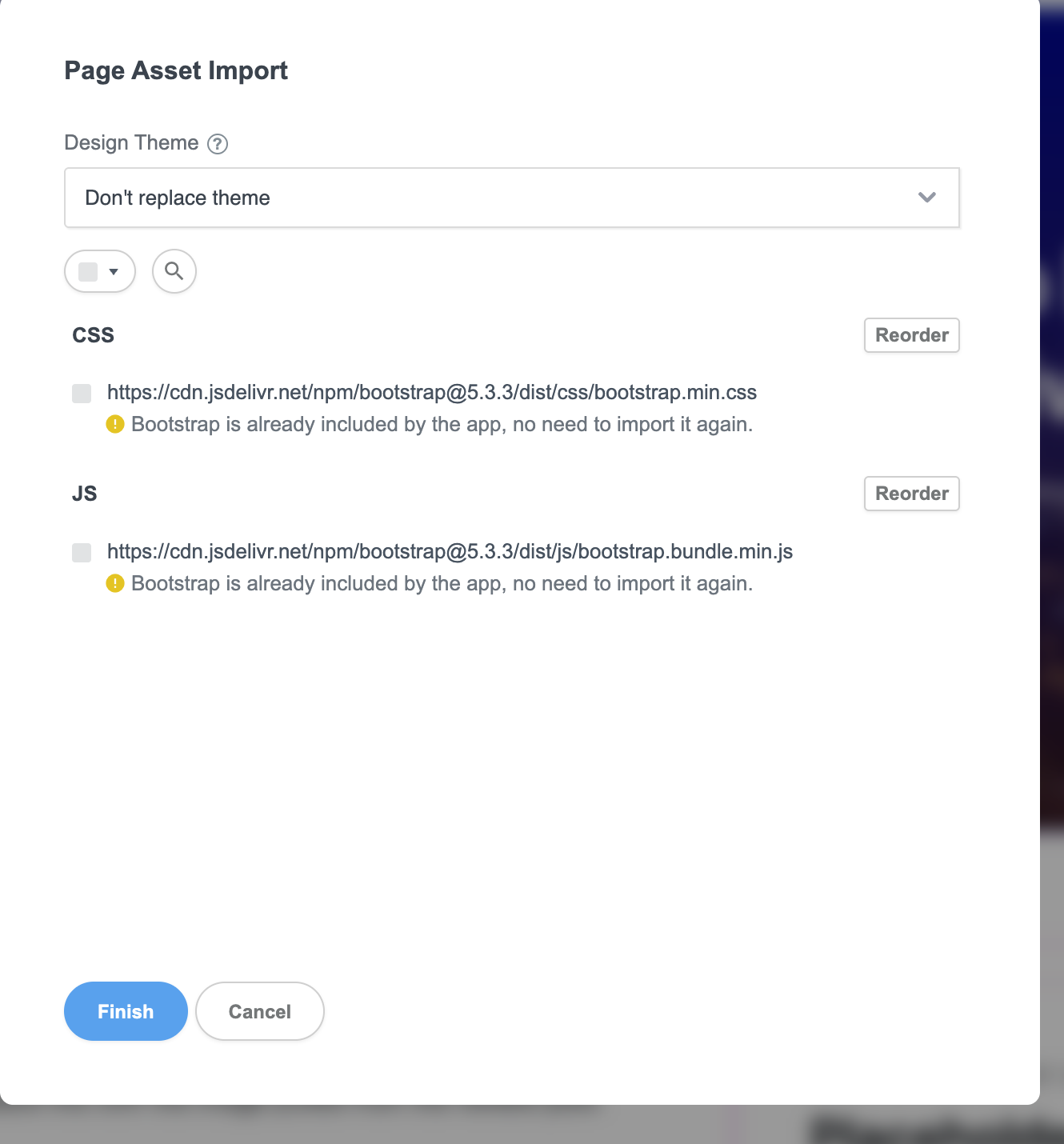
Loading it into Bootstrap Studio, I drag the file, drop it in, it runs through two pop-up menus, and then loads it in. I’ve also tried using the menu at the top to load it in. Either way, it does not work right.

I’ve tried multiple variations of this as well. I keep both praise page and scan page turned on. Works the best Otherwise, it’s just one whole page that’s not editable at all, still without the right formatting..

The second menu, I don’t click on anything, I just click on finish. And then it brings it in and all the formatting is gone.
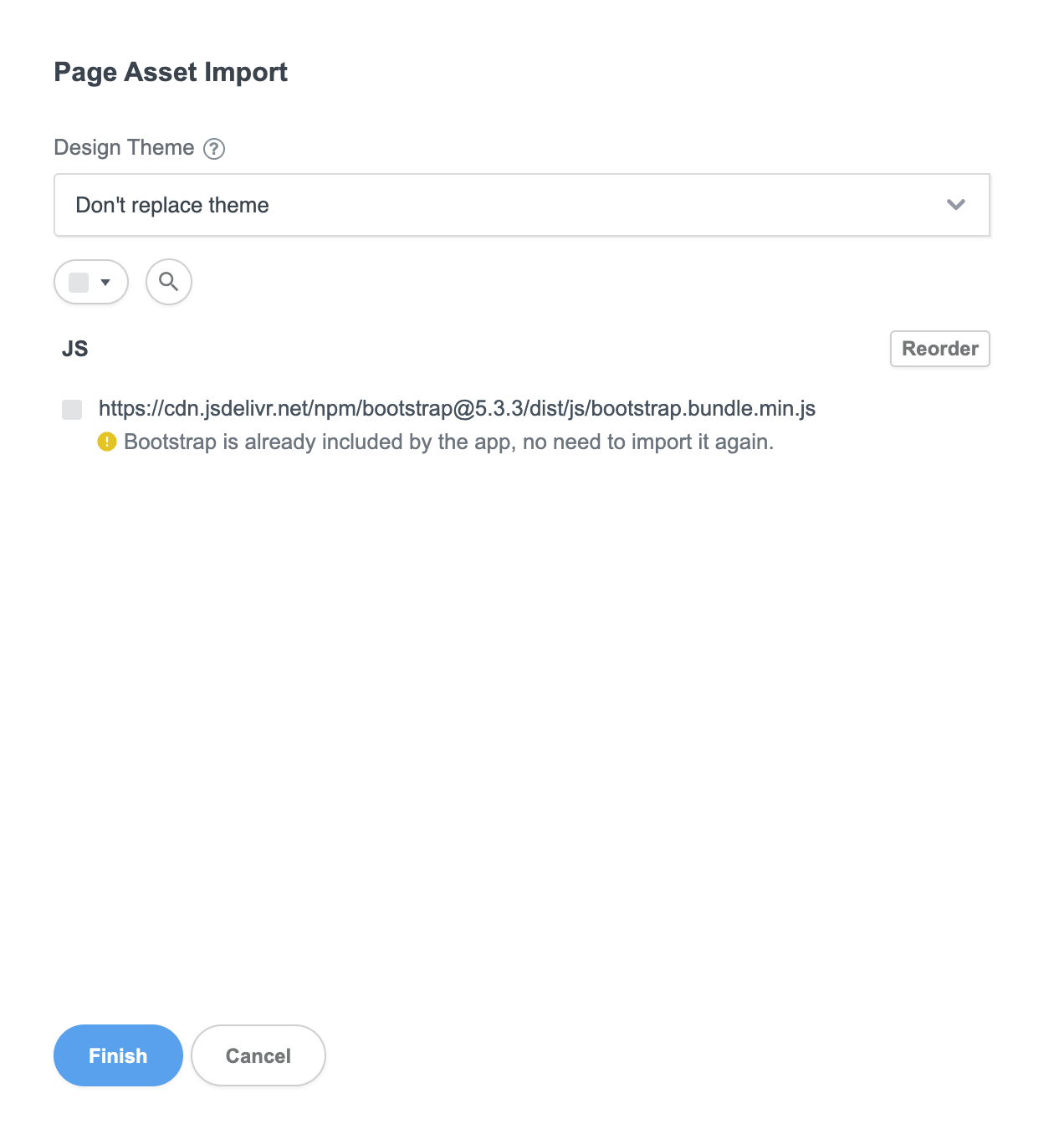
Chat GPT was even trying other versions where it had the CSS stripped out so there was only one box here see last image. That did not work either.

Is there something else I’m supposed to be doing different here? The directions say to drag it in, and then I get these two pop-up windows to go through, and it loads it in.

If you’re asking about how I’m copying the HTML and pasting it in here, I’m opening it up in an editor program called “Cot Editor”. As HTML, I’m copying it all and then pasting it in here.
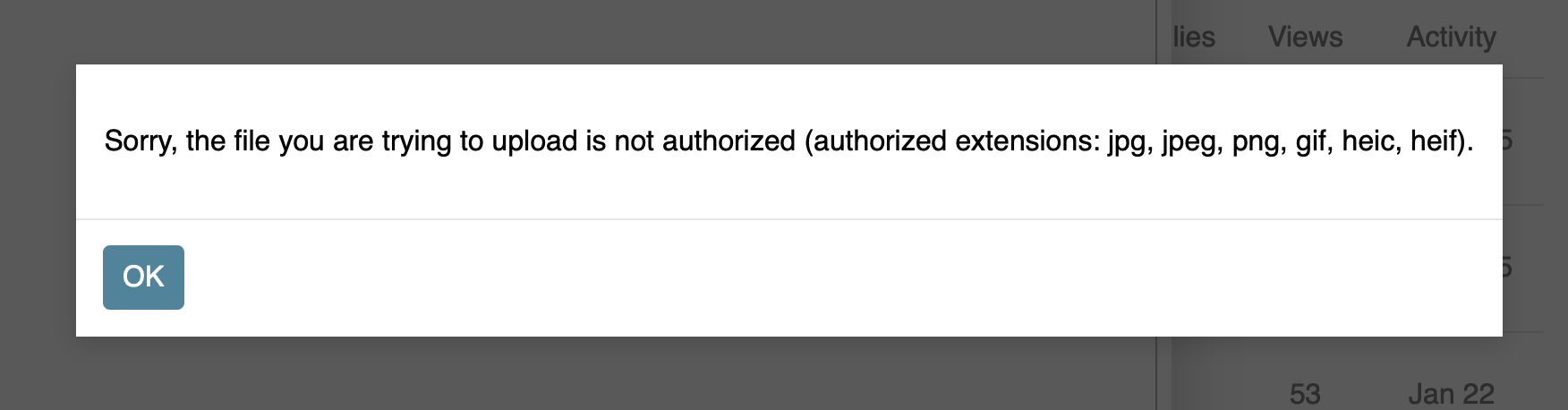
It will not let me drag or load the HTML file into here. I get that pop-up message saying that that’s not the right format. Saying it needs to be a JPEG, PNG, and so on.

I can import it in this way or drag it in and I get the same results. Into Bootstrap Studio!

What happens if you take the CSS from within the <styles> tag, and remove it from the HTML file, then import that as a stand alone CSS file.

I’m guessing the correct layouts you’ve been showing screenshots of have been from opening the HTML files in your browser?

Here’s a few comments from ChatGPT and others, what it’s saying is happening.

I’ve also tried Claude, Sonic, 4.6, and Kimi K. They’re all basically saying the same thing.

The screenshot shows Bootstrap Studio flattened the custom page again: the nav collapsed into plain links, the hero overlay styling mostly disappeared, and the image strip/layout logic did not survive the import

The issue is not “Bootstrap HTML” in the generic sense. The issue is that Bootstrap Studio is selectively interpreting imported HTML, and it is clearly not preserving this custom structure.

I’ve been producing pages that look right in a browser, but that is not the same target as “imports correctly into Bootstrap Studio.” Your screenshots show that Bootstrap Studio is stripping or reinterpreting enough of the imported layout that browser-valid HTML is still the wrong delivery format for this workflow.

So copy the CSS from the HTML and bring it in separately. I will try to do that.If I can figure out how…

Would this be everything between the two style tabs?
Save that as CSS to come in separately. I will try that. I hope that’s right.

Yes, that would be everything between the style tags, that’s your CSS